How to Build WhatsApp AI Customer Support
Learn how to build WhatsApp AI customer support workflows that auto-resolve 60-80% of tickets. Step-by-step setup guide for no-code & hybrid solutions.
How to Build a WhatsApp AI Customer Support Workflow (Complete 2026 Guide)
Look, I'm going to be straight with you. WhatsApp AI customer support workflows can handle 60-80% of your routine questions automatically. That means your team stops drowning in "where's my order" messages and actually gets to solve real problems. This guide will show you exactly how to build one, whether you know how to code or not.
The Ugly Truth About Manual Support
Let me paint you a picture. Imagine you run a growing e-commerce brand. Last year, you had 3 support people handling about 4,000 tickets a month. Everything was fine. Then Black Friday hits. Within two weeks, tickets jump to 12,000. You hire 4 more people in a panic. Your margins evaporate. Your team hates their jobs because they're copy-pasting the same answers all day. Customers are angry about slow responses.
Sound familiar?
Here's the thing—a single support agent can handle maybe 40-60 emails a day. That's roughly 8,000-12,000 tickets a month with a five-person team. The moment you hit 15,000 tickets, everything breaks. Response times balloon. You hire more people. Your costs triple. Everyone's miserable.
I've watched this play out with dozens of companies over the years. The ones who survive? They stop trying to brute-force their way through support tickets. They start automating the obvious stuff.
What Actually Happens When You Get This Right
When you deploy AI support the right way, here's what changes:
First, the numbers are actually wild. Companies using AI for tier-1 support resolve about 65% of issues without any human involvement. On 10,000 tickets a month, if 40% are straightforward (order tracking, refund questions, policy clarifications), you're looking at 2,800 tickets fully automated right out of the gate.
That means your team of five suddenly handles what used to require eight people. No new hires. No burnout. Just breathing room.
Second, your response times get insane. Average first response time drops from 12 hours to under 5 minutes. Your customers feel like they're talking to someone who actually cares. Because they are—it's just that "someone" doesn't sleep or take coffee breaks.
Third, your agents get happier. They stop copy-pasting the same answers about shipping times 50 times a day. Instead, they handle interesting problems—escalations, complex billing issues, angry customers who actually need human empathy. Your support team starts looking forward to work again.
The Hard Truth About What This Actually Costs
Let's talk money. Everyone's scared of the price tag.
For a small business (under 10,000 tickets a month):
- Platform cost: $50-300/month
- Meta's API: Most businesses stay in the free tier, then it's $0.05 per conversation
- AI provider: $10-200/month depending on volume
- Total: $60-500/month
That's probably less than what you spend on coffee for your team.
Here's the better math though. AI-native platforms solve tickets at under $3 per resolution. Human support costs around $13.50 per ticket. If you're doing 10,000 tickets a month and 65% are AI-resolved, you're saving around $19,500 every single month.
That's not a small number. That's a new hire. That's a marketing budget. That's actual profit.
Wait, This Sounds Too Good. What's the Catch?
I'm glad you asked. Because there's always a catch.
First catch: Your AI is only as smart as your knowledge base. If you don't teach it what your return policy is, it's going to make something up. And when it makes something up, your customers get angry, you get bad reviews, and your team spends twice as long fixing the mess.
Second catch: You can't automate everything. I've seen companies try to make their AI handle 100% of tickets. They set the escalation threshold at basically zero. Customers get furious when a robot tries to argue about refunds. Your AI should handle maybe 60-70% of questions. The rest go to humans. Every time.
Third catch: Your team will hate it at first. They'll think you're trying to replace them. They'll be skeptical. They'll look for mistakes. You need to be honest with them—you're not replacing anyone. You're making their jobs less miserable. Give them the chance to help train the AI. Make them feel ownership.
Three Ways to Build This Thing
Path 1: The No-Code Route
This is for people who don't know what a terminal is and don't want to learn.
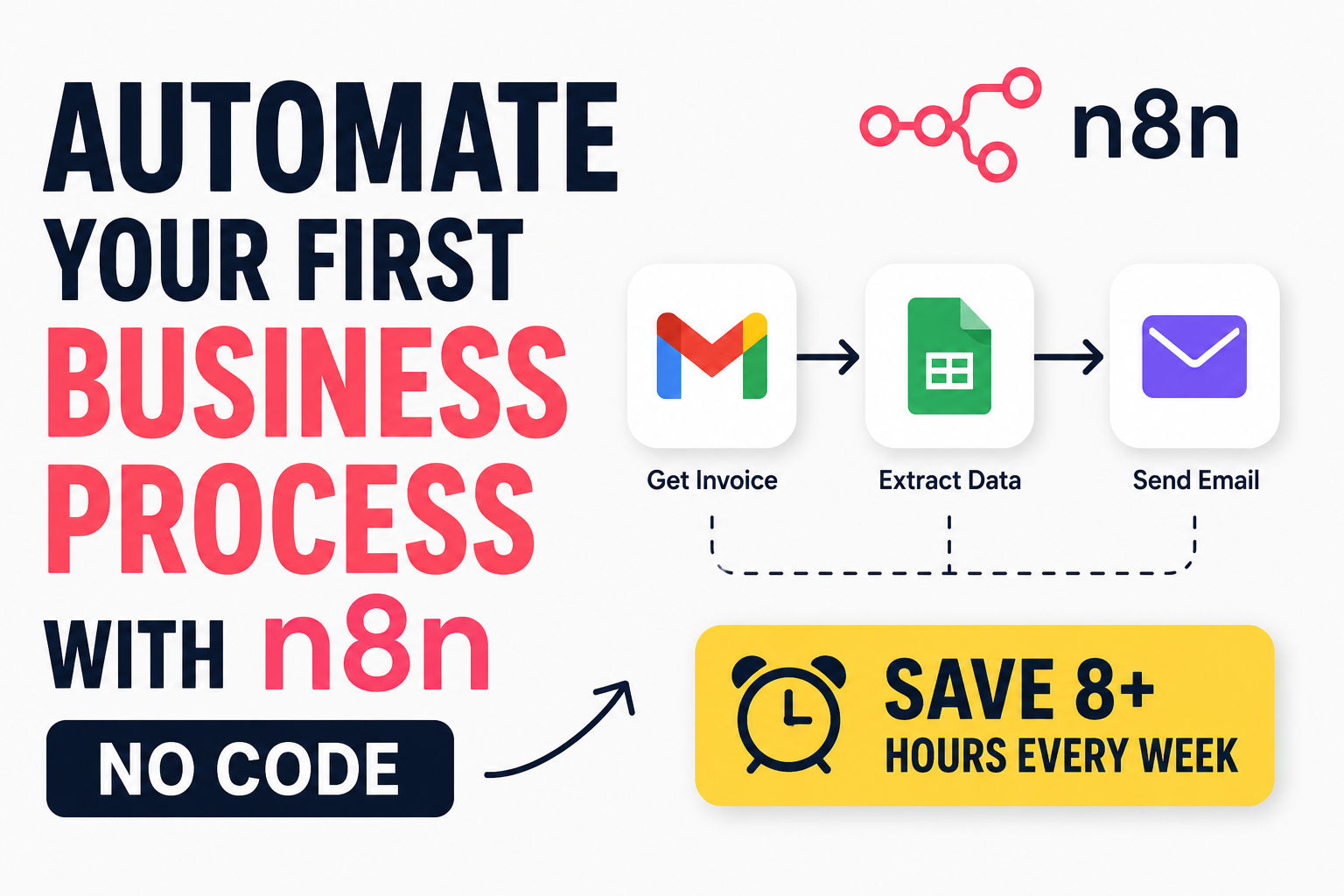
You sign up for WATI, Wassenger, or n8n. You drag and drop some boxes. You connect your knowledge base. You're live in 48 hours.
Cost: $50-500/month Best for: Small teams, people who hate coding, getting started fast
The tradeoff: You can only do what the platform allows. If you want something weird or custom, you're stuck.
Path 2: The Hybrid Approach (This Is What Most People Should Do)
You use Meta's Cloud API (their infrastructure). You connect OpenAI or Gemini (your brains). You write a little bit of code to wire everything together.
Cost: $200-1,500/month + AI usage Time to build: 5-10 days with one developer working part-time Best for: Growing teams, companies with one technical person
Why this wins: You're not locked into anything. Your AI gets smarter because you control the prompts. You own your data. And when you inevitably need to connect to Salesforce or your inventory system, you can. You're not waiting for some platform to add a feature.
Path 3: Build Everything Yourself
You write all the code. You set up your own database. You control every decision.
Cost: $5,000-50,000+ depending on scale Time to build: 2-4 weeks Best for: Enterprise companies with unique requirements
Only do this if: You have an in-house developer who's excited about this, or you have the budget to hire someone good, or you enjoy unnecessary suffering.
What Actually Happens Under the Hood
I want to walk you through what happens when a customer messages you. This is the technical part, but I'll keep it simple.
Here's the flow:
Step 1: Customer sends a message "Where's my order #12345?" lands on Meta's servers.
Step 2: Meta forwards it to you Your webhook endpoint gets a POST request with the message, the customer's phone number, and a timestamp. This happens in milliseconds.
Step 3: Your system parses the message It extracts the order number and figures out they're asking about tracking.
Step 4: You check your knowledge base Your system looks up order #12345 in Shopify or Stripe. It finds: "Shipped Tuesday, arrives tomorrow."
Step 5: Send to the AI for a friendly response OpenAI reads: "Customer is asking about order #12345. Here's the status. Make it friendly." The AI generates: "Hi Sarah! Your order shipped Tuesday and should arrive tomorrow. Track it here: [link]"
Step 6: Store everything You save this conversation to your database. Next time Sarah messages, you remember who she is and what she's asked before.
Step 7: Send the response back to WhatsApp Your message goes through Meta and appears on Sarah's phone in seconds.
Step 8: Monitor confidence If the AI wasn't sure about its answer, you flag it for a human to review later.
The whole thing takes 2-5 seconds. Your customer feels heard. Your team didn't lift a finger. And Sarah doesn't know she's talking to a robot—she just knows she got her answer instantly.
Building Your Knowledge Base (This Is the Most Important Part)
Look, your AI is only as smart as the information you give it. I cannot emphasize this enough.
Don't skip this step. I've seen so many companies rush to set up the AI and then feed it garbage data. The results are predictable—confused customers, angry reviews, and your team spending twice as much time fixing the AI's mistakes.
Here's what you need to do:
Step 1: Document Everything
Create a Google Doc, a spreadsheet, or use your existing help center articles. You need:
Product questions:
- What materials do you use?
- What sizes are available?
- How long does shipping take?
Policy questions:
- What's your return policy?
- How do refunds work?
- Do you offer exchanges?
Technical support:
- How do I reset my password?
- Why isn't my login working?
- How do I update my billing information?
Account management:
- How do I cancel my subscription?
- Can I change my email address?
- How do I view my order history?
Here's what your knowledge base might look like:
| Category | Question | Answer |
|---|---|---|
| Orders | How do I track my order? | Use your order number at example.com/track. You'll see real-time updates |
| Returns | What's your return policy? | 30 days, full refund if unused. Start a return at example.com/returns |
| Billing | Can I change my subscription? | Yes, anytime from your account settings. Changes apply next billing cycle |
| Shipping | Do you ship internationally? | Yes, to 45 countries. Shipping costs calculated at checkout |
Step 2: Keep It Simple
Don't write essays. Your AI needs clear, concise information. If you're using ChatGPT or Gemini, you can even feed it your existing help center and ask it to distill everything into simple Q&A pairs.
Step 3: Test Everything
Before you go live, have your team ask the AI the most common questions. Does it give the right answers? Does it sound like your brand? Fix whatever's broken.
Step 4: Update Regularly
Your policies change. New products launch. The customer experience evolves. Your knowledge base should evolve with it. Set a calendar reminder to review everything once a month.
Setting Up Escalation Rules (This Is How You Stay Safe)
Here's where most people mess up. They set up the AI and forget to think about when it should give up and hand things to a human.
Don't be that person.
Escalate immediately when:
- The customer mentions money in a heated way ("I want my money back NOW")
- Someone uses legal language ("I'll contact my lawyer")
- The conversation has gone back and forth more than 3 times
- The customer says they're angry, frustrated, or upset
- Profanity appears (automated systems can't handle emotional people)
- The AI's confidence in its answer is below 40%
When you escalate:
- Save the entire conversation
- Tag it as high priority
- Alert your team in Slack or your helpdesk
- Route it to the next available agent
Make sure your team knows how to pick up escalated conversations. They should see the full context—what the customer asked, what the AI already said, and why the AI gave up.
What This Looks Like in Different Industries
E-Commerce
What customers ask: "Where's my package?" "Can I return this?" "When will my order ship?"
How it works: Extract the order number from the message. Query Shopify for the order status. The AI generates a friendly response with tracking details. If the customer says the product is damaged, escalate to a human immediately.
Result: About 95% of order tracking questions resolve without human involvement.
SaaS
What customers ask: "Why was I charged twice?" "Can I upgrade my plan?" "How do I cancel?"
How it works: Look up the customer's account in Stripe or your billing system. Find the relevant information. The AI offers solutions—credits for double charges, upgrade instructions, cancellation confirmation. If the issue involves significant money (over $500), escalate to a manager.
Result: Billing questions drop by 60-70% in the first month.
Restaurants
What customers ask: "Do you have a table for 4 on Friday?" "What are your hours?" "Do you have vegan options?"
How it works: Query your booking system for availability. Check the menu database for dietary information. The AI suggests time slots, confirms bookings, and sends reminders. For special dietary needs, you might want a human to review.
Result: Table booking time drops from 15 minutes (phone calls) to 2 minutes.
Healthcare
What patients ask: "I need to reschedule my appointment" "What time should I arrive?" "Do you accept my insurance?"
How it works: Look up the patient's appointment. Show available slots for the next 30 days. Confirm the change and send a calendar invite. If the patient mentions urgent symptoms, immediately route to a nurse.
Result: Administrative calls drop by 50%, freeing up staff for actual patient care.
The Tools You Need in 2026
No-Code Options
WATI
- Pros: Beautiful interface, pre-built templates, Shopify works out of the box
- Cons: Limited customization, pricey
- Cost: $25-200/month
- Best for: E-commerce under 10K orders a month
Wassenger
- Pros: Cheap, fast setup, built-in broadcast features
- Cons: Basic AI capabilities, no advanced logic
- Cost: $15-100/month
- Best for: Agencies managing multiple accounts
n8n
- Pros: Open-source, powerful automation, generous free tier
- Cons: Steeper learning curve, less polished UI
- Cost: Free (self-hosted) or $10-500/month (cloud)
- Best for: Developers who want flexibility
Hybrid Options
YourGPT
- Pros: Drag-and-drop AI builder, good knowledge base features
- Cons: Newer platform, smaller community
- Cost: $50-300/month
- Best for: Teams wanting AI without coding
Respond.io
- Pros: Omnichannel support (WhatsApp + Instagram + Facebook Messenger), CRM built in
- Cons: Higher price point, more setup time
- Cost: $30-300/month + AI add-ons
- Best for: Teams supporting multiple channels
Helpdesk Integrations
Zendesk WhatsApp
- Pros: Unified inbox, agent tools, good reporting
- Cons: Expensive at scale
- Cost: $55-349/month + WhatsApp API fees
- Best for: Enterprise teams with complex routing
Crisp
- Pros: Affordable, nice interface, AI assistant included
- Cons: Less powerful for complex workflows
- Cost: $25-99/month
- Best for: Bootstrapping startups
Metrics That Actually Matter
Don't get distracted by flashy numbers. Here's what you should actually track:
Resolution Rate This is the percentage of questions the AI handles without human help. Start at 50%. If you're below 40% in the first month, something's wrong with your knowledge base. If you're above 75%, you're probably not escalating enough—your customers might be getting frustrated with a robot.
Escalation Rate You want 15-25% of conversations to go to humans. Higher means your AI is too cautious (or your team isn't using it properly). Lower means your AI is overconfident and probably making mistakes.
First Response Time Goal: under 5 minutes. If you're still measuring response time in hours, something is broken. This is the number your customers actually notice.
Customer Satisfaction Track this for both AI-resolved and human-resolved tickets. If your CSAT drops after AI deployment, you've set something up wrong. It should stay the same or improve—faster responses usually make customers happier.
Cost Per Resolution This is where the magic happens. AI costs under $3 per ticket. Humans cost $13.50. If your cost per ticket isn't dropping, you're not actually saving money.
What Goes Wrong (And How to Fix It)
Problem: The AI gives wrong answers
Fix: Update your knowledge base. It probably has missing or outdated information. Test your system with real customer questions and fix whatever comes up wrong. This is normal—even human agents make mistakes.
Problem: Customers keep asking to speak to a human
Fix: Your escalation rules are too strict, or your AI sounds too robotic. Loosen your thresholds and make the AI sound more like your brand. Add personality. Use your customer's name.
Problem: Your team won't use the system
Fix: This is a people problem, not a tech problem. Talk to your team. Show them how the system makes their life easier. Let them help train the AI. Give them ownership. And be honest—you're not replacing anyone, you're making their job less awful.
Problem: The AI is too slow
Fix: Check your infrastructure. Are you using Supabase? Does it have enough capacity? Are your API calls optimized? Most of the time, this is a configuration issue, not a fundamental problem.
Problem: The AI sounds like a robot
Fix: Adjust your system prompt. Tell the AI to be more conversational. Use lower temperature settings (0.5-0.7 is the sweet spot). Feed it examples of good responses from your best support agents.
Problem: Conversations don't have context
Fix: Your conversation memory isn't working. Check your database. Are you storing the customer's phone number? Are you retrieving their previous messages when they start a new conversation? This is crucial for personalization.
The First Month is Always Messy
I want to be honest with you. The first month will be rough.
Your AI will make mistakes. Your team will be skeptical. Your customers might complain. You'll wonder if you made a terrible decision.
This is normal.
Here's what actually happens:
- Week 1: You set everything up. It works, sometimes. Your team rolls their eyes.
- Week 2: You fix the obvious problems. The AI gets better. Your team stops complaining.
- Week 3: You start seeing real deflection. Fewer tickets hit your team.
- Week 4: Your team actually starts using the system to help frustrated customers. They realize it makes their job easier.
By month three: You'll wonder how you ever lived without it.
The Real ROI
Mature implementations (6+ months in) see:
- 60-70% of routine questions automated
- 87% faster response times (from hours to minutes)
- 20-35% lower support costs (after paying for the AI)
- Happier support teams (they handle interesting problems now)
- Better customer satisfaction (people hate waiting)
Here's a concrete example. A mid-sized company had 12 support agents handling 15,000 tickets a month. After deploying AI, they automated 65% of tickets. They kept 8 agents and reassigned 4 to other roles. Customer satisfaction went up because response times dropped from 4 hours to 8 minutes. Their support cost per ticket dropped from $12 to $4.
Annual savings: Over $150,000.
Common Questions (From People Who've Actually Built This)
Q: Do I really need to know how to code?
No. Use WATI, Wassenger, or YourGPT. You'll be live in 48 hours. But if you want custom stuff—CRM integration, custom workflows, specific logic—some development is worth it.
Q: What if the AI gives a completely wrong answer?
Build a feedback loop. When customers say "helpful" or "unhelpful," log it. Review those logs weekly. Fix what's broken. This is not a one-and-done thing—you need to maintain it.
Q: How much will this actually cost me?
For a small business: $50-300/month all-in. For a growing business: $200-1,500/month. For enterprise: Honestly, if you're asking, you can afford it.
Q: How do I get people to actually use WhatsApp for support?
Put a WhatsApp button on your website. Add it to your email signature. Mention it in your order confirmations. Make it obvious that it's the fastest way to get help. Customers hate waiting—they'll use whatever's fastest.
Q: Can I connect this to my current helpdesk?
Yes. Zendesk, Freshdesk, HubSpot, Salesforce—all of them have WhatsApp integrations or webhook support. Every resolved ticket can sync automatically.
Q: How do I handle multiple languages?
Most AI providers support multiple languages. Set the language based on the customer's phone number or let the AI detect it. Just make sure your knowledge base is available in all the languages you support.
Q: What about privacy? Can I store customer conversations?
You can store them if you comply with GDPR, CCPA, and whatever else applies to your business. Be transparent with customers about what you're storing and why. Most people are fine with it as long as you're honest.
Let's Be Real About What This Won't Fix
I've been honest about what this does. I should also be honest about what it won't do.
This won't fix bad products. If your product is broken, customers will still be angry. A faster response doesn't fix a defective item.
This won't replace good human judgment. Some situations need empathy, nuance, and a human brain. Your AI should never handle those alone.
This won't stop customers from being angry. It'll just give them faster answers while they're angry. You still need a human to actually resolve the underlying problem.
This won't automate 100% of your tickets. Don't try. Aim for 60-70%. Let your team handle the rest.
This won't be perfect on day one. It takes time. Be patient with it. Test regularly. Improve continuously.
What to Do Right Now
If You're Starting From Scratch (This Week)
- Sign up for WATI or Wassenger. Seriously, just do it. The free trials are generous.
- Write down your 20 most common questions. Pull them from your email inbox. I guarantee they're all the same.
- Create a knowledge base. Answer those 20 questions clearly and concisely. This is your AI's training data.
- Test with friends and family. Let them ask questions. See what the AI gets wrong. Fix it.
- Go live to a small group. Don't flip the switch for everyone yet. Test with 100 customers first.
- Review and improve. After a week, look at what worked and what didn't. Adjust accordingly.
If You're Doing This Seriously (Two Weeks)
- Get your WhatsApp Business API credentials. This is the proper way to do it.
- Write a solid system prompt. Tell the AI who it is, how it should sound, and what it should do.
- Integrate with Shopify, Stripe, or your existing systems. This is where the real magic happens—your AI can actually look up orders and customer data.
- Build conversation memory. Store previous interactions so the AI remembers who customers are.
- Set up escalation rules. Decide when the AI should give up and hand things to a human.
- Test everything. Run through 50-100 real scenarios from your support history.
- Go live to a small segment. Deploy to 10-20% of customers first.
- Monitor, fix, monitor again. Be obsessive about the metrics.
- Roll out to everyone. Once you're confident, flip the switch.
If You Want Full Production (One Month)
- Full integration with all your systems. CRM, billing, inventory—everything.
- Robust escalation and routing. Get the right conversations to the right humans.
- Advanced conversation memory. Store and retrieve conversation history automatically.
- Monitoring and reporting. Know exactly how your AI is performing at all times.
- Feedback loops. Let customers say whether the AI helped them. Use that to improve.
- Continuous improvement. Update your knowledge base regularly. Adjust your prompts. Keep making it better.
The Bottom Line
Here's the thing—your competitors are already building this. They're already automating their support, saving money, and keeping their customers happy.
The question isn't whether you should automate customer support. It's how fast can you launch.
The barrier to entry is lower than ever. The tools are cheap. The knowledge is available. You don't need a team of engineers. You don't need a huge budget. You just need to start.
The hardest part isn't the setup. It's admitting you need help scaling. Do it now.
One More Thing
Picture this: A business owner who's been struggling with support for years. Their team is burned out. Customers are complaining about slow responses. They're spending a fortune on hiring more people just to keep up.
Then they build this system. It takes them three weeks. Their team goes from 7 people handling 12,000 tickets a month to 4 people handling the same volume. Response times drop from 4 hours to 12 minutes. Customer satisfaction actually goes up because people aren't waiting forever for basic answers.
They can't imagine running their business without it. They spend less time worrying about support and more time actually growing their company.
That could be you.
This is what it's really about. Not automation for the sake of automation. But giving your team the breathing room to do their best work. And giving your customers the fast, helpful responses they deserve.
You can do this. Start today.
CS student and builder writing about tech, startups, AI, and productivity. Built a SaaS that didn't ship — walked away with real product experience instead. Sharing everything learned along the way.