AI Client Onboarding Cuts Time by 53%
Automate client onboarding with AI. Cut onboarding time by 53%, save $40K annually, and boost retention by 30%. Complete implementation guide.
AI Workflow for Client Onboarding: Automate Your Way to 53% Faster Onboarding
You're losing money every single day your team spends on repetitive onboarding tasks. Here's what you need to know right now: AI-powered onboarding can compress what takes weeks into days, cut your administrative workload by 75%, and let your team focus on actually building client relationships instead of chasing documents. The average business wastes 11 hours onboarding a single client manually. Multiply that by your annual client volume, and you're staring at thousands of hours that could disappear with smart automation.
This guide covers everything—what AI client onboarding actually is, how to build one, what tools exist, and how to calculate whether it'll pay for itself (spoiler: it will).
The Real Problem With Manual Client Onboarding
Let's get honest about what manual onboarding looks like inside most businesses.
Your sales team closes a deal. A new client gets handed off to operations or delivery. Then chaos starts:
- You send an email asking for documents. The client doesn't respond. You send a reminder. Nothing. You call. They're in a meeting.
- You collect what they send. Half the documents are incomplete. You ask for more information. Email chain grows to 47 messages.
- You manually enter data into three different systems. Your CRM, your billing platform, your project management tool. Copy-paste, copy-paste, fix formatting errors.
- You schedule the kickoff call. Your calendar and theirs don't align. Back-and-forth messages for two weeks.
- Client sits idle waiting for access. You're still provisioning their account. Setting permissions. Configuring integrations. They're not generating revenue yet.
Research from Moxo found that 63% of customers actively decide whether to stay or leave based on the onboarding experience alone. Worse? 74% will switch to competitors if onboarding feels too complicated. You're not just wasting time. You're actively pushing clients away.
Nine out of ten prospects abandon onboarding processes because they're too complex. That's not a product problem. That's a revenue problem.
What Is AI-Powered Client Onboarding, Actually?
AI client onboarding isn't about replacing your team with robots. It's about automating the coordination work so humans can focus on relationship building.
Here's what a real AI onboarding workflow does:
Immediate automation: When a client signs their contract, the system springs to life without anyone lifting a finger. Welcome email goes out instantly. Access credentials generate. A project workspace appears. A scheduling link lands in their inbox. All of this happens in seconds.
Smart document collection: Instead of asking for everything at once, AI analyzes what your client actually needs based on their service package, industry, and regulatory requirements. It requests documents in logical order, explaining why each one matters. Your client understands the "why" instead of feeling buried under a checklist.
24/7 instant support: An AI intake form automation system answers common questions immediately—no waiting for a human. "How do I upload my files?" "What's the next step?" "Do I need IT approval?" These get answered at 2am when your client is finally motivated to work on this.
Intelligent routing: The system identifies when something needs human attention. A client question it can't answer? Hand-off to your team with full context already loaded. An approval is stuck? Automated nudge to the right person.
Conditional logic that adapts: A beginner client gets extra tutorials. An experienced client skips the basics. A client from a regulated industry automatically gets compliance-specific guidance. No two clients see the same cookie-cutter process.
This isn't the chatbot approach where everything is rigid and predefined. Modern AI onboarding learns from your processes, your documents, your policies—and adjusts to each client's situation.
The Numbers That Matter: Why AI Onboarding ROI Is Actually Real
Here's where this gets serious. The business case isn't theoretical. It's been tested at scale.
Time Savings: Teams report saving 5+ hours per client per week on repetitive work like document collection, follow-ups, and data entry. That's not a small gain. Spread across 20 clients per month, that's $90,000 in recovered productivity annually. If you're onboarding 200 clients per year and saving just 4 hours per client, that's nearly a full FTE reclaimed.
Speed of Onboarding: Businesses implementing AI report 53% faster onboarding completion rates. We're talking about compressing what took 4-6 weeks into 1-2 weeks. Financial institutions normally spend 5-7 days on KYC verification alone. AI does identity verification in under 60 seconds.
Error Reduction: Manual data entry creates mistakes that surface during audits and cost money to fix. AI reduces data entry errors by 73%. One financial services firm using AI increased approval rates by 45% while reducing fraud losses by 78%.
Client Retention: Here's the impact that actually moves the needle: Companies using AI for onboarding see a 30% increase in customer retention within the first six months. That's not incremental. That's transformational. And it makes sense—clients who experience smooth onboarding stay. They expand. They refer.
Revenue Recognition: When you reduce onboarding from three weeks to one week, you collect revenue two weeks earlier. For a high-volume business, that's cash flow acceleration worth six figures annually.
Cost Calculation You Can Use: If your team spends 11 hours per client at $50/hour, that's $550 per client. Reduce that to 3 hours with AI, and you save $400 per client. With 100 clients yearly, that's $40,000 in direct savings. Most companies achieve ROI within 6-12 months. Some see returns within 3 months.
The Core Features Your AI Onboarding Workflow Needs
Not all AI onboarding tools are created equal. Here's what actually matters:
Smart intake forms: Your form shouldn't be a wall of questions. It should branch based on answers. "Are you switching from another vendor?" If yes, ask about data migration. If no, skip it. Clients answer only relevant questions. Completion rates skyrocket.
Document collection with visibility: Stop emailing back-and-forth about missing files. Clients see a checklist. They know what's needed, why it's needed, and where to upload it. Progress is visible to both sides. Transparency kills friction.
Automated welcome sequences: Personalized emails that reference the specific service package they bought, the next steps, timeline expectations, and key contacts. These aren't templates. They're generated based on the actual details of their engagement.
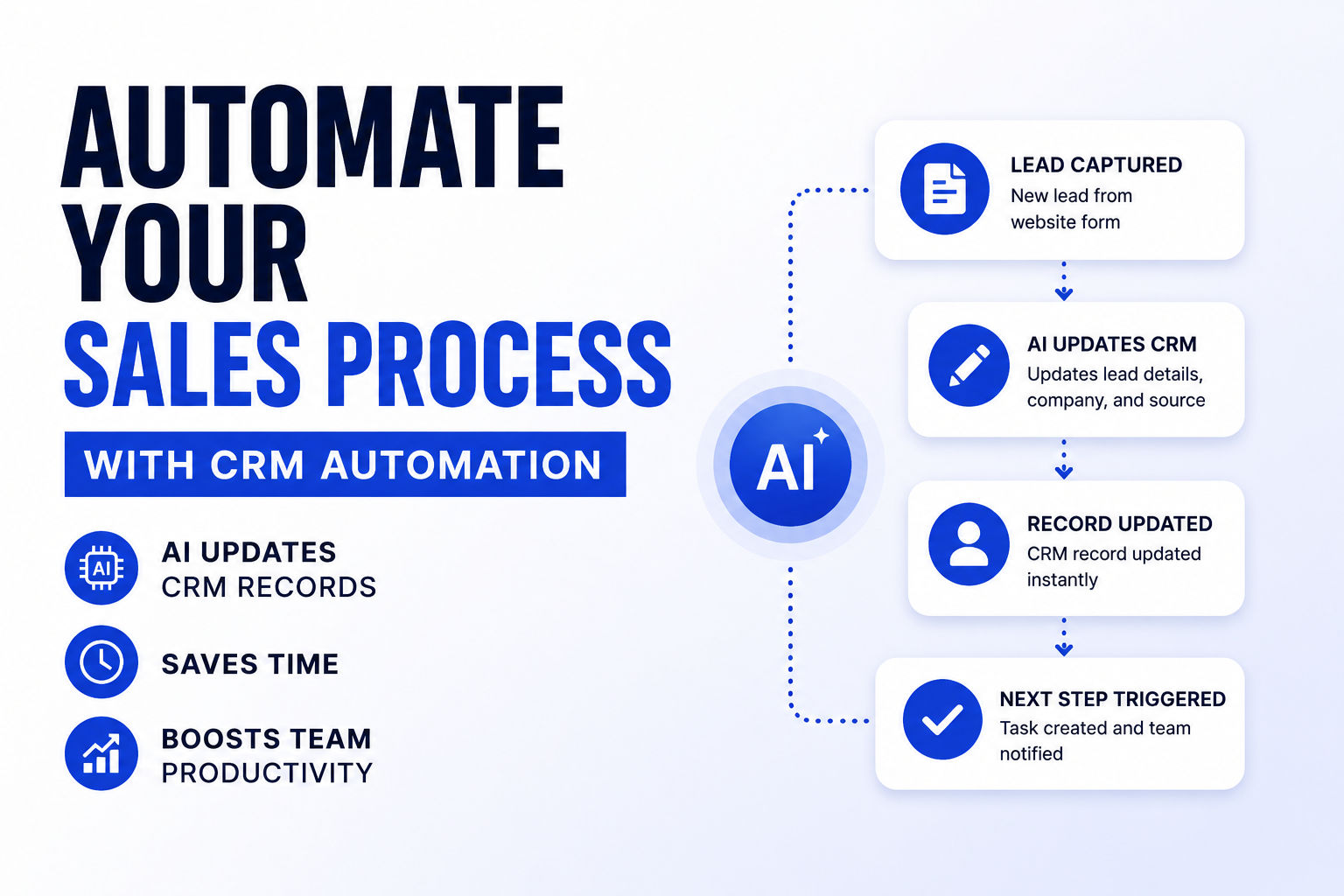
Workflow triggers that connect systems: Client uploads documents → system extracts data → creates account in your billing tool → syncs to your CRM → triggers the next step. No manual copy-paste between platforms. No delays waiting for data entry.
Proactive issue detection: The system watches for problems before clients hit them. Client hasn't logged in after three days? Automated check-in. Approval stuck for a week? Alert to the right person. Stalled data migration? Escalation triggered automatically.
Conditional workflows based on client type: A small business gets one workflow. An enterprise with 50 stakeholders gets another. A nonprofit in a regulated industry gets a third. Same system, radically different paths tailored to reality.
Real-time progress tracking: Your team and the client both see where things stand. Waiting on docs? Visible. In review? Visible. Almost ready for kickoff? Visible. No more "where are we?" emails.
How to Actually Implement AI Client Onboarding (5-Step Process)
Implementation isn't rocket science. It's methodical. Here's the real-world approach:
Step 1: Map Your Current Onboarding Process
Don't skip this. Automation of a broken process just makes you efficient at being broken.
Pull up your spreadsheets, talk to your team, and document what actually happens today. "Client signs. We send an email. They send back documents. Someone reviews them. We provision access. Kickoff call happens." Write down every step. Time each one. Identify where clients drop off or get frustrated.
Pro tip: Ask your team where they waste the most time. Not where you think time is wasted. Where they actually spend hours on repetitive stuff. That's your highest-ROI automation target.
Step 2: Identify the Automatable Steps
Not every step should be automated. Some conversations need humans.
Automatable:
- Document collection requests and reminders
- Initial data entry into forms
- System access provisioning
- Sending welcome sequences
- Scheduling kickoff meetings
- Following up on missing information
Should stay human:
- Complex conversations about their specific business needs
- High-touch relationship building
- Strategic decisions about how to implement your service
- Handling escalations or unusual situations
The goal isn't to automate everything. It's to automate the coordination work so your team has time for the high-value conversations.
Step 3: Choose the Right Tools
You don't need one monolithic platform. The strongest teams use a workflow automation stack: a form tool, a document automation tool, an intake system, and integration glue.
Common setup:
- Intake forms: Typeform, Jotform, or your CRM's native forms
- Document collection: Zapier automations, native integrations, or DocuSign
- AI support layer: ChatGPT API, Claude API, or specialized tools like Dock
- Project management: Asana, Monday, Linear, or your existing system
- Communication: Your CRM's email sequences, or dedicated tools like Outreach
The tooling matters less than intentional design. Don't pick tools first. Design the workflow first. Then find tools that fit.
Step 4: Build and Test With a Pilot
Start small. Pick one client type or service level. Run 5-10 clients through your new workflow manually first. Identify breakpoints. Refine the sequence. Get feedback from both your team and early clients.
This is where you discover edge cases and adjust before rolling out to everyone. A pilot catches problems when fixing them costs hours instead of hundreds of hours.
Step 5: Measure, Monitor, and Refine
Track what matters:
- Time-to-first-value: Days from contract to client revenue-generating
- Completion rates: Percentage of clients who finish all onboarding steps
- Client satisfaction: NPS or CSAT feedback on the onboarding experience
- Admin hours per client: Should drop dramatically
- Escalation frequency: How often do issues need human intervention?
Review these metrics weekly for the first month, then monthly. Compare against your pre-automation baseline. When you see improvement, document what worked. When something doesn't, adjust immediately.
Industry Applications: Where AI Onboarding Wins Fastest
Digital agencies: Onboarding gets messy fast when you're managing 30+ clients across different industries and service levels. AI handles intake, scopes work, collects brand assets, and provisions project spaces—all before your account manager's first call. Result: faster project starts, fewer scope creep surprises.
Consulting firms: Your kickoff calls are where value starts. AI handles the boring stuff—intake questionnaires, compliance documentation, background research—so your consultant walks in prepared. They ask smarter questions. Engagement depth improves immediately.
SaaS companies: User activation is a race against time. Every day a user doesn't experience value is a day they might churn. AI onboarding sequences personalized by user role, company size, and use case collapse onboarding time from weeks to days. Activation rates jump 30-40%.
Accounting firms: Year-end is hellish. You're drowning in client intake, data migration from old accountants, and compliance checks. AI automates the intake questionnaire, validates what was submitted, pulls in prior years' data from common formats, and flags missing information automatically. Your team focuses on the actual accounting, not the administrative nightmare.
Professional services: Whether you're a lawyer, architect, or engineer, onboarding involves intake forms, document collection, stakeholder alignment, and compliance reviews. AI handles intake and compliance workflows while your team handles the strategic design conversations that actually build relationships.
AI Onboarding Benchmarks: What "Good" Looks Like
If you're wondering whether your onboarding is slow, use these benchmarks:
Time-to-onboarding completion:
- Manual baseline: 4-6 weeks
- With AI automation: 1-2 weeks
- Goal: 50%+ reduction from your current state
Administrative time per client:
- Manual baseline: 10-15 hours
- With AI automation: 2-4 hours
- Your target should be cutting this in half minimum
Onboarding completion rate:
- Poor: Below 70% of clients fully complete onboarding
- Good: 85-90% completion
- Excellent: 95%+ complete without friction
Client satisfaction with onboarding:
- Baseline NPS: Often 0-40 for manual processes
- With AI support: Usually jumps to 50-70
- Track this before and after implementation
Time-to-first-value:
- Financial services: Under 60 seconds for identity verification (versus 5-7 days manually)
- SaaS: Users reaching activation within 3-5 days (versus 2+ weeks)
- Services: First project milestone within 1 week of contract
Common Mistakes That Kill AI Onboarding Projects
Learn from teams that have failed. Here are the patterns that don't work:
Automating a broken process: You bought fancy software and automated the same onboarding flow that's been failing for years. Now it fails faster. Map and redesign your process first, then automate it.
Forgetting about data quality: AI needs clean, consistent data to work. If your system is full of duplicates, inconsistent formats, and missing fields, the AI will inherit those problems. Spend time on data cleanup before launching anything.
Removing all human touch: The pendulum swings too far toward automation, and clients feel like they're interacting with a machine. Balance automation (for coordination work) with human interaction (for relationship building). That's the real magic.
Not defining escalation paths: Your AI chatbot gets asked something it can't answer. It loops. Client gets frustrated. They escalate to your team, who's annoyed. Define exactly when and how AI hands off to humans before you launch.
Setting it and forgetting it: You implement the system and assume it'll work forever. Client needs change. Your process evolves. The AI workflow gets stale. Review and refine quarterly minimum.
Measuring the wrong metrics: You track "number of automations executed" instead of "time saved" or "client satisfaction." Measure business outcomes, not activity.
Compliance and Security: The Questions That Matter
"Is AI onboarding GDPR compliant?" is the question that kills deals.
The honest answer: It can be, if you build it right. It absolutely won't be if you build it carelessly.
What GDPR actually requires:
- Data minimization: Collect only the data you actually need. Your intake form shouldn't ask for their mother's maiden name if it doesn't matter.
- Purpose limitation: Use data only for the purpose you collected it for. You collected it for onboarding. Don't use it for marketing without explicit permission.
- User rights: People have the right to access their data, correct it, delete it, or transfer it. Your system needs to support all of that.
- Security controls: Encrypt data in transit and at rest. Use role-based access control. Keep audit logs.
- Transparency: Be clear about what data you're collecting and why. Don't hide behind legalese.
Practically speaking: Use tools with built-in compliance (SOC 2, GDPR certification, HIPAA if relevant). Encrypt sensitive data. Limit who can access what. Keep records of what data you collected and why. Test your security.
If you're handling data in regulated industries (finance, healthcare, legal), you need documentation proving your process complies. It's not optional. Your lawyer should sign off before you go live.
Building Your AI Onboarding Workflow: The Real Takeaway
Manual client onboarding is a problem that solves itself through AI. You're not choosing whether to automate—you're choosing how quickly you implement it before your competitors do.
The companies that move fastest aren't the ones with fancy tools. They're the ones that clearly map their current process, identify the coordination work that can be automated, pick simple tools that integrate with their existing stack, and test with real clients before scaling.
Start by auditing your current onboarding. Where does it actually take time? Where do clients get frustrated? Where do your team's best people waste hours on repetitive work? Those are your leverage points.
Pick one high-impact piece. Maybe it's intake forms. Maybe it's welcome sequences. Maybe it's document collection. Automate that piece. Measure it. Refine it. Then add the next piece.
You don't need to boil the ocean. You need to cut onboarding time in half. Everything else flows from that.
The business case is strong. The technology exists today. The only variable is whether you'll move forward or watch competitors pull ahead.
Your next move? Map your current process and identify one automatable step that's eating 20+ hours per month across your team. That's your starting point. Within six months of focused implementation, that 11-hour manual onboarding can become a streamlined 2-3 hour process—with a team that's happier, clients that are delighted, and revenue that recognizes faster.
That's not a pipe dream. That's happening right now at companies willing to execute.
Most People Asked
CS student and builder writing about tech, startups, AI, and productivity. Built a SaaS that didn't ship — walked away with real product experience instead. Sharing everything learned along the way.