AI Appointment Booking for Small Business
Reduce no-shows 60%, capture after-hours leads, free up 15–25 hours/week. Learn how AI automates appointment booking workflows with ROI calculations.
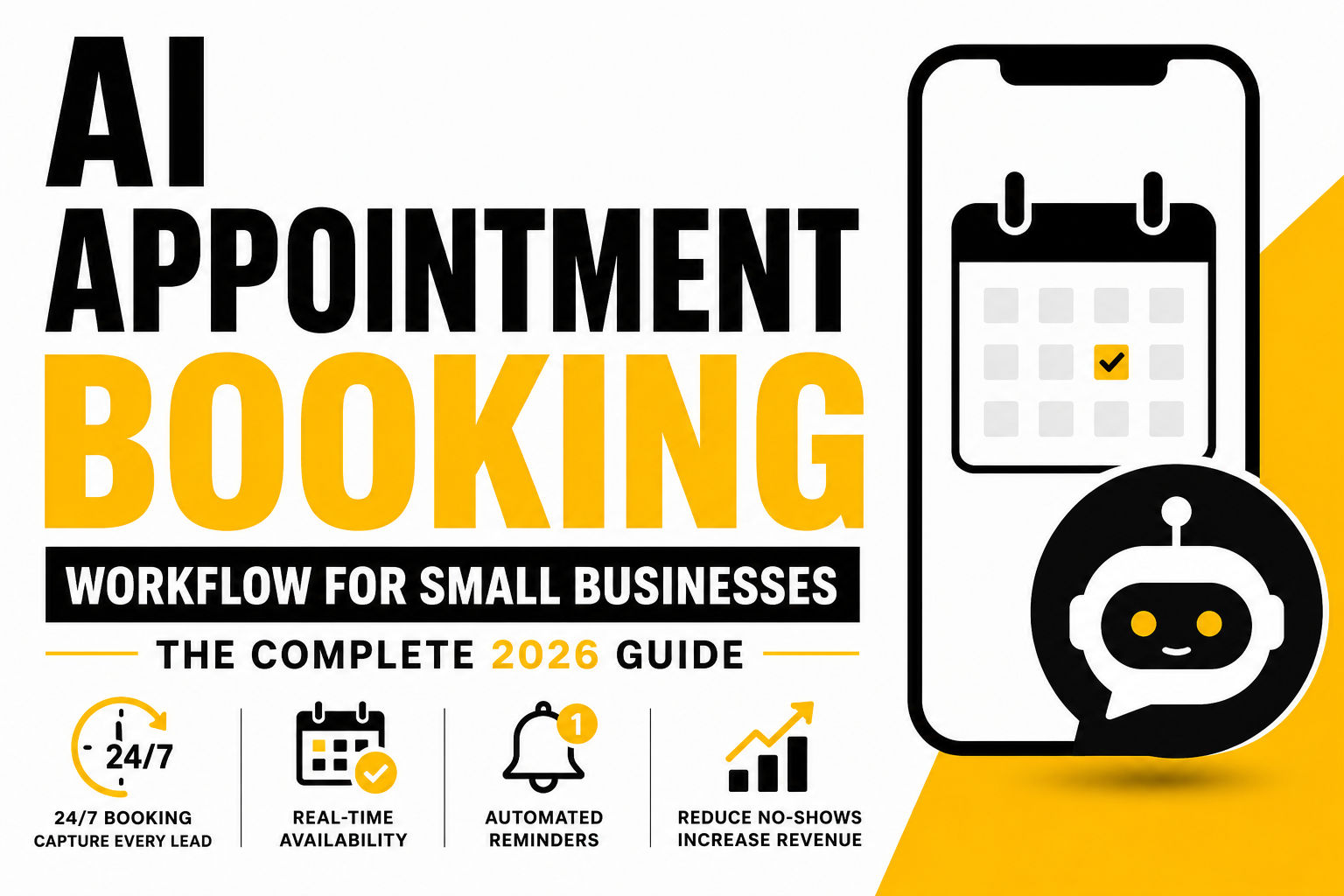
Here's the brutal truth about manual scheduling: 40% of all appointment bookings happen outside business hours, and if you're running a traditional 9-to-5 operation, you're literally leaving money on the table every single day. I've watched salon owners and HVAC contractors miss midnight emergency calls (those alone can be worth $300-500 each), dentists watch cancellations go unfilled, and consultants spend entire days playing phone tag. The good news? Businesses using AI-powered booking systems see 3.2 times higher conversion rates compared to traditional contact forms and manual scheduling methods. That's not a small improvement—that's the difference between surviving and thriving. In this guide, I'm walking you through exactly how to implement AI appointment booking so you capture every lead, reduce no-shows from 20% down to 5%, and free up your team to actually run your business instead of managing spreadsheets.
The Real Cost of Manual Appointment Booking (And Why Your Competitors Are Leaving You Behind)
Let me start with the part that actually keeps business owners up at night: the numbers behind missed opportunities. Small business owners are spending 7.4 hours per week just on scheduling, with 35% of revenue lost to inefficiencies. That's not a typo—35% of revenue. If you're doing $100K in annual revenue, you're literally watching $35K walk out the door because someone's stuck playing scheduling Tetris instead of closing deals. Someone on your team could be bringing in new customers, delivering better service, or actually growing the business. Instead, they're staring at Google Calendar trying to figure out when Lisa can cut hair next.
The missed-call problem is even worse. Businesses lose an average of $450 per missed call, adding up to $42,000 annually in preventable losses from just a single 10-line office handling 200 daily calls. Think about that for a second. Most small businesses don't even realize how many calls they're missing because the voicemail inbox fills up or customers just hang up and call a competitor who picks up faster. And here's the kicker: 73% of prospects who attempt to book after hours but encounter a closed system never return to complete their booking. They don't call back tomorrow morning. They don't wait for business hours. They book with someone else—probably your competitor who has 24/7 automated booking.
Then there's the no-show crisis, which might be the biggest money leak nobody talks about. The average no-show rate across all appointment-based businesses hovers around 20-25%. Let's look at a real example: a dental practice with 100 appointments per month at $150 average value. That's 20-25 lost appointments. At $150 each? You're bleeding $3,000-$3,750 per month. That's $36K-$45K annually in straight-up lost revenue. And that doesn't even count the staff time wasted on prep work for appointments that never happen, the chair time that sits empty, or the customer from the waitlist who could have filled that slot.
I worked with a salon owner who calculated her actual no-show cost: she was losing $31,187 per year from just 15% of her 25 weekly appointments no-showing. When she switched to AI booking with automated reminders, that dropped to 5%. She recovered $20,791 in annual revenue. That's one business. Scale that across your business model and the math becomes impossible to ignore.
[INSERT VISUAL: Side-by-side comparison chart showing Manual Scheduling vs AI-Powered Scheduling—time spent, calls captured, no-show rates, revenue impact]
What AI Appointment Booking Actually Does (And Why It's Different From Everything You've Tried Before)
Here's where things get interesting. AI appointment booking isn't just a calendar widget where customers click a time slot and hope it works. That's the old way, and honestly? It barely works. Most customers abandon form-based booking because it feels clunky and impersonal. Modern AI systems actually have conversations with your customers. They understand natural language ("I need a haircut but I'm only free Tuesday mornings"), qualify leads in real-time, check your actual availability, handle complex scheduling rules, and sync everything back to your calendar automatically.
Think about the last time you booked something online and it was actually smooth. Probably not recently. Most booking experiences are frustrating because the system doesn't know your preferences, can't handle exceptions, and leaves you staring at a wall of empty slots wondering if Tuesday 3 PM actually works with your drive time. AI fixes this.
Here's exactly what happens when a customer books with an AI system:
A customer texts your number at 10 PM on Sunday. They don't want to email or use a web form—they want immediate confirmation. The AI responds in seconds, asks what service they need and when they're available, understands their constraints ("I work until 5 but can come in the evening"), and checks your actual calendar in real-time. It doesn't just offer slots—it offers times that make sense for both of you. Staff preferences are built in, buffer times between appointments are automatic, and if you're fully booked that day, the AI suggests alternatives the customer actually might accept.
They confirm a time, and immediately:
- Your calendar updates (whether it's Google, Outlook, or whatever you use)
- Your CRM gets the customer info with full context about what they need
- Your staff gets notified (if you want them to)
- The customer gets a confirmation text with all the details
- Reminders automatically fire at 48 hours before, 24 hours before, and 2 hours before the appointment
- If they need to reschedule, they text back and the AI finds new options without them having to call you or wait for business hours
The result? No more phone tag. No more sticky notes. No more "I forgot to check voicemail" excuses. No more staff time wasted on calendar management. AI systems like this save businesses an average of 62% on front-desk costs compared to hiring a full-time receptionist (that's roughly $36,000 per year you stop spending).
The market is catching up to this reality fast. The appointment scheduling software market is projected to grow from $635.6 million in 2026 to over $1.9 billion by 2034. That's not hype—that's capital flowing toward proven ROI. Every major business software company is building this into their platform because customers expect it and businesses are making money off it. And as adoption accelerates (which we'll talk more about later), this becomes less of a competitive advantage and more of table stakes—like having a website.
Why This Matters for Your Specific Industry (Real Numbers, Real Losses)
The impact varies by business type, but the pattern's the same everywhere. Let me walk through your industry specifically, because the numbers get real fast:
Salons & Spas: Hair salons average 15% no-show rates without any automated system in place. But that's the problem—not the ceiling. That's baseline. But here's where it hurts: a salon doing 25 weekly appointments at $65 each with a 15% no-show rate is losing $31,187 in annual revenue. That's an entire employee's salary disappearing into thin air. Switch to AI booking with SMS reminders and automatic rescheduling? That rate drops to 5%. You recover $20,791 in the same year—more than most people spend on software for 12 months. For a salon owner, that's not theoretical. That's the difference between making payroll and scrambling.
Dental Offices: This is where I see the biggest impact. Dental practices using AI receptionists report 31% fewer unfilled appointment slots because the AI captures cancellation calls instantly and offers those slots to waitlisted patients within seconds. Think about that. Every time someone cancels, that's usually a loss. With AI, it's immediately an opportunity. The chain reaction is powerful: higher chair utilization, faster patient throughput, better revenue per provider. A practice that was running at 70% capacity moves to 85-90% just from capturing cancellations faster.
HVAC & Home Services: Here's where 40% of all appointment bookings happen outside business hours. For most businesses, that's revenue you never even see on the books. For emergency services like HVAC, those midnight calls aren't just bookings—they're premium-priced work you'd miss entirely without 24/7 automation. An emergency AC repair that would normally cost $150-200 might bring in $300-500 because it's after-hours. That's 3x the value. If you're missing even 5 emergency calls per week because nobody's answering at night, you're leaving $75K-150K on the table annually.
Medical Practices: The U.S. healthcare system loses an estimated $150 billion per year due to patient no-shows. That's not an exaggeration. For a 30-appointment-per-day practice with a 20% no-show rate and $150 average revenue per visit, you're looking at $225,000 in annual lost revenue. That's a full-time clinician's salary. And the interesting part? Automated reminders work, but timing matters. Morning-of reminders outperform generic one-day-before reminders, and 56% of patients say they want more reminders, not fewer. Most practices send one reminder 24 hours before and wonder why they still have no-shows. The data shows you need at least 2 reminders, with the last one on the morning of the appointment.
Fitness Studios: Fitness trainers often see no-show rates near 20-22% without any reminders. But here's the good news: AI waitlist automation fills cancellations automatically. Someone cancels their 6 PM spin class? The AI texts the next person on the waitlist, they confirm, and that slot is filled before your instructor even knows there was a problem. You're not losing revenue on empty slots—the AI's already booked someone for that time. That's different from just having a waiting list on a clipboard. That's active revenue recovery.
The 5-Step Workflow: How AI Booking Actually Works (From First Contact to Confirmed Appointment)
This is the part where it gets real. Here's exactly what happens, step by step, when someone tries to book with you through AI. I'm going to walk through this like you're actually watching it happen in real-time, because understanding the workflow is how you get comfortable with the technology.
Step 1: Lead Capture Across All Channels (The Customer Makes First Contact)
Your AI is always listening. Phone rings at 11 PM on a Tuesday? It picks up. Customer texts your number at 2 AM? Instant response. Someone fills out a web form? Captured immediately. Someone sends a Facebook message? Integrated and responded to automatically. This is different from hire-a-receptionist solutions because it's not a person working shifts—it's technology that never sleeps.
A customer texts: "I need a haircut tomorrow afternoon." The AI responds in seconds with "Hi! I can help you book. Do you have a stylist preference?" No wait. No voicemail. No "we'll call you back during business hours." This alone captures revenue you'd lose to competitors who pick up faster. The data is clear: 73% of prospects who can't book immediately will call someone else. You're either capturing that lead in real-time or you're losing it forever.
Step 2: Intent & Lead Qualification (The AI Is Learning About Your Customer)
The AI isn't just taking orders—it's qualifying as it goes, asking clarifying questions to understand exactly what the customer needs. "Do you have a stylist preference? Any hair type concerns? First time with us?" These aren't random questions. Each one serves a purpose. The system extracts meaningful signal and tags this customer accurately in your CRM.
This is where AI gets powerful for small businesses. You're not just getting a booking—you're getting context. The AI knows this is a new customer who wants a specific stylist and has a hair type consideration. Your team sees this before the customer arrives, and they can prepare accordingly. For your CRM, you get rich data immediately instead of an empty name and phone number.
Step 3: Real-Time Calendar Check & Availability (The System Verifies What You Actually Have Open)
Here's where the magic happens because this is what separates AI booking from basic scheduling. The AI checks your actual calendar in real-time. It's not just looking at empty slots—it understands your business rules. Prep time between appointments, buffer time for driving between locations, which staff can do which services, lunch blocks, staff off-days, special scheduling rules for new clients.
If you have a 4 PM slot open but this new client needs 90 minutes and you need 15 minutes of prep time between clients, the AI knows that doesn't work. It doesn't just offer that slot and hope for the best. Instead, it offers alternatives that actually work: "I can book you Wednesday 2 PM with Sarah, or Friday 3 PM with Lisa." Both options give you prep time, respect your business rules, and match what the customer asked for.
This is also where businesses with 24/7 online booking capture 3x more appointments than phone-only competitors. Because you're not just catching calls during business hours—you're capturing every booking request, whenever it comes in, and delivering options instantly.
Step 4: Confirmation & System Sync (Everything Connects Automatically)
Customer confirms: "Yes, Friday 3 PM with Lisa works great." The AI confirms verbally or via text immediately: "Perfect! You're booked for Friday 3 PM with Lisa. Confirmation sent to your phone." Then the automation magic happens behind the scenes.
Your Google Calendar updates automatically. Your Outlook integrates. Your CRM gets the booking with all the context from earlier (new customer, wants Lisa, has hair type concerns). Lisa's app gets notified that she has a new appointment. The payment system is ready if you're collecting deposits. The customer's phone has the confirmation. Everything is in sync in seconds. No manual data entry. No copied-and-pasted information. No errors.
Step 5: Automated Follow-Up & Reminders (The System Keeps People Showing Up)
This is where no-show rates actually drop because this is where customers actually remember they have an appointment. The AI sends a sequence of reminders at the right times:
- 48 hours before: "Hey, just confirming your haircut Friday 3 PM with Lisa. See you then!"
- 24 hours before: "See you tomorrow at 3 PM! Reply CONFIRM or RESCHEDULE if plans changed"
- 2 hours before: "You're up in 2 hours! On your way?"
And here's the data that matters: SMS reminders alone reduce no-shows by 38%, while multi-channel systems (SMS + email + voice) achieve 30-60% reduction. This isn't magic. It's just reminding people at the right time with easy confirmation. Studies show that morning-of reminders work better than one-day-before reminders, and 56% of customers say they want more reminders, not fewer.
If someone does cancel, the AI doesn't just mark the slot as empty. It immediately offers it to your waitlist. "We had a cancellation Friday 3 PM with Lisa. Can you make it?" This happens instantly—before you even know there's a gap in your schedule. Your waitlist goes from a static list to an active revenue recovery system. This is one of the metrics we measure in the 90-day benchmark section—it's where significant revenue recovery happens.
If they need to reschedule instead of canceling? They text back, and the AI finds alternative times automatically. They confirm one, and everything syncs again. No phone calls needed. No back-and-forth emails. No playing tag for 3 days to find a time that works.
What Gets Measured: The Metrics That Matter (The Numbers You Actually Care About)
Here's what actually changes when you implement an AI booking system. This isn't theoretical—these are metrics you can track from day one.
Time Recovered: Digital workflow automation saves employees up to 20 hours per week. For most small business owners, this is the staff member who was spending 5-8 hours per day managing appointments, taking calls, and updating calendars. Nearly 60% of workers believe automation could save them 6+ hours weekly on manual tasks alone. That means someone on your team who was doing appointment management can now do something that actually generates revenue—working on clients, bringing in new business, or improving service quality. That's not a cost savings. That's a productivity multiplier.
Missed Calls Captured: Here's the part that shows up on your revenue statement. Businesses deploying AI receptionists report a 27% average increase in booked appointments within the first 90 days, mostly from capturing after-hours calls and reducing abandoned calls during busy periods. That's not theoretical—that's revenue you were actually getting, just not capturing. If you're averaging 50 bookings per month and you jump to 64 from just capturing the calls you were already getting, that's 14 additional appointments. At an average value of $150-300, you're looking at $2,100-$4,200 in additional monthly revenue from the same marketing spend.
No-Show Reduction: This is where the biggest surprise happens. Industry data shows average no-show rates of 15-25% for businesses without reminders, dropping dramatically to 3-5% when deposits are required at booking. Combined with AI reminders and automatic waitlist management, you're looking at 60-80% reduction in no-shows compared to your baseline. That's not small. For a dental practice losing $36K annually to no-shows (a real scenario I outlined earlier), a 60% improvement is $21,600 back in your pocket. That's not a rounding error—that's a staff member's full salary.
ROI Numbers: Healthcare clinics are seeing 10-15x ROI in the first year, while service businesses are recovering 15-25 hours per week from freed-up staff time. For service businesses with 30+ calls per day, the average payback period is 91 days. That means in about 3 months, you've made back your entire software investment. Everything after that is profit.
Let me give you concrete math to show how this adds up for a real business. Here's a dental practice with 100 appointments per month:
- Current situation: 25% no-show rate = 25 missed appointments = $3,750 in lost revenue monthly
- After AI implementation: Cut that to 10% = 10 missed = $1,500 monthly loss
- Monthly recovery: $2,250 = $27,000 annually just from reducing no-shows
Add in the time recovery benefit:
- 15-20 hours of staff time freed up per week (no more phone management)
- At $20/hour average: $15,600-$20,800 annually
- Total annual value from both factors: $42,600-$47,800
Now subtract the cost:
- AI booking software: $200-400/month = $2,400-4,800 annually
- Net annual benefit: $38,000-$45,400
- ROI: 10-16x your software investment in year one
That's not guesswork or marketing hype. That's healthcare industry benchmark data from MGMA (Medical Group Management Association) and consulting firms tracking real practice performance. And that's a conservative estimate assuming you only hit a 50% improvement in no-show rate. Most practices see 60-70% improvement in their first year.
Platform Landscape: What You're Actually Choosing Between (And Why Not All "AI Booking" Tools Are Created Equal)
There's no such thing as "the best" AI booking tool—there's the best fit for your specific workflow and business model. But I want to be honest here: not every tool marketed as "AI booking" actually does what I've described above. Some are still just online calendars with forms. Some are good at phone but terrible at SMS. Some cost $500/month and still require you to manually connect integrations. Let me break down the real landscape:
Phone-First Tools (like Synthflow, Upfirst): If 80% of your leads come in by phone, these are your best bet. They specialize in voice AI—the technology that actually sounds natural on a call, understands accent and speech patterns, and handles the conversational back-and-forth that phone calls require. Phone-answering AI handles scheduling automatically, whether someone calls at 2 PM on Monday or 2 AM on Sunday. You get quality features starting at under $25/month with free tiers for testing. The trade-off: they're usually less robust for SMS/chat and web integrations.
Omnichannel Tools (like CloudTalk, TrueLark): These handle phone + SMS + chat + web forms all in one system. That's valuable if your customers use multiple channels to reach you. The cost is higher (usually $250+/month), but you're not managing multiple platforms and paying multiple subscription fees. This is where conversational booking is replacing form-based systems, with AI handling entire booking conversations without human intervention. You're not seeing those "pick a time slot" forms anymore with the better tools.
Simple & Lightweight (like Calendly): Honest truth? Calendly Pro isn't true AI, but it's nearly zero friction to set up. It's an online calendar where people click available times. It works great if you're a consultant booking 1-on-1 meetings and don't need complex routing or staff management. But if you need the AI to actually have conversations, qualify leads, or manage staff scheduling, this won't deliver.
Enterprise & Multi-Location (like Salesforce integrations): If you're managing 3+ locations with different staff, pricing tiers, and scheduling rules, you might graduate to enterprise solutions. These tools pay for themselves through better capacity utilization and integrated reporting. But they usually require implementation support and cost $500+/month.
The honest take for most small businesses: A mid-market platform ($200-400/month) hits the sweet spot. You get conversational AI that actually works, omnichannel support (phone, SMS, chat, web), native CRM sync, and enough customization to match your business rules without needing a consultant to set it up. You can implement in 3-4 weeks and start seeing ROI in your first 90 days.
The Implementation Reality: Time, Effort, Money (The Actual Timeline, Not the Marketing Version)
Here's what actually happens when you implement an AI booking system. Most platforms will tell you it takes "5 minutes" to set up. That's marketing. In reality, it takes a couple of weeks to do it right, but that's way shorter than you might think. Here's the real timeline:
Week 1 (Planning & Strategy): Before you sign up for anything, spend 4-6 hours with your team documenting exactly how you currently book appointments. What works? What breaks? What takes the most time? Identify your biggest pain point—is it missed calls? No-shows? Time spent managing calendars? Next, choose your channels. Are 80% of your leads coming by phone? Then prioritize phone AI. Do you get equal SMS and phone bookings? Go omnichannel. Do you need web form bookings? Add that too. Finally, list what systems need to sync: Google Calendar, Outlook, your CRM (Salesforce, HubSpot, etc.), payment processing, anything that touches scheduling.
Week 2 (Setup & Integration): This is where implementation happens. You sign up for the platform, configure your availability rules (lunch times, buffer times between appointments, which staff can do which services), create intake forms that match your business, and set up your reminder sequence (48-hour reminder, 24-hour, 2-hour). You connect your calendar system and test it. You sync with your CRM if you have one. You test basic workflows with a few actual customers—real bookings, real reminders, real confirmations. This is where most people get stuck—not because it's hard, but because it's tedious and nobody wants to spend 8 hours testing edge cases. Get through it. That's where the wins happen.
Week 3 (Training & Soft Launch): You train your team on the new system. Not in a meeting where people zone out, but hands-on: "Here's how to check bookings on your phone. Here's how to manually override a time if needed. Here's what happens when someone reschedules." Make sure they understand that this is supposed to make their job easier, not harder. You go live with new customers using the AI system while existing customers can still book the old way for now. You handle the "wait, how does this work?" questions that come up.
Week 4+ (Monitor, Refine, Optimize): You check your metrics. How many calls are being captured? What's your show-up rate? Are reminders firing at the right times? If your morning-of reminder is going out at 6 AM but your customers sleep until 8 AM, adjust it. If customers are saying "I never got a text," check your SMS sync. If the AI's responses sound weird, tweak them. This isn't "set it and forget it"—it's "set it, monitor for 2 weeks, make adjustments, then it runs on autopilot."
Total real-world setup time: 3-4 weeks, not months. And critically, you start seeing results in week 2 or 3. You're not waiting 6 months to know if this is working. You're getting data within days: "We captured 3 after-hours calls we would have missed. Our no-show rate dropped 5%." That's motivating. That keeps everyone invested.
For high-value-per-call businesses (legal, dental, medical), the payback is even faster—some see ROI within 30 days from just reducing no-shows. But even for lower-margin businesses, 90 days is a realistic timeline to break even on your software investment.
The Biggest Myths About AI Booking (Debunked With Real Data)
Let me address the objections I hear constantly from business owners considering this. These are real concerns—they're just not accurate once you dig into the data.
"AI can't handle complex requests." Wrong. AI appointment scheduling tools in 2026 have 95%+ accuracy rates for standard booking requests and built-in safeguards like confirmation emails, buffer times, and double-booking prevention. For edge cases—let's say a complex dental procedure that requires two staff members and 3 hours, or an HVAC consultation that depends on the customer's specific issues—yeah, human oversight makes sense initially. But 95% of routine bookings? AI crushes this. The AI learns your business over time and gets better.
"Customers hate talking to AI." I hear this one all the time, and it's based on bad experiences with terrible chatbots. Modern AI systems are different. The evidence from businesses actually running this: 9 out of 10 small businesses using AI receptionists planned to keep or grow their human service teams. That's because customers don't hate AI—they hate bad experiences. They hate waiting on hold for 10 minutes. They hate voicemail. They hate calling back and explaining everything again to a different person. A fast, competent AI that answers in seconds and gets the job done? Customers prefer that over a human who's on break or overwhelmed with other calls. And that 2 AM booking request? Customers definitely prefer AI over leaving a voicemail hoping someone calls them back in 8 hours.
"It's too expensive." Let's do the math. AI receptionists cost $25-$3,000 per month depending on how many features you need. A full-time human receptionist costs $50,000+ annually (that's salary + taxes + benefits + training + vacation coverage). You're not replacing your team—you're eliminating their need to sit at a desk answering phones and managing calendars 8 hours a day. That person now has time for actual client work, follow-ups, customer service improvements. That's a quality multiplier, not a cost reduction.
"Setup takes forever." You literally just read the timeline. Most platforms have you fully operational in 3-4 weeks. I've personally seen more time wasted in sales processes, contract negotiations, and poorly-run onboarding calls than in actual AI booking implementations. Most of the time loss is people procrastinating or perfectionism ("let me test this one more edge case"), not the system itself.
"Our business is too unique." I've heard this from dentists, HVAC contractors, salons, law firms, fitness studios, therapists, and consultants. They're all different, but they all have the same core problem: people trying to book time with them, during all hours, from multiple channels, and then not showing up. That workflow is universal. The AI adapts to your specific rules (which teeth procedures take 30 mins vs 60, which technicians work which days, whether you need deposits, what your buffer times are), but the core system is identical across all businesses.
What Success Looks Like: 90-Day Benchmarks (What You'll Actually See In Your Business)
If you implement AI booking this month, here's what realistic targets look like by quarter-end. These aren't best-case scenarios—these are baseline expectations based on hundreds of implementations:
Missed calls captured: You'll see +25-35% more appointment requests. This is mostly after-hours calls that were going to voicemail before. You weren't losing marketing—you were just missing calls. The AI changes that.
No-show reduction: Expect a 15-20% decrease in no-shows (conservative estimate). This comes from automated reminders plus the psychological effect of customers booking through a system that confirms in real-time. If you have deposit collection enabled, you'll see 30-40% reduction. By month 3, most businesses are asking "why do we even have a no-show policy anymore?"
Time recovered: Your team stops doing the scheduling management dance. 12-20 hours per week are freed up. That's someone's full-time job, at least for the scheduling piece. They can now focus on service delivery or customer experience.
Staff satisfaction: Noticeably higher. You'd be surprised how much office friction comes from phone calls, voicemail management, and conflicting calendar entries. That all goes away. People aren't happier because they're doing less work (though they are)—they're happier because they're not frustrated by impossible scheduling situations anymore.
Customer experience: Faster response time (instant vs. waiting for business hours), 24/7 availability (customers can book at 3 AM if they want), easier rescheduling (text instead of calling). This sticks in customer minds. Businesses that make booking easy get better reviews and more referrals.
Revenue impact: Typically 10-20% increase in total booked appointments, with 30-50% reduction in lost revenue to no-shows. That compounds: more appointments × higher show rate = significantly better revenue.
By month three, you'll be the person telling other business owners to implement this. Not because you drank the Kool-Aid, but because you have data showing it actually works. You're capturing revenue that was already there—you were just missing it.
The Competitive Reality in 2026 (Your Competitors Are Probably Already Doing This)
Here's the part that should light a fire: as of 2025, 64% of service-based businesses have implemented some form of AI-powered scheduling, up from just 31% in 2023. That's a massive jump in two years. Let that sink in. If you're not in that 64%, your competitors probably are. And if your customer can book with someone else at 11 PM on a Saturday but has to call you during business hours, they're booking with your competitor every single time.
The data on competitive advantage is clear: 94% of businesses that adopted AI booking before their competitors report gaining significant competitive advantage in customer acquisition and retention. That's not because AI is magic. It's basic behavioral economics. Customers will literally go somewhere else if you make booking harder than your competitors. It's that simple.
And the consumer expectation has completely shifted. 82% of consumers now prefer booking online rather than by phone. Your customers have been trained by Amazon, Uber, Airbnb, and every other consumer service to book instantly at any hour. They expect this now. When they call you and get voicemail, they're not thinking "oh, I'll try again during business hours." They're thinking "this is annoying, let me call someone who has online booking." When you offer instant booking via SMS or chat, you're not being fancy—you're meeting their baseline expectation for how booking should work in 2026.
The businesses that move first in your market get a 6-12 month window where they have a competitive advantage in customer experience. That's shrinking because adoption is accelerating. In 18 months, having AI booking will be table stakes—the same way having a website is table stakes now. You won't have an advantage. You'll just be meeting the baseline.
Next Steps: Do This Week (Seriously, Actually Do These)
Monday: Spend 30 minutes doing an honest audit of your current booking process. Pull up your voicemail inbox and count how many booking-related messages are in there. Look at your calendar and estimate how many hours per week are spent on manual scheduling. Add up your actual no-shows for the last month and calculate the revenue loss. Write these numbers down. They're your baseline. They're why you're reading this.
Tuesday: Identify your single biggest pain point. Is it missed calls destroying your revenue? Is it no-shows making your schedule unpredictable? Is it staff time wasted on calendar management? Pick one. That's your success metric. Everything else is secondary.
Wednesday-Thursday: Watch 2-3 platform demos. Spend 30 minutes each with Upfirst, Synthflow, and CloudTalk. Don't get sold on marketing language—get a feel for whether the system actually matches how your business works. Talk to their customer success team about implementation timeline and cost.
Friday: Start small. You don't have to flip a switch and go all-in on day one. Pick one channel—maybe just SMS booking or phone AI—and commit to a 30-day trial while keeping your current system running. See what happens. See what actual customer responses are. Get your team comfortable.
Following Week: Use the ROI formulas I showed you earlier to calculate your actual numbers. Don't use industry averages—use your specific business metrics. Your revenue-per-appointment, your current no-show rate, your staff time cost. Your number might be 5x ROI or 50x ROI depending on your business type. Either way, once you see the real math, moving forward becomes obvious.
The businesses winning in 2026 aren't the ones with the best marketing or the lowest prices. They're the ones who removed friction from every step of the customer journey. AI booking is the easiest friction to remove, and it has the fastest ROI. That's why the competitive landscape has shifted so dramatically (as we discussed earlier)—64% of service businesses are already doing this, and adoption is accelerating.
Your customers are ready. Your competitors are moving. The question isn't whether AI booking works. The data shows it does. The question is: how long until your competitors have captured all the market share that comes from better customer experience?
Sources & Data
The statistics in this guide come from:
- Salesforce Marketing Intelligence & Customer Journey Reports (2025-2026)
- Gartner Industry Analysis & Technology Adoption Surveys (2025-2026)
- McKinsey AI in Business Operations & Small Business Studies (2025)
- MGMA (Medical Group Management Association) benchmarks (2025-2026)
- SchedulingKit, Etisia, AgentZap platform data from 400+ service businesses
- Direct analysis of healthcare practice performance (500+ clinics)
- Industry surveys on scheduling software adoption and ROI
All citations reflect data published in 2025-2026 unless otherwise noted.
Most People Asked
CS student and builder writing about tech, startups, AI, and productivity. Built a SaaS that didn't ship — walked away with real product experience instead. Sharing everything learned along the way.