Automate Gmail Replies With n8n & ChatGPT
Automate smart Gmail reply drafts with n8n and OpenAI. Free workflow, no coding required. Save $30/month vs Zapier. Click to build your first automation.
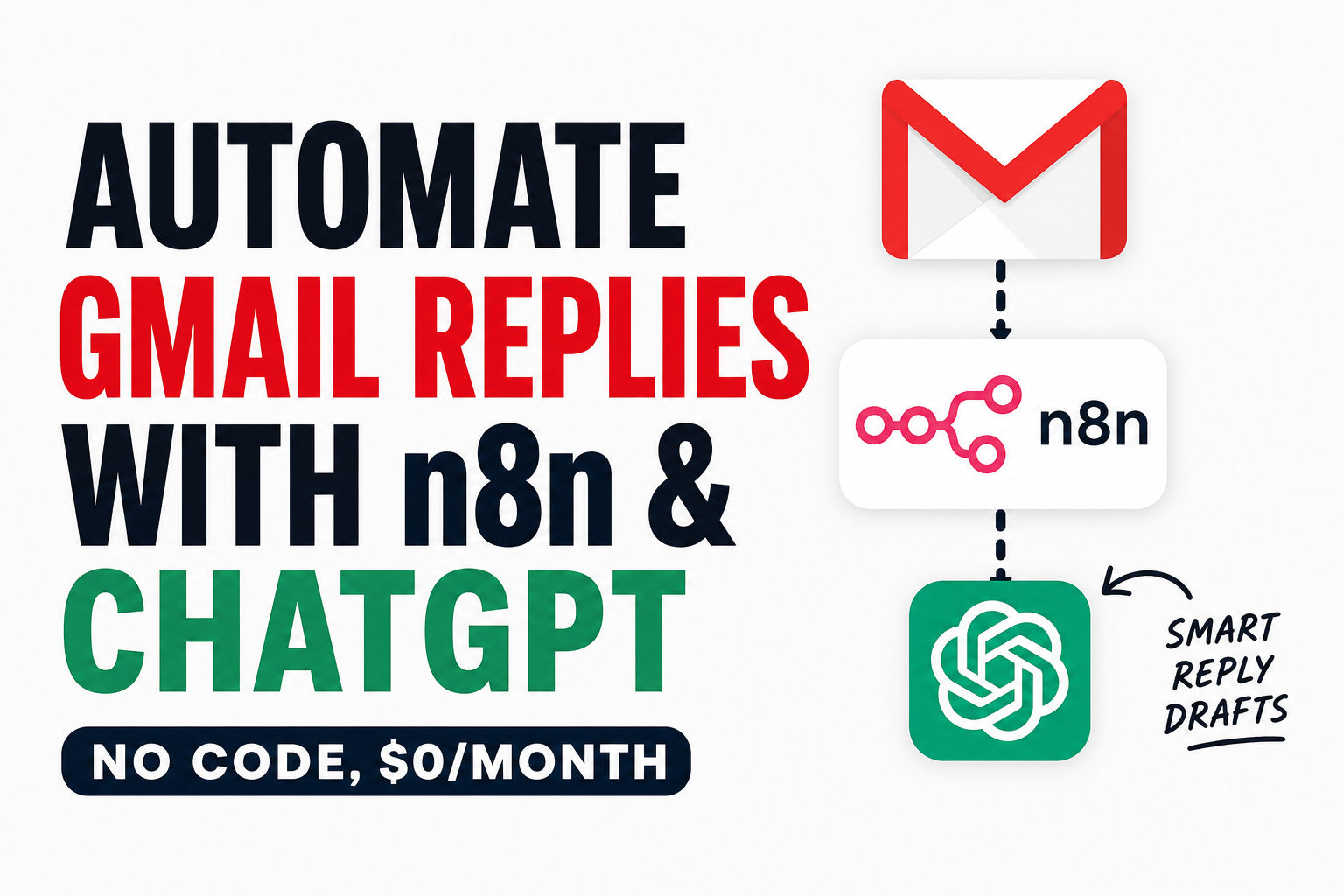
Your inbox doesn't have to steal two and a half hours from your workday. Here's how to let AI draft smart email replies for you while you review and send them—all using a workflow automation platform that won't cost you $30 a month. The setup takes about 30 minutes, requires zero coding, and saves you roughly $240-360 per year compared to using Zapier.
The Email Time Sink Nobody Talks About
Let's be honest: email is eating your life. The average office worker receives 121 emails daily and spends 23% of their work time just checking messages1. That's not a distraction. That's a full-time job hiding inside your actual job.
Think about it for a second. Professionals spend 28% of their workweek managing email—roughly 13 hours per week or 2.6 hours per day2. Do the math: in a 45-year career, that's nearly 3,000 working days spent just on email. If you're handling customer support, sales inquiries, or freelance client work, those numbers get exponentially worse. I've worked with support teams drowning in repetitive inquiry emails, and they were spending 4-5 hours daily just triaging.
The kicker? Most of it doesn't need you personally. Only 12% of emails actually contain action items that require real thought3. The other 88% is triage, explanation, and repetitive patterns that AI could handle in seconds.
That's where automating Gmail replies with AI changes the game. Not by sending emails automatically (risky), but by letting AI draft them first—giving you full control before anything goes out. You get the speed of automation with the safety of human review.
Why Email Overload Is Getting Worse (And Why You Need Automation Now)
It's not your imagination that emails are piling up faster. The data backs it up. Knowledge workers check email roughly 11 to 36 times per hour1, which means you're switching context constantly. Every time you look at your inbox, it takes about 23 minutes to refocus on your actual work4. That context-switching tax alone costs organizations thousands per employee per year.
The volume keeps climbing. We're seeing 376 billion emails sent and received daily worldwide as of 2025, and it's projected to hit 424 billion by 20265. For knowledge workers, this means more noise to filter, more time wasted on low-value replies, and more mental exhaustion.
Here's what happens in most offices: You get an email from a customer asking a frequently-asked question. You read it, think "I've answered this 50 times," then spend 5 minutes drafting a reply anyway. Multiply that by 50 emails a day, and you're losing hours to repetition. Over a year, that's weeks of work vanished into routine replies.
The good news? You can automate the drafting part without automating the decision-making part. AI writes the draft, you hit send or tweak it. Everyone's happy.
Why n8n Instead of Zapier or Make?
You've probably heard of Zapier. It's everywhere. But here's the uncomfortable truth: it's priced for people who have unlimited budgets and task-based workflows. If you want a deeper breakdown of how automation platforms compare across different use cases, there's plenty of analysis out there, but for email specifically, the math is stark.
Zapier's actual pricing for email automation:
- Free plan: 100 tasks/month (basically nothing if you get multiple emails daily)
- Professional plan: $29.99/month for 750 tasks (billed monthly), or $19.99/month if you prepay annually
- Team plan: $103.50/month for 2,000 tasks
- For anything beyond 2,000 tasks monthly, it jumps to $600+ depending on volume
For someone running a small support queue getting 50 emails a day, that's roughly 1,500 emails monthly. Zapier charges per-task, so a multi-step workflow (read email → draft reply → create draft) might consume 3-5 tasks per email. You're looking at $30+ per month before you even turn on OpenAI.
Make (formerly Integromat) is cheaper on the surface:
- Free plan: 1,000 operations/month with a 2-scenario limit
- Core plan: $12/month (billed annually) for 10,000 operations
- Pro plan: $21/month for 10,000 operations plus priority execution
- Teams plan: $38/month for team collaboration
Make looks like it saves money, but there's a gotcha. Every polling trigger, every data check, counts as an operation. If you're checking Gmail every minute for new emails, that's 1,440 operations just for the check itself, before your workflow even starts drafting. Real-world costs creep up fast.
Then there's n8n.
n8n is a free, open-source, fair-code workflow automation platform—think Zapier or Make, but one you can self-host, extend with code, and never pay per-task fees for6. Founded in 2019, it's now backed by teams at over 40,000 organizations globally who've moved away from task-based pricing entirely. The whole point is to let you build automation without vendor lock-in.
n8n offers a free community edition with powerful enterprise options, combining visual building with custom code, self-hosting or cloud, and 400+ integrations7. You can run n8n on your own server for almost nothing (a $6/month VPS), or use their free cloud tier for light automation.
Here's the real-world cost comparison for email automation with 100 emails monthly:
| Tool | Monthly Cost | Setup Time | Per-Message Cost | Data Ownership |
|---|---|---|---|---|
| Zapier Pro | $29.99 | 10 min | $0.04–0.08/msg | Zapier's servers |
| Make Core | $12/month | 10 min | $0.009/msg | Make's servers |
| n8n Cloud | $0.00 | 20 min | $0.00 | n8n's cloud |
| n8n Self-Hosted | $0.00 | 30 min | $0.00 | Your infrastructure |
Add OpenAI API ($5–10/month for most people) and you're still massively ahead with n8n. You save $20–30 a month with n8n Cloud, which compounds. Over a year, that's $240–360 you keep instead of handing to a platform. For a team of 5 people running email automation, you're looking at $1,200–1,800 annually in pure savings.
The real moat? You own your workflows. You can export them, modify them, run them on your own servers, or migrate them anywhere else. With Zapier, you're renting the ability to automate.
What You Need to Get Started
Here's the no-fluff checklist. None of this requires a credit card upfront, and all the tools are genuinely free.
Technical Requirements (100% free):
- n8n account (free cloud tier at n8n.cloud, or self-hosted on a $6/month VPS)
- Gmail account with API access enabled (free, takes 10 minutes to set up)
- OpenAI API key with $5–10 credit (start with free trial, then pay-as-you-go)
- 30-45 minutes of uninterrupted setup time
- Zero coding experience required (the visual editor handles everything)
- Basic comfort with "click here, then authenticate" flows
That's it. No sales calls. No credit card required to start. No locked-in contracts. If you hate it after a month, you're out $0 from n8n. You only pay OpenAI for actual API usage.
The biggest investment is time, and that's front-loaded. After 45 minutes of setup, the automation runs itself. You spend 2-3 minutes per day reviewing drafts and hitting send.
Step 1: Connect Gmail to Your n8n Workflow
Start by creating a new workflow in n8n. The first node is your trigger—new incoming Gmail emails.
Here's exactly what happens, step-by-step:
- Log into n8n.cloud (or your self-hosted instance at localhost:5678)
- Click the big "+" button to create a new workflow
- Search "Gmail" in the node selection panel
- Click on the Gmail trigger node (not the action node, the trigger)
- Click "Authenticate" and Google will open an OAuth dialog
- Authorize n8n to access your Gmail inbox—you control exactly what permissions n8n gets
- Configure the trigger settings:
- Polling interval: Set to 5 minutes (checks every 5 min for new emails)
- Unread emails only: Toggle ON (saves API calls, only triggers on new stuff)
- Labels to monitor: Leave blank for all emails, or select "Support" if you want to filter
- Click "Test" and send yourself an email. If it triggers, you're good.
The OAuth flow is important here. Google handles your password securely. n8n never sees it. You're granting n8n permission to read new emails, nothing more. You can revoke access anytime in Google's security settings.
Pro setup: Filter for specific labels or senders to avoid triggering on marketing emails or notifications. Add a condition like "Email has label 'Support'" so the workflow only runs on incoming support requests, not every single message. This saves you API calls and keeps the workflow focused.
[INSERT VISUAL: N8n Gmail node settings showing OAuth authentication popup and trigger filters for unread emails]
Step 2: Add OpenAI to Draft Replies
Once Gmail sends the email data to your workflow, pass it to OpenAI's API to generate a draft reply.
Here's the flow:
- Add a new node after your Gmail trigger (search "OpenAI")
- Select the OpenAI node and choose "Chat" mode (not Completion, Chat works better for replies)
- Authenticate with your OpenAI API key (go to platform.openai.com, generate a new API key, paste it into n8n)
- Create your prompt. Here's a solid template:
You are a helpful customer support assistant. Your job is to read an incoming email and draft a professional, friendly reply. Keep it under 5 sentences. Be concise and helpful.

Email subject: [Email subject from Gmail]
Email body: [Email body from Gmail]

Draft a professional reply:
- Map the email subject and body from the Gmail trigger into the prompt using n8n's data mapper
- Configure OpenAI settings:
- Model: gpt-4o-mini (cheaper than full GPT-4o, better than GPT-3.5)
- Temperature: 0.7 (balanced between consistency and personality)
- Max Tokens: 300 (enough for a solid 100-150 word email draft)
- Click "Test" and run it. Watch the output appear in real-time.
This is where cost matters. GPT-4o pricing starts at $2.50 per million input tokens and $10.00 per million output tokens8. A typical 100-word email reply uses roughly 130 tokens output. At $10 per million, that's about $0.0013 per reply. Run 1,000 replies a month, you're spending $1.30 on API calls. If you need a deeper understanding of how LLM APIs are priced and how to estimate costs for your specific use case, the OpenAI documentation breaks it down by model and token type.
Cost-conscious? Switch to GPT-4o mini at $0.15 per million input tokens and $0.60 per million output tokens9. Same quality for routine emails, 90% cheaper. A typical email draft on mini costs about $0.00008. Scale that to 1,000 emails, and you're spending 8 cents.
For most support and inquiry emails, mini is actually better because it's more concise and less prone to over-explaining.
[INSERT VISUAL: N8n OpenAI node showing prompt template with Gmail data mapping and temperature/token settings]
Step 3: Create Gmail Drafts (Don't Auto-Send)
Here's the critical step that separates this from fire-and-forget automation: never auto-send. Instead, create drafts for you to review, tweak, and manually send.
- Add another Gmail node after your OpenAI node
- Choose the Gmail "Create Draft" action (NOT "Send Email")
- Map these fields:
- To: Select the sender's email address from your Gmail trigger
- Subject: Use "Re: [Original subject]" using the original email's subject field
- Body: Map this to the OpenAI response output
- CC/BCC: Leave blank unless you need it
- Optional but recommended: Add a Gmail label like "AI-Drafted Replies" to track which emails got AI treatment
- Test the full workflow by sending yourself an email
Now when an email comes in, n8n runs this exact sequence:
- Gmail trigger fires (new unread email detected)
- Email body and subject flow to OpenAI
- OpenAI drafts a reply in under 5 seconds
- n8n creates a draft in your Gmail account
- You see the draft in your drafts folder, ready to review
This is the safety net. You maintain the human touch while n8n handles the repetitive drafting. You spend 30 seconds per email reviewing and sending, instead of 5 minutes drafting from scratch.
[INSERT VISUAL: Gmail inbox showing "AI-Drafted Replies" label with a sample draft email visible]
Advanced: Email Triage and Smart Routing
This is where you differentiate from basic automation. Instead of using the same reply prompt for every email, classify emails first, then use different prompts per category.
Real-world example: Support emails need a different tone than billing inquiries. Bug reports need step-by-step instructions. General inquiries need a friendly welcome. Same workflow, smarter routing.
Here's how to build it:
- After your Gmail trigger, add a Function node with this classification logic:
1// Classify incoming emails
2const subject = msg.subject.toLowerCase();
3const body = msg.body.toLowerCase();
4
5if (subject.includes("urgent") || body.includes("asap")) {
6  return { category: "urgent", priority: "high" };
7}
8
9if (body.includes("refund") || body.includes("payment") || body.includes("invoice")) {
10  return { category: "billing", priority: "medium" };
11}
12
13if (body.includes("bug") || body.includes("error") || body.includes("crash")) {
14  return { category: "support", priority: "high" };
15}
16
17if (body.includes("question") || body.includes("how") || body.includes("where")) {
18  return { category: "inquiry", priority: "low" };
19}
20
21return { category: "other", priority: "low" };- Add a Switch node to route emails by category (Switch on the field)text
category
- Create a separate OpenAI node for each category with tailored prompts:
Urgent emails: "Reply fast and action-oriented. Acknowledge urgency. Provide a clear next step."
Billing emails: "Be empathetic. Reference our refund policy (30-day money back). Offer to help personally."
Support emails: "Be technical and thorough. Provide step-by-step instructions. Ask clarifying questions if needed."
Inquiry emails: "Be friendly and welcoming. Answer their question directly. Offer additional help."
Now your AI-drafted replies aren't generic templates. They're contextual. A billing question gets an empathetic response with policy references. A bug report gets troubleshooting steps. Urgent emails get fast acknowledgment. AI handles the busy work, and you handle the judgment calls on what actually requires your attention.
This level of sophistication is what Zapier and Make users wish they could do easily. With n8n, it takes one Switch node and some prompt tweaks.
Cost Breakdown (The Real Numbers)
Let's cut through the marketing noise and talk actual dollars.
Monthly cost for 100 incoming support emails with AI-drafted replies:
| Component | Cost | Notes |
|---|---|---|
| n8n cloud tier | $0.00 | Free forever |
| OpenAI API (GPT-4o mini) | ~$0.01 | 100 drafts × $0.00008 per draft |
| Gmail API | $0.00 | Free tier covers this |
| Infrastructure | $0.00 | Hosted by n8n |
| Total monthly | $0.01 | You're reading that right |
Now compare to alternatives at the same scale (100 emails/month):
- Zapier Professional: $29.99 + $1 OpenAI = ~$31/month
- Make Core: $12.00 + $1 OpenAI = ~$13/month
- n8n Free + OpenAI: $0.01/month
Scale to 500 emails monthly? You're still under $1 total with n8n. With Zapier, you'd hit the task limit and jump to $100+. With Make, you'd climb to $15-20. That's the moat.
Over a year, choosing n8n over Zapier saves $360 per person. For a 5-person support team, that's $1,800 annually. Larger organizations see savings in the tens of thousands.
But cost isn't everything. You also get:
- Data ownership: Your workflows stay yours. No vendor lock-in.
- Customization: Code anything using JavaScript or Python in your workflows.
- Privacy: Self-host on your own servers if you need it.
- Scalability: n8n handles thousands of workflows and millions of executions without per-task surcharges.
Bonus: Use Groq for Literally Free LLM Inference
If you want to cut API costs to literally zero, there's another option: Groq.
Groq offers API access to fast, open-source models at free or heavily discounted rates10. The trade-off is that responses are sometimes less nuanced than GPT-4o, but for customer support replies? Groq works surprisingly well. It's especially good for straightforward questions, FAQ-style responses, and templated replies.
Swap your OpenAI node for a Groq node (n8n supports it natively), and your entire monthly cost becomes just the n8n infrastructure. That's zero dollars if you're on the free cloud tier.
The quality drop is minimal for most support workflows. You lose some creativity and nuance, but gain absolute cost parity with self-hosted open-source models.
Common Concerns (Answered)
"What if the AI drafts something totally wrong or offensive?"
You review it before sending. The draft sits in your Gmail drafts folder. If it's bad, delete it and reply manually. If it's offensive or factually wrong, you catch it. This is why we never auto-send. Human judgment remains in the loop.
"Won't this take forever to set up if I'm not technical?"
30-45 minutes from zero to working automation. Most of that time is authentication flows and testing. The actual node setup is maybe 10 minutes. If you've ever used Gmail's filter rules or Zapier, you can do this.
"Can I use GPT-3.5 instead of GPT-4o to save even more money?"
Absolutely. GPT-3.5 Turbo costs roughly 90% less than GPT-4o and produces slightly weaker replies. Test both, pick what works for your use case. Some teams prefer 3.5's conciseness. Just test on your actual email types before going live.
"Does this work with email aliases or multiple Gmail accounts?"
Yes. Create separate workflows per Gmail account, or use n8n's multi-account credential feature. Each runs independently. You could have one workflow for your support inbox and another for your sales inbox with different prompts.
"How do I prevent duplicate emails if the workflow triggers twice?"
Add a deduplication node in n8n. Before creating a draft, check if an identical draft already exists in your folder for this email thread. If it does, skip creating a new one. Prevents double-drafting.
"Is my email data safe with n8n?"
n8n is SOC 2 audited, performs regular external pen tests, and offers encrypted secret stores11. Your API keys and credentials are encrypted. Self-hosting gives you full data ownership—the emails never leave your infrastructure. If you have privacy concerns, self-hosting is the move.
"Can I schedule this to run only during business hours?"
Yes. Add a Schedule node before your Gmail trigger with your timezone and business hours. Workflows pause outside your window. You could even delay emails by a few hours if you want to batch-review them.
"What happens if OpenAI's API goes down or is slow?"
n8n queues the email and retries automatically. You can also set error handlers to notify you via Slack if something breaks. The email doesn't get lost—it just waits for the API to recover.
"Can I use this for sales outreach or bulk emails?"
Technically yes, but I'd be cautious. Drafting replies is different than sending bulk outreach. Most email providers flag bulk-sent emails heavily, and there are legal considerations around unsolicited email. Use this for replies to inbound emails, not outbound campaigns.
"How much does self-hosting cost?"
A basic VPS ($6/month on DigitalOcean or Linode) plus Docker to run n8n. Infrastructure is minimal. Your main cost is still OpenAI API if you're using GPT-4o. Self-hosting on a VPS is great if you want privacy or have compliance requirements.
Real-World Impact
Here's what actually happens when you automate email drafting:
You get your two and a half hours back. Not all at once—it's 5 minutes here, 10 minutes there—but it compounds. Within a month, you've reclaimed roughly 10 productive hours you'd normally waste triaging and drafting from scratch. The productivity gains compound—people who master email workflows often discover they can optimize other repetitive tasks using the same automation principles.
For freelancers, that's billable time. For support teams, it's time to actually solve problems instead of just acknowledging them. For founders drowning in email, it's time to build instead of getting lost in inbox hell.
And you did it without paying a subscription to a SaaS platform that treats you like a task counter. You own the automation. It lives on n8n's infrastructure (or your own servers if you self-host). You control how it evolves.
One support manager I know implemented this and freed up 12 hours per week. That's nearly 600 hours per year. At even $20/hour, that's $12,000 in reclaimed time. Zapier would've cost him $360/year. n8n cost him $0.
That's the real difference between automation that feels like a tool and automation that feels like having an assistant.
Building Your First Workflow: Quick Recap
Your complete workflow is just three nodes and takes about 30 minutes:
- Gmail trigger — detects new emails
- OpenAI node — drafts replies
- Gmail draft node — creates drafts for review
Optional but powerful:
- Add email classification for smart routing
- Use different prompts per category
- Set scheduling to run only during business hours
You'll spend the first week tweaking prompts. By week two, you'll add triage logic. Within a month, you'll have automated something 80% of your inbox doesn't think is possible to automate.
And it cost you $0 from n8n.
Now Go Build It
Stop reading and start building. Seriously.
Your workflow is waiting. n8n.cloud takes 2 minutes to sign up. Gmail authentication takes 5 minutes. OpenAI API setup takes 3 minutes. The actual workflow is 20 minutes of clicking and testing.
45 minutes from now, you could have your first AI-drafted reply sitting in your drafts folder.
Send yourself an email and see it work. Tweak the prompt. Make it better. Add a second email category with a different tone. You're building an assistant.
What's the first category of emails you're going to automate? Support requests? Sales inquiries? Client onboarding? Start there. Test it. Prove the concept works. Then scale to everything else.
The only thing stopping you is 45 minutes and willingness to try something new. That's a good trade.
Footnotes
-
CloudHQ, "Workplace Email Statistics 2025: Usage, Productivity, Trends," April 2025 ↩ ↩2
-
McKinsey Global Institute, "The Social Economy," 2012 (still the canonical benchmark, confirmed in 2025 research) ↩
-
Unboxd analysis of email actionability patterns, 2026 ↩
-
Gloria Mark, UC Irvine, peer-reviewed research on interruption recovery and attention fragmentation ↩
-
Statista/Radicati Group, "Email Statistics Report 2024-2028," projected to 424B daily emails by 2026 ↩
-
Somendra, "n8n: The Complete Guide to Open-Source Workflow Automation," Medium/CodeToDeploy, April 2026 ↩
-
n8n GitHub, "Fair-code workflow automation platform with native AI capabilities" ↩
-
OpenAI API Pricing, verified April 2026 ↩
-
OpenAI GPT-4o mini pricing documentation ↩
-
Groq API documentation, open-source model access ↩
-
n8n.io features page, "SOC 2 Type II and regular external pen tests" ↩
Most People Asked
CS student and builder writing about tech, startups, AI, and productivity. Built a SaaS that didn't ship — walked away with real product experience instead. Sharing everything learned along the way.