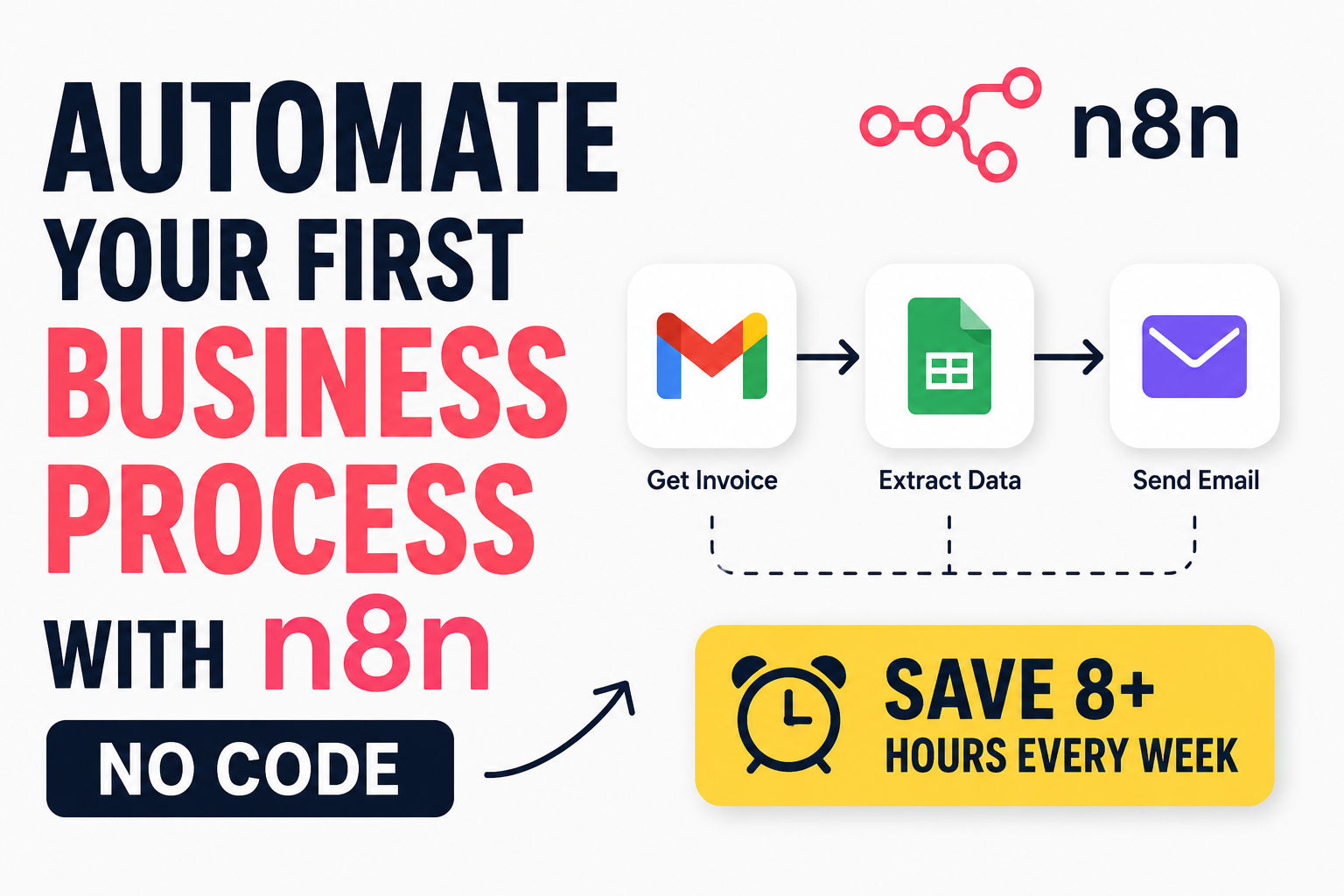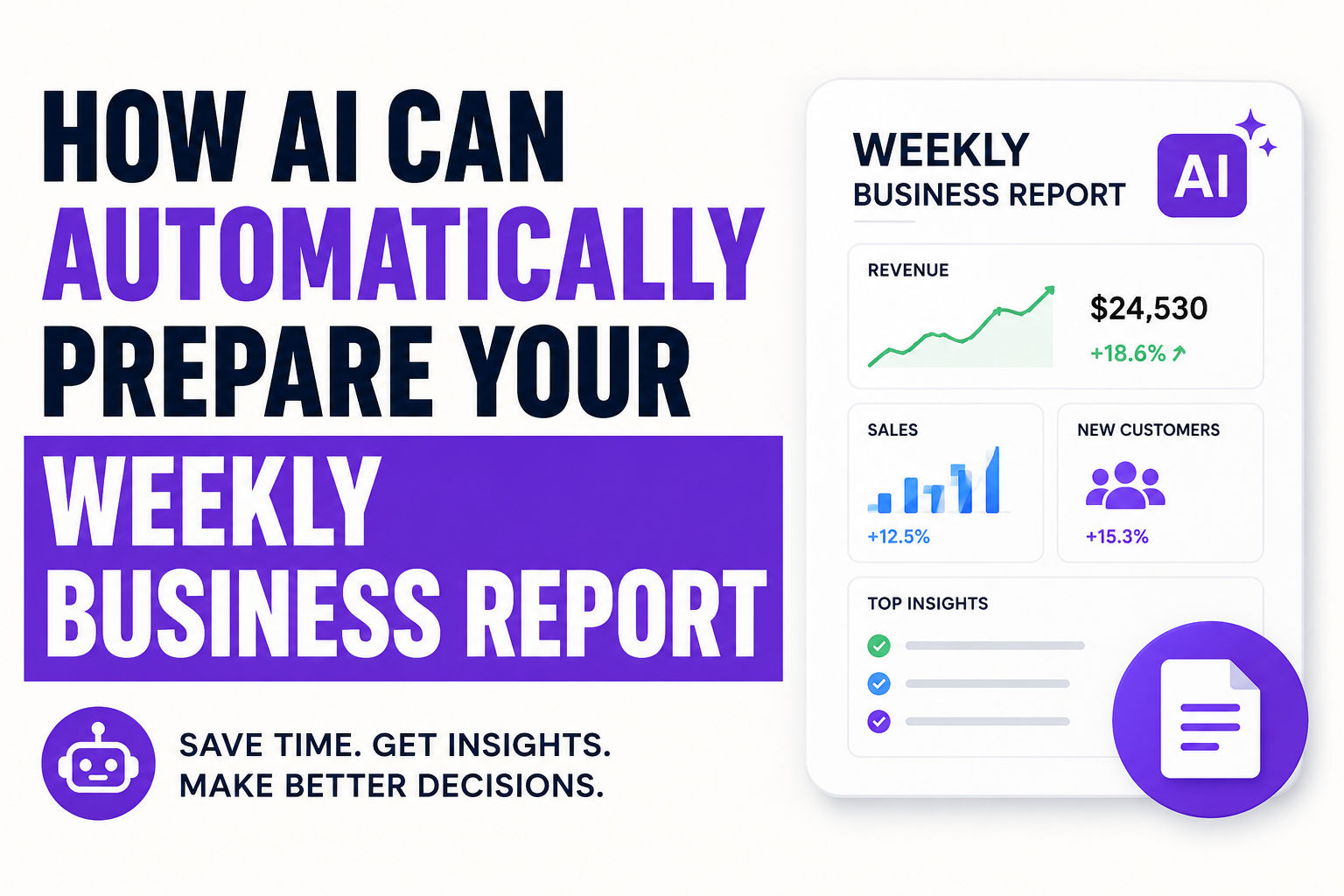
Build AI Lead Qualification Workflows with n8n
Build production-ready AI lead qualification workflows with n8n in 30 minutes. Automate lead scoring, routing, and CRM updates without code.
Here's the bottom line: AI lead qualification with n8n cuts your manual lead scoring from hours to seconds, while improving accuracy from 15-25% (manual) to 40-60% (AI-driven). You can have a production-ready AI lead qualification workflow running by end of day, no code required, and it'll process leads faster than your sales team can even open their inbox.
That's not hype. Companies implementing AI-driven lead qualification report 75% higher conversion rates compared to traditional methods. The top performers hit 6% lead-to-customer conversion against an industry average of 3.2%. And n8n lead scoring makes this accessible to teams that can't afford $25K enterprise platforms or waste time on configuration hell.
Why Manual Lead Qualification Is Killing Your Pipeline
Your sales team gets 50 new leads Monday morning. They're already underwater with follow-ups. Someone's gotta manually review each one, assign a score, route it to the right rep. By Wednesday, the hot leads are cold. Your team's frustrated. Deals are slipping.
This isn't incompetence. It's manual qualification doesn't scale. Period.
Here's what happens when you exceed roughly 1,000 leads monthly on manual systems:
- Response delays stretch from hours to days
- Inconsistent standards kick in — different reps score the same lead differently
- Lost opportunities pile up — high-potential prospects buried in backlogs
- Burnout accelerates — your team is doing admin work instead of selling
Meanwhile, your competitors are routing leads in seconds with automated lead routing that considers score, territory, rep availability, and specialization simultaneously. By the time you notice, they've already booked the meeting.
The research is damning: responding within one hour makes you 7x more likely to have meaningful conversations with decision-makers. Responding after one hour? You've already lost most of your edge. With AI-powered lead qualification, you respond within minutes, not days.
The AI Lead Qualification Framework That Actually Works
AI lead scoring isn't magic. It's pattern recognition at scale. Your best customers have common signals — they visit your pricing page, download case studies, match your ideal customer profile, come from certain industries or company sizes. AI finds these patterns in your historical data and applies them to new leads instantly.
The difference between AI and rules-based scoring? Rules-based scoring uses if-then logic ("if they visit 3 pages and submit a form, they're qualified"). Simple. Transparent. Limited. AI scores based on thousands of data points simultaneously, discovers patterns humans miss, and adapts as new data arrives. A lead visits your pricing page at 2 AM? Their score updates in real-time. They attend your webinar? Score jumps within seconds.
Three core things separate good scoring from broken scoring:
First, historical data wins. You need at least 50-100 closed deals and 3 months of conversion history for AI scoring to outperform manual methods. Less data? Rules-based works fine. More data? AI becomes exponentially better.
Second, sales and marketing alignment matters. Most scoring fails because marketing and sales define "qualified" differently. Marketing thinks engagement = qualification. Sales wants deal-ready prospects. Define it together upfront or your model trains on garbage.
Third, the right algorithm beats complexity. A 2025 peer-reviewed study in Frontiers in Artificial Intelligence found that Random Forest and Gradient Boosting models achieve highest accuracy for lead scoring — not neural networks or deep learning. Those are overkill for most teams and add complexity without accuracy gains. Keep it simple.
Building Your n8n Lead Scoring Workflow: The Architecture
Here's what you actually build:
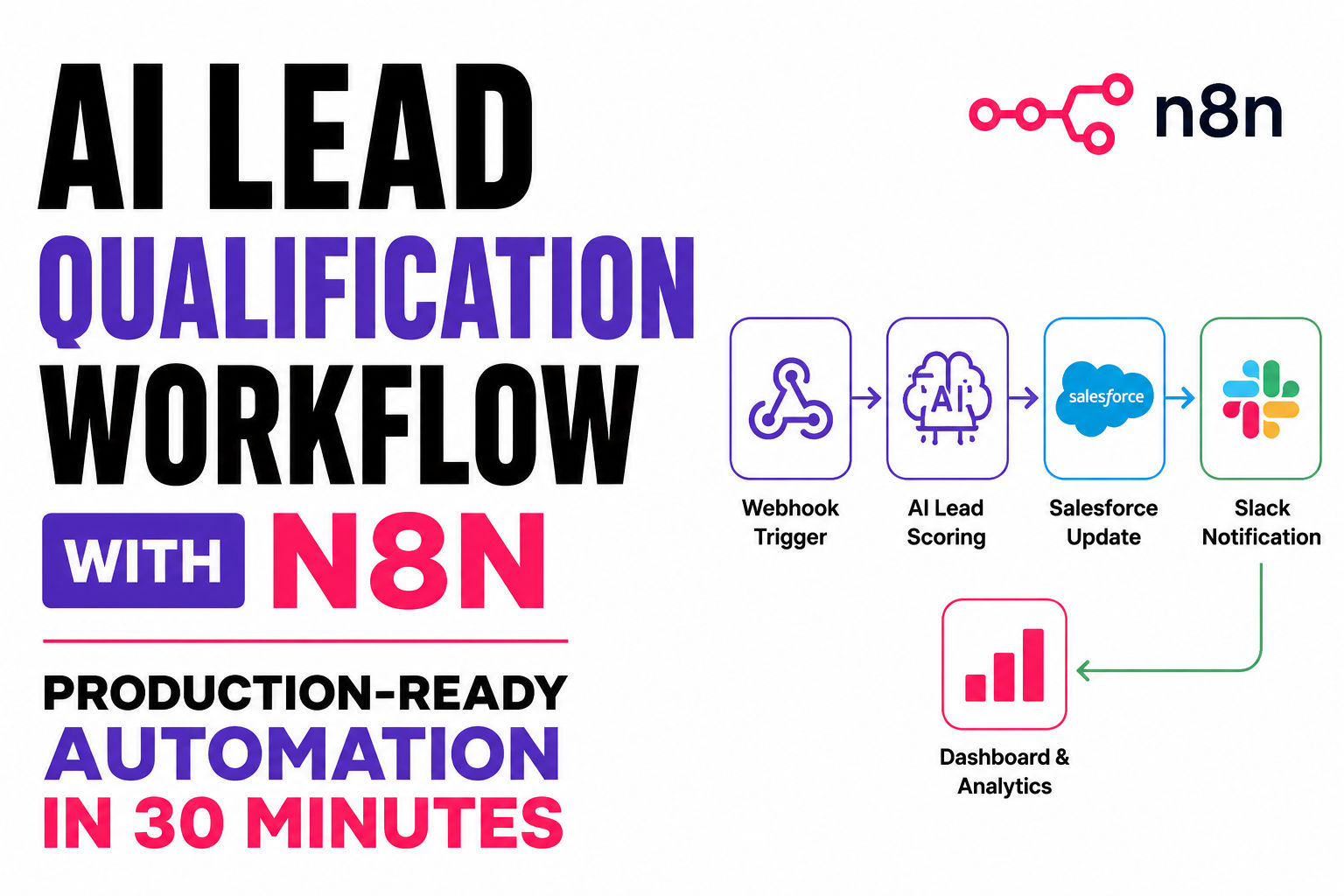
Trigger Layer: A webhook or scheduled check pulls new leads from your source (web forms, Typeform, HubSpot, anywhere). In n8n, workflows are collections of nodes connected together to automate a process, so your workflow starts here.
Data Enrichment: Before scoring, you need complete lead profiles. n8n handles up to 220 workflow executions per second on a single instance, so enrichment speed isn't your bottleneck. You're pulling company size, industry, technographics, whether they match your ICP. Most of this comes from free/cheap data sources (Apollo, Clearbit, Hunter) or your own CRM.
AI Scoring Node: This is where the magic happens. You feed historical conversion data, define your scoring criteria, and the AI model evaluates each new lead. Rather than relying on static point systems, AI models adapt as new data emerges, ensuring scores remain aligned with actual conversion outcomes.
Conditional Routing: Score 80+? Route to immediate outbound. Score 50-80? Send nurture sequence. Score <50? Add to long-term pipeline. Organizations using real-time lead routing based on qualification scores achieve better conversion rates than those using manual or batch assignment.
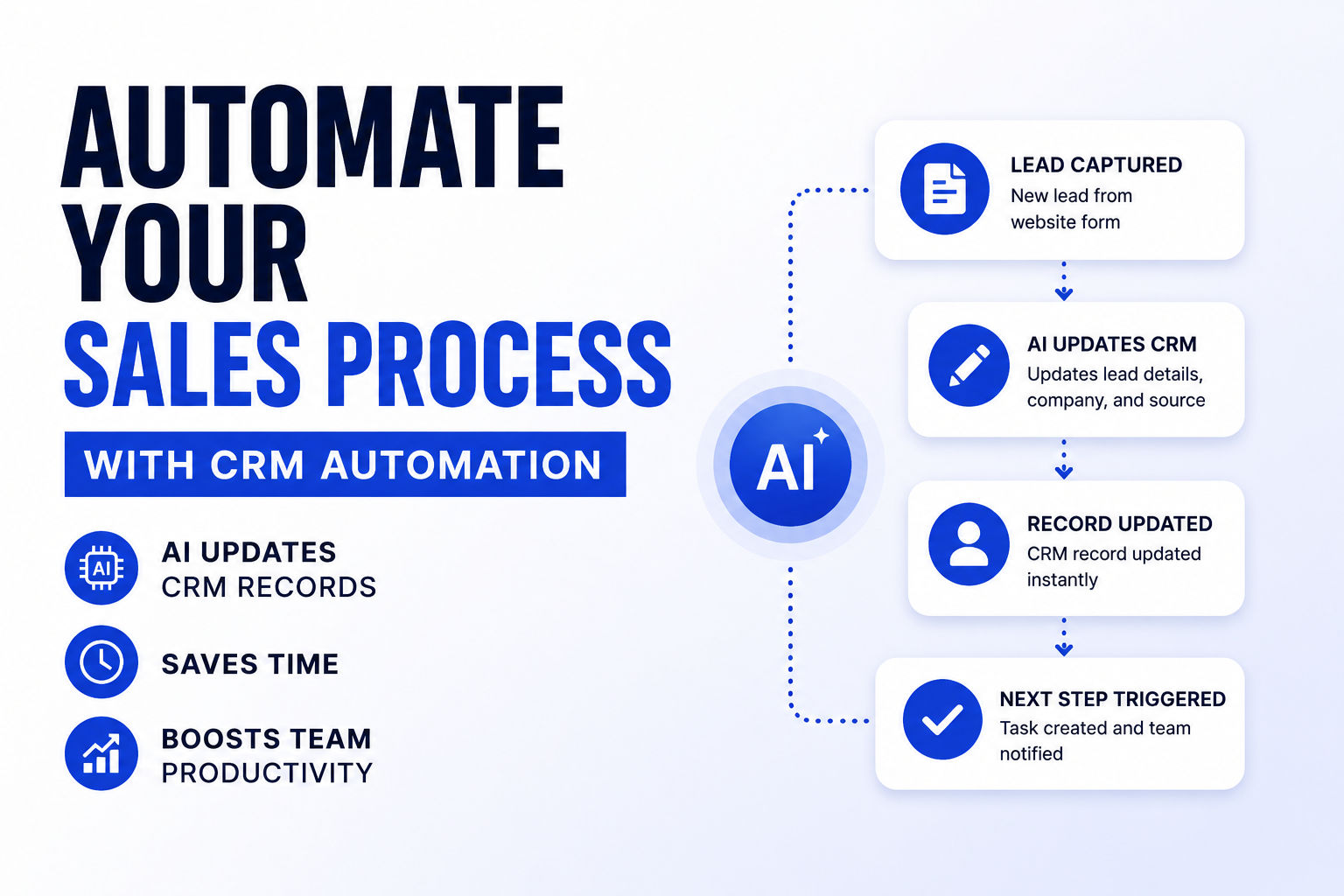
CRM Update & Notifications: Write the score back to Salesforce/HubSpot, notify the assigned rep via Slack, log everything for auditing.
This entire flow runs in seconds. Zero manual intervention.
How to Set Up n8n for Lead Qualification: Step-by-Step
Step 1: Connect Your Lead Source
To use Salesforce integration in n8n, start by adding the Salesforce node to your workflow and authenticate your Salesforce account using supported authentication methods. But you're not starting with Salesforce — you're starting with wherever leads enter your system.
Set up a webhook node. Copy the webhook URL. Paste it into your web form platform (Typeform, Webflow, HubSpot forms). Now every form submission triggers your workflow automatically.
Step 2: Authenticate Salesforce (or Your CRM)
Log into Salesforce, click the gear icon, select Setup, search for App Manager, and create a New Connected App. Wait a few minutes for activation. Grab your OAuth2 credentials. In n8n, create a new Salesforce credential and authenticate with these credentials.
Step 3: Enrich the Lead
Add an HTTP Request node. Call your enrichment API (Apollo, Clearbit, etc.) with the lead's email. Map the response to structured fields: company_size, industry, employee_count, technology_stack, etc. This is your training data for the AI model.
Step 4: Score the Lead
This is where n8n lead scoring gets real. You have two approaches:
Option A: Use a pre-built AI scoring model — Feed your historical deals (won/lost) into a tool like Breadcrumbs or MadKudu. They train a custom model. You call their API from n8n, get a score back. Dead simple. ~$999+/month. Good if you don't have data science resources.
Option B: Build scoring logic in n8n — Use IF nodes and custom scoring rules based on your data. Weight factors: (40% company size match, 25% engagement velocity, 20% industry alignment, 15% behavioral signals). For SMBs with clear patterns, this works great and costs nothing extra.
Step 5: Route Based on Score
Add an IF/Switch node. Create branches:
- Score ≥80: "Hot lead" → Immediate Slack notification to rep + Salesforce hot_lead_flag
- Score 60-79: "Warm lead" → Add to nurture sequence + set follow-up reminder
- Score <60: "Cold lead" → Add to long-term pipeline + log for later analysis
Step 6: Update Salesforce and Alert Your Team
Use the Salesforce node to update the Lead object with your AI score. Add a Slack node to message the assigned rep with a formatted lead card (name, company, score, key signals). With n8n's HTTP request node and webhook, you can connect to custom APIs and trigger workflows in real-time based on events like new leads or customer interactions, allowing for timely automated responses.
n8n CRM Integration: Connecting Your Entire Stack
Here's what most teams miss: your CRM can't sit in isolation. n8n CRM integration threads your sales stack together.
By connecting Salesforce to n8n, you can streamline CRM operations, synchronize data across systems, and automate your customer journey end to end. That means:
- Sync leads from web forms to Salesforce automatically (no manual data entry)
- Trigger emails or SMS when a lead hits a certain score threshold
- Push enrichment data back to Salesforce custom fields so reps see it instantly
- Integrate with marketing automation — send qualified leads directly to your nurture sequences
- Connect Slack notifications — reps get real-time alerts when hot leads arrive
- Store pipeline health metrics — Google Sheets or Tableau get updated automatically for dashboarding
n8n integrates with over 400 apps, including popular CRMs like Salesforce, HubSpot, and Zoho CRM, ensuring seamless data flow between your CRM and tools like marketing platforms and project management apps.
The real power emerges when you connect 5-7 tools. Suddenly your entire GTM motion is automated: leads flow in → score automatically → enrich with data → route to right rep → notification triggers → nurture starts → deal updates sync back to Salesforce → pipeline reporting updates. No human intervention. No data silos. One source of truth.
Webhook Integration: The Real-Time Trigger That Matters
n8n webhook integration is why this whole thing works in real-time instead of batch.
Instead of checking for new leads every hour, webhooks push notifications to n8n the instant something happens. Lead submits form? Webhook fires immediately. Deal moves to next stage in your CRM? Webhook triggers. Your workflow runs in seconds, not hours.
Set it up: Generate your n8n webhook URL. Paste it into your form platform's "webhook on submission" settings. Done.
The speed advantage is massive. Companies responding to leads within one hour are seven times more likely to have meaningful conversations with decision-makers than those who respond even an hour later. With webhooks, you respond within five minutes.
Lead Scoring Automation: The Metrics That Matter
Once your lead scoring automation is live, track these KPIs:
Lead-to-Customer Conversion Rate: Break it down by score range. Leads scoring 80+? Track their close rate separately. This tells you if your model is accurate. If 80+ leads close at 35% but 60-79 close at 8%, your model's working. If they're the same? Your scoring criteria need recalibration.
Pipeline Velocity: How many days from lead capture to closed deal? Organizations using real-time lead routing based on qualification scores achieve better conversion rates because they shorten the gap between lead arrival and first contact. Measure this monthly. You should see it compress.
Cost Per Qualified Lead: If you're running ads or paid campaigns, track how much you're spending to generate a qualified lead (score ≥70). This tells you if your scoring is filtering noise or if you're being too aggressive.
Response Time: Track the gap between lead arrival and first sales outreach. This should drop from days to minutes. It's your biggest competitive lever.
Disqualification Rate: What percentage of leads your team marks as unqualified after scoring? If it's high, your model's wrong. If it's low, you might be over-qualifying. Aim for 15-25% disqualification on initial scoring.
Common Mistakes That Tank Lead Qualification Workflows
Mistake 1: Building scoring in isolation. Sales isn't involved. Marketing defines what's qualified. Six months later, your model scores leads marketing finds interesting but sales finds useless. Fix: Get sales in the room when you define ICP and qualification criteria. Have them log rejection reasons monthly. Use that feedback to recalibrate.
Mistake 2: Treating all engagement equally. You score a lead who visited your homepage the same as a lead who downloaded your case study, attended a webinar, and viewed your pricing page three times. Stop. Weight signals by conversion impact. Webinar attendance? 3x weight. Pricing page view? 5x weight. Homepage visit? 0.5x.
Mistake 3: Ignoring data quality. Garbage in, garbage out. If your historical deals are incomplete (missing company size, industry, source), your AI model trains on incomplete patterns. Start by auditing your historical data. Fill gaps. Deduplicate. Then train.
Mistake 4: Setting it and forgetting it. Your model trained on 2024 data. It's now July 2026. Your market's shifted. Your ICPs changed. Your product roadmap evolved. Your scoring criteria are stale. Fix: Review and refresh quarterly. Pull your latest 90 days of deal data. Retrain. Adjust weights.
Mistake 5: No human-in-the-loop safeguards. Your AI scores a lead 95 and routes it to your best rep. That rep's already at capacity. The lead goes cold. Meanwhile, a score-70 lead from a hot account gets ignored. Fix: Add a buffer step. Route high-scoring leads to your best rep, but also notify your sales manager. Let humans override if needed.
Production-Ready Lead Automation: What Enterprise Teams Get Right
Here's what separates SMBs running n8n from enterprises running $100K platforms:
Enterprises have redundancy. Queue mode and multi main instance setups give you the ability to horizontally scale your executions in parallel, preventing servers from crumbling under maxed-out resources by absorbing heavy traffic spikes and avoiding unexpected downtime with automatic failover. If one n8n instance goes down, another handles the load. Leads don't get dropped.
Enterprises have audit trails. Every lead scored, every routing decision, every update logged. Compliance requires it. You should too. Use n8n's logging and error handling to capture everything.
Enterprises monitor performance. Insights lets you see executions, failure rate, and time saved at a glance, helping you catch issues early and keep workflows running smoothly. Set up alerts. If your workflow fails 5 times in an hour, you need to know. If execution time suddenly spikes from 2 seconds to 30 seconds, something's wrong with your enrichment API.
Enterprises version control their workflows. You build, deploy, break something, revert. n8n's pricing model is designed to be both affordable and scalable, and it supports git-based version control. Never lose workflow history. Always be able to roll back.
Enterprises separate environments. Development, staging, production. You test scoring logic on staging data before it touches real leads. No guessing.
For SMBs: Start with basic monitoring and error handling. Add redundancy when you hit 500+ leads monthly. You don't need enterprise complexity on day one.
The Real ROI of AI Lead Qualification with n8n
Let's talk money. Your sales team processes 1,000 leads monthly manually. Each lead review takes 5 minutes. That's 83 hours of admin work every month. At $50/hour loaded cost, that's $4,150/month burned on qualification.
Your AI lead qualification workflow? Runs for free (n8n open-source + basic Salesforce integration). Processing 1,000 leads takes 2-3 seconds per lead. Total: under 1 hour of execution time monthly.
Save 82 hours. Save $4,100. Annually? $49,200 in recovered sales productivity.
But the bigger number is quality. Companies using lead scoring see 138% ROI compared to 78% without it. You're not just saving time. You're improving close rates because your reps focus on actually-qualified prospects instead of tire-kicking leads.
Add this up: saved admin time ($49K/year) + improved close rates (varies, but 20-30% lift on top-of-funnel opportunities) + faster pipeline velocity (deals close 2-3 weeks faster on average) = meaningful revenue impact that justifies n8n investment in about 3 weeks of operation.
Getting Started: Your 30-Minute Setup Path
Minutes 0-5: Create an n8n account. Import a Salesforce lead scoring template (hundreds exist on n8n.io). Connect your Salesforce credentials.
Minutes 5-15: Set up your webhook. Test it by submitting a form. Verify the lead appears in n8n.
Minutes 15-20: Add enrichment API. Call it with the lead's email. Map the response fields.
Minutes 20-25: Add scoring logic. Define your criteria. Set IF branches for routing.
Minutes 25-30: Test end-to-end. Submit a test form. Watch it flow through: webhook → enrichment → scoring → Salesforce update → Slack notification.
Deploy. Let it run on real leads. Monitor for 48 hours. Adjust criteria if needed.
That's it. You've got production-ready lead automation without hiring an engineer or blowing your budget on Zapier's per-action pricing.
Advanced Scoring Techniques: Moving Beyond the Basics
Once you've nailed the basics, there's deeper territory to explore. Most teams stop at simple threshold routing (score ≥80 = hot lead). But the real power emerges when you layer signals and create multi-dimensional scoring models.
Behavioral Signal Weighting
Your scoring model shouldn't treat all engagement equally. A lead who visits your pricing page is fundamentally different from a lead who downloaded your "Pricing vs Competitors" guide. The second one is actively comparing you to alternatives — that's buying intent.
Here's how sophisticated teams weight signals:
- Pricing page visits: 5 points each (buying intent signal)
- Case study downloads: 4 points each (solution research)
- Webinar attendance: 3 points each (education, not necessarily buying)
- Blog reads: 1 point (awareness stage)
- Email opens: 0.5 points (you opened it, but didn't click)
The math compounds. A lead who visited pricing twice, downloaded two case studies, and attended a webinar gets: (5×2) + (4×2) + (3×1) = 21 points from engagement alone. That same lead from your ICP (company size, industry) gets another 30 points. Total: 51 points before they even talk to your sales team.
Now add recency decay. That lead hit all those signals last week? Full weight. Hit them three months ago? 60% weight. Six months ago? 30% weight. This keeps your model responsive to current buying momentum, not historical browsing.
In n8n, you implement this with a Set node that calculates weighted scores, then a Function node with custom JavaScript:
1const signals = {
2  pricing_visits: 2,
3  case_study_downloads: 2,
4  webinar_attended: 1,
5  email_opens: 5
6};
7
8const weights = {
9  pricing_visits: 5,
10  case_study_downloads: 4,
11  webinar_attended: 3,
12  email_opens: 0.5
13};
14
15let score = 0;
16for (let signal in signals) {
17  score += signals[signal] * weights[signal];
18}
19
20return { engagement_score: score };
This isn't complex. It's precise. And it's infinitely more accurate than treating all signals equally.
Firmographic Layering
Your ICP is multi-dimensional. You don't just want companies of a certain size — you want companies of a certain size in certain industries with certain tech stacks. Rules-based scoring works well when your data volume is low, your ICP is stable, and your team wants full manual control over scoring logic. AI scoring outperforms rules-based when you have sufficient historical data, your market is evolving, and you want the model to find patterns you have not thought of yet.
The hybrid approach wins: use rules-based logic as hard filters, then layer AI on top for prioritization.
Example hard filters (disqualify immediately if any are true):
- Company size <10 people (too small to buy your product)
- Company doesn't use cloud infrastructure (disqualifies your use case)
- Company is in heavily regulated vertical where you don't have compliance cert
Example layered scoring (once they pass hard filters):
- Company size 50-500: +30 points (your sweet spot)
- Company size 500-2000: +20 points (larger, slower decision cycles)
- Company size 2000+: +15 points (enterprise, valuable but complex)
- Uses Salesforce: +25 points (pain point you solve)
- Uses HubSpot: +15 points (different pain, still relevant)
- Uses Pipedrive: +5 points (different market segment)
In n8n, you chain IF nodes for hard filters first. If they pass, you move to a scoring node that applies these weighted points. It's clean, auditable, and modifiable without touching code.
Technographic Signals
What technology stack is the company running? This matters enormously. If you're selling a Salesforce integration, a company running Pipedrive is a harder sell than a company running Salesforce. If you're selling AWS optimization, a company already using AWS is more qualified than one on Azure.
AI lead scoring models are dynamic and continuously learn from new data. As more leads enter the system and their outcomes (conversion or no conversion) are tracked, the model adjusts its predictions, making it more accurate over time.
Use your enrichment layer (Apollo, Clearbit, Hunter) to pull tech stack data. Then weight it:
Runs Salesforce: +25 points
Runs HubSpot: +15 points
Runs Zendesk: +10 points
Runs ServiceNow: +20 points (enterprise, complex)
Has Zapier integrations: +8 points (already using automation)
Uses webhook-based integrations: +12 points (technical, can handle complex setup)
The insight here: technographic fit isn't just "does this company use our product category." It's "does this company have the infrastructure maturity to implement our solution successfully." Companies using advanced integrations (webhooks, APIs) buy technical products faster than companies that are still doing manual data sync.
Real-World Scenario: The $500K Deal That Almost Died
Here's a case study from how this matters in practice.
A SaaS company running manual lead qualification. They get 200 leads monthly. Their sales team scores them by gut feel and LinkedIn stalking. One Monday, a lead comes in: mid-market tech company, 150 employees, uses Salesforce, downloaded three case studies, attended two webinars.
Manually scored? Maybe 60 points. Looks like a warm lead, gets added to nurture sequence.
But here's what manual scoring missed: this company's founder had just posted on LinkedIn about "automating our sales workflows." The company had recently promoted a VP of Sales. The lead who submitted the form was that new VP.
With AI-powered lead qualification, all of this surfaces. The AI model has learned that new VP appointments at target companies precede purchases by 3-4 weeks. Founder signals about workflow automation are buying intent accelerators. This lead scores 89 points, not 60.
Gets routed to the top rep immediately. Rep calls within 30 minutes. Conversation happens at exactly the right moment — company's actively evaluating, decision-maker is motivated. Deal closes at $500K within 90 days.
Same lead, same company, same timing. Difference? AI routing caught buying signals that manual qualification missed. That's worth half a million dollars.
Now multiply that across your pipeline. If your average deal is $50K, and AI-powered qualification catches 10 leads per quarter that manual qualification misses? That's $500K of incremental revenue annually. More if your deals are larger. Less if they're smaller. But the math is compelling.
This is why enterprises have already shifted. And why, by end of 2026, 75% of B2B companies are projected to adopt AI-driven scoring. When you layer autonomous AI agents on top of scoring (as we explore in our complete guide on AI Agents vs Assistants), the competitive advantage becomes insurmountable.
Handling Common Integration Gotchas
Real n8n deployments hit friction points that the tutorials don't mention. Here's what actually happens:
Gotcha 1: Webhook URL Instability
You deploy your workflow. Everything works for a week. Then leads stop flowing in. You check the webhook. It's returning 403 errors.
What happened? Your n8n instance restarted. If you're self-hosting, the IP address changed. The webhook URL your form platform has on file is now pointing to a dead address.
Fix: Use a stable n8n managed cloud instance ($25-50/month) or put your self-hosted n8n behind a load balancer with a static IP. Better yet, use ngrok for development, managed cloud for production.
Gotcha 2: Salesforce Rate Limits
Your workflow hits 500 leads one Tuesday. Each lead triggers a Salesforce API call. You hit Salesforce's rate limit (36,000 requests per hour for most editions). Your workflow starts failing silently. Leads pile up in a queue.
Fix: Add error handling to your Salesforce nodes. Use n8n's retry logic with exponential backoff. Better yet, batch your Salesforce updates — instead of updating immediately, queue them and batch process every 5 minutes. Reduces API calls by 80%.
Gotcha 3: Enrichment API Timeouts
You call Apollo or Clearbit with 500 email addresses. The API times out on 15 of them. Your workflow crashes. Those 15 leads never get scored.
Fix: Add timeout handling. If enrichment fails, score the lead with available data (just firmographic + engagement). It's less accurate than enriched scoring, but it's better than no scoring. Log which leads failed enrichment so you can manually review them.
Gotcha 4: CRM Field Mismatches
Your n8n workflow writes custom lead scores to a Salesforce field called "AI_Score__c". Three weeks later, someone renames the field to "Lead_Scoring_Value__c" in Salesforce. Your workflow now writes to a field that doesn't exist. No errors. Leads just get scored silently, but the score never appears in Salesforce.
Fix: Use Salesforce field IDs, not field names. Field IDs never change. When you authenticate Salesforce in n8n, map to field IDs, not labels. Or use a Data Store node to cache field metadata, so if the field is renamed, you only need to update one place.
Gotcha 5: Duplicate Lead Detection
Your webhook triggers on every form submission. Same lead fills out your form three times (typo on email, resubmit, forgot they submitted). You create three duplicate leads in Salesforce. Sales team is now chasing three copies of the same prospect.
Fix: Before creating a lead in Salesforce, query Salesforce first. Search for existing leads with matching email. If found, update the existing lead (add enrichment data, recalculate score). If not found, create new. One line of logic. Saves countless merge operations later.
Measuring Success: The Metrics Dashboard
Once your workflow is live, build a monitoring dashboard. Don't guess whether it's working. Measure it.
Create a Google Sheet (or Looker/Tableau if you're enterprise) that pulls these metrics daily:
Workflow Performance Metrics:
- Total leads processed today/this week/this month
- Workflow failure rate (% of leads that errored)
- Average execution time per lead
- Webhook hits vs. actual leads processed (tells you about duplicates)
Lead Quality Metrics:
- Distribution of leads by score bucket (how many 80+, 60-79, <60)
- Win rate by score bucket (closed deals / leads in that bucket)
- Average sales cycle by score bucket
- Disqualification rate (% leads marked unqualified by sales after scoring)
Business Metrics:
- MQL → SQL conversion rate (should improve month-over-month)
- Cost per qualified lead (if running ads)
- Pipeline velocity (days from lead capture to closed deal)
- Rep productivity (leads touched per rep per week, should stay constant while quality improves)
Data Quality Metrics:
- Enrichment success rate (% of leads enriched successfully)
- Missing critical fields (company size, industry, etc.)
- Duplicate lead rate
Track these in a weekly review. After 4 weeks, you'll know if your model is working. After 12 weeks, you'll know if it's generating measurable ROI.
If your MQL → SQL conversion is improving, your model's working. If disqualification rate is creeping up (sales rejecting more leads), your criteria are too loose. If win rate by score bucket is flat, your scoring isn't predictive — go back to calibration.
Scaling Beyond Manual Lead Capture
Most teams start with form submissions. But there are dozens of lead sources. At scale, you need to handle them all.
Email-Based Lead Capture
Someone emails your sales inbox to request a demo. That's a lead. Manually copying it into Salesforce, enriching it, scoring it? That takes 5 minutes. Times 20 inbound emails a week? That's over an hour of busywork.
Automate it: Connect Gmail to n8n using IMAP. Create a filter for demo requests (subject contains "demo" or "request"). Trigger your workflow on matched emails. Extract sender email from the email body or headers. Run it through enrichment and scoring. Create lead in Salesforce. Send automated reply with next steps.
LinkedIn Lead Gen Forms
You run LinkedIn ads. Leads fill out LinkedIn's native lead gen forms (name, email, company). LinkedIn sends them to a webhook or CSV export. Trigger n8n on these, enrich them, score them, create in Salesforce.
API-Based Lead Ingestion
Your partner sends you leads via API (Calendly meeting bookings, Eventbrite attendee lists, partner referral platforms). Create an n8n HTTP node that accepts POST requests. Parse the payload. Run through your enrichment and scoring pipeline. Create in Salesforce.
Spreadsheet-Based Bulk Import
Every Friday, your marketing team exports leads from their automation platform into a Google Sheet. Instead of manually copying these into Salesforce, set up n8n to check Google Sheets every Friday morning. For each row, enrich and score it. Batch create leads in Salesforce. Send a summary report to marketing showing how many qualified vs. unqualified.
The beautiful part: once you build this infrastructure, all lead sources flow through the same scoring model. Hot leads from LinkedIn get treated the same as hot leads from your website. You have consistency. You have scalability. You have visibility.
Advanced: Multi-Stage Scoring Throughout the Deal Lifecycle
Newer teams score leads. Advanced teams score leads, opportunities, and accounts continuously.
Lead Stage: Prospect submits form. Score based on ICP fit + engagement velocity. Route to SDR for qualification.
Opportunity Stage: Prospect becomes opportunity in Salesforce. Score based on deal size, champion seniority, technical fit, budget signals. Route to AE based on specialty.
Active Deal Stage: Opportunity is in sales process. Score based on deal health signals (email response time, meeting frequency, proposal views, stakeholder count). Flag deals at risk before quarter end.
Post-Close Stage: Deal closes. Score based on expansion signals (feature adoption, API usage, support ticket trends). Route to CSM if expansion signals are high, standard onboarding if low.
This is where Salesforce Einstein and similar platforms analyze deal engagement patterns (email response times, meeting frequency, stakeholder engagement breadth, proposal views) to predict which deals are likely to close and which are stalling.
You don't need enterprise software to do this. n8n can handle all of it with scheduled workflows that check Salesforce daily, calculate deal health scores, and trigger notifications.
Cost Comparison: n8n vs. Traditional Solutions
Let's be real about budget. Here's what different approaches cost annually for a 1,000 lead/month operation:
Manual Qualification:
- 1 SDR at $50K/year salary = $50K
- Managing 1,000 leads monthly at 5 min each = 83 hours/month = 1,000 hours/year
- Only qualified value: ~50% actually enter CRM = $50K for 500 qualifying leads per year
Zapier-Based Automation:
- $499/month (5,000 tasks/month with Standard pricing) = $5,988/year
- Still requires manual CRM updates and routing decisions
- No AI scoring, just rule-based automation
- Total: ~$6,000/year
HubSpot Native AI Scoring:
- HubSpot Pro: $120/month/user minimum = $1,440/year
- HubSpot Enterprise (with AI predictive scoring): $720/month minimum = $8,640/year
- Requires historical data (500+ contacts, 3+ months)
- Vendor lock-in to HubSpot CRM
- Total: ~$1,440-8,640/year depending on edition
n8n + Third-Party Enrichment:
- n8n Cloud Pro: $30/month = $360/year
- Apollo enrichment API: $100/month = $1,200/year (gets expensive at scale, but includes 10K credits/month)
- OR use free enrichment (Hunter free tier): $0/year
- No vendor lock-in. Portable workflows. Full customization.
- Total: $360-1,560/year
The ROI math: save 1,000 hours of SDR time at $50/hour = $50,000/year. Less $1,560 in tooling = $48,440 net benefit annually. That's before accounting for quality improvements.
Even if you account for setup time (10 hours) and quarterly calibration (5 hours per quarter = 20 hours/year), you're still looking at net $40K+ annual benefit.
This is why adoption is accelerating. The math is inescapable. If you want to understand why most automation projects fail, read our analysis on why 90% of SaaS startups fail — spoiler: shallow integrations and unsustainable economics are the killer. n8n workflows beat that trap because they create defensible, integrated infrastructure.
Testing Your Workflow Before Going Live: The Staging Playbook
Don't deploy to production without testing. You'll regret it. Here's the right way to validate before real leads flow through:
Phase 1: Unit Testing (2 hours)
Test each node individually. Does your Salesforce connection work? Can you query leads? Can you write custom fields?
Do this by creating a simple test lead in Salesforce manually, then querying it in n8n. If the Salesforce node can't read it, your credentials are wrong.
Test your enrichment API. Call it with a known email (your own). Does it return company data? Does it handle the response correctly?
Test your scoring logic. Manually pass in test lead data with known scores. Does the score calculate as expected?
Catch issues at this level before they cascade.
Phase 2: Integration Testing (4 hours)
Run the entire workflow end-to-end with test data. Trigger the webhook with a test form submission. Watch it flow through: webhook → enrichment → scoring → Salesforce update → Slack notification.
Does the lead appear in Salesforce? Do custom fields populate? Does Slack notification arrive?
Test edge cases:
- What happens if enrichment API fails? (Test by providing bad email)
- What happens if the lead already exists in Salesforce? (Test with duplicate email)
- What happens if Salesforce API is unavailable? (Simulate by disconnecting briefly)
- What happens if the score is right at your threshold (79/80)? (Edge case testing)
Fix issues here before production.
Phase 3: Load Testing (2 hours)
Submit 50 test leads rapidly. Does your workflow handle concurrency? Does it crash? Does Salesforce rate limiting kick in?
This reveals bottlenecks. If execution time jumps from 2 seconds per lead to 30 seconds when you hit 20 concurrent leads, you know you need to add batching or queue leads.
Phase 4: Data Validation (4 hours)
Run your workflow for 48 hours on real-ish data (old leads from your CRM that you know the outcome of). Score them. Compare AI scores to actual outcome. Did high-scoring leads actually close? Did low-scoring leads actually lose?
This is your accuracy check. If high-scoring leads closed at 60% and low-scoring at 10%, your model is predictive. If they're both 30%, your model needs calibration.
Only after these four phases should you flip the switch to production.
Migrating Existing Leads: The Backfill Strategy
You have 2,000 leads in Salesforce from the past year. They're not scored. Should you score them retroactively?
Yes. Here's why: you need historical data to validate your model. Score all historical leads using your new model. Compare scores to actual outcomes. This tells you if your model is accurate.
If 90% of leads scoring 80+ closed as customers, your model's working. If 10%, your criteria are wrong.
The Backfill Process:
Create a separate n8n workflow triggered on a schedule (run once, overnight). It queries Salesforce for all leads created in the past 12 months. For each:
- Check if already scored (if AI_Score__c field has value, skip)
- Enrich the lead (even if old, enrichment data is useful for analysis)
- Calculate AI score using your model
- Write score back to Salesforce custom field
- Tag lead with "backfilled_score: true" so you can filter later
This takes a few hours to run 2,000 leads, but it's one-time work.
After backfill, you have 12 months of historical scoring + outcomes. You can slice and dice:
- What % of leads scoring 90+ closed?
- What % of leads scoring 40-50 closed?
- Did leads from certain industries score differently?
- Did leads from certain sources (ads vs. organic) have different score accuracy?
This data becomes your model's validation. It tells you what calibration tweaks to make before going live on new leads.
Compliance and Data Privacy: The Non-Negotiable Stuff
Your AI workflow processes personal data. That comes with responsibility.
GDPR Compliance:
If you're collecting leads in Europe, you need to handle data carefully. Specifically:
- Lawful basis: You need consent or legitimate business interest to collect/process personal data
- Data minimization: Only collect what you need for lead qualification
- Retention: Don't keep scored leads forever. Delete after qualification (usually 12 months is fine)
- Right to deletion: If someone requests their data be deleted, you have 30 days to comply
In your n8n workflow, add a process:
- When a lead is deleted in Salesforce, trigger a deletion in your enrichment database
- Keep audit logs of who accessed what data when
- Encrypt data in transit (use OAuth, never store API keys in plain text)
- Review what third-party enrichment vendors do with your data (Apollo, Clearbit, etc. all have GDPR compliance docs)
CCPA Compliance (California):
Similar to GDPR. Users have right to:
- Know what personal data is collected
- Delete their data
- Opt-out of data sale (you're not selling, but make this clear in your privacy policy)
Email Compliance (CAN-SPAM):
When you send automated emails to leads (welcome email, nurture sequence), include:
- Clear unsubscribe link
- Physical company address
- Subject line that's not deceptive
- Honor unsubscribe requests within 10 days
TCPA Compliance (Phone/Text):
If you're routing leads to phone calls or SMS:
- Get explicit consent before SMS
- Provide clear opt-out mechanism
- Respect Do Not Call registry
- Don't call before 8 AM or after 9 PM recipient's time
None of this is complex. It's just boring. Make sure your workflow respects it. Document it. Update your privacy policy.
Troubleshooting: When Your Workflow Breaks
Your workflow was running fine for a week. Then leads stop flowing. Here's the diagnostic process:
Step 1: Check the Execution History
In n8n, open your workflow. Click "Executions" (top left). Are there recent executions? If no executions in the last hour, the webhook isn't firing. If executions exist but show red "error" status, something in the workflow is failing.
Step 2: Examine the Failed Execution
Click the failed execution. Expand each node. You'll see inputs and outputs. Find the node that shows red (error). That's where it broke.
If it's the webhook node, the issue is upstream (form platform isn't sending data to your webhook). Test by submitting a form manually.
If it's the Salesforce node, the issue is auth or API quota. Check Salesforce credentials. Check API usage in Salesforce admin panel.
If it's the enrichment API node, the issue is the enrichment service (Apollo is down, API key expired, rate limit hit). Check their status page. Verify your API key.
Step 3: Check Common Culprits
- Webhook URL has changed: If you redeploy n8n or restart the container, the URL might change. Verify it matches what's configured in your form platform
- API credentials expired: OAuth tokens expire. Reauthenticate
- Data format changed: Your form platform changed the webhook payload structure. Re-map fields
- Salesforce field no longer exists: Someone deleted or renamed the field you're writing to. Update field reference
- Rate limits hit: Salesforce, enrichment API, or n8n hitting rate limits. Add delays or batching
Step 4: Implement Better Monitoring
Don't wait for leads to disappear. Add monitoring:
- Create a webhook that sends n8n execution data to a Slack channel (failed executions only)
- Set up daily summary: "Yesterday: 237 leads processed, 0 errors"
- Create alerts: "If 3+ errors in last hour, notify #ops-team"
This catches problems in minutes, not hours.
The Competitive Timeline: Why Now Matters
The predictive lead scoring market hit $5.6 billion in 2025, up from $1.4 billion in 2020. The market is consolidating around winners and losers.
Winners have AI lead qualification running today. They're seeing 75% higher conversion rates. They're capturing high-intent prospects before competitors respond.
Losers are still using manual qualification, spreadsheets, or legacy rule-based systems. They're losing deals to faster-moving competitors.
The competitive advantage is huge right now because adoption is uneven. In 2026, when 75% of B2B companies have AI scoring, the advantage will shrink. It'll become table stakes. But for the next 12 months, there's a window.
If you implement this in the next 60 days, you'll have 6+ months of working model refinement before your late-adopter competitors catch up.
That's months of better lead quality, higher close rates, and market share gains.
Final Take: Why Lead Qualification Automation Wins in 2026
Your competitors aren't sleeping. By end of 2026, 75% of B2B companies will have adopted some form of AI-powered lead qualification. The ones that haven't? They'll be the ones whose leads are going cold while competitors respond in minutes.
The tools exist. The frameworks exist. The data science is proven. Companies implementing AI-driven lead scoring report 75% higher conversion rates compared to traditional methods, with the top performers achieving 6% lead-to-customer conversion against an industry average of 3.2%.
n8n makes this accessible without massive budget or technical debt. You're not locked into a platform. You own your workflows. You can modify, extend, and adapt as your market changes.
One pro tip: if you're building custom scoring logic in n8n using JavaScript or Python nodes, clear prompts to your LLM matter enormously. Check out our complete guide to prompting techniques to get better results when you're writing function nodes or AI-enriched scoring logic.
Start small. Score your leads. Route them correctly. Measure what happens. Iterate.
Your future close rate depends on decisions you make today.
Most People Asked
CS student and builder writing about tech, startups, AI, and productivity. Built a SaaS that didn't ship — walked away with real product experience instead. Sharing everything learned along the way.