AI Email Assistant: 12 Best Tools to Write, Organize & Manage Your Inbox Faster (2026 Guide)
Discover the best AI email assistant tools to write emails, organize your inbox, automate tasks, and boost productivity in 2026.
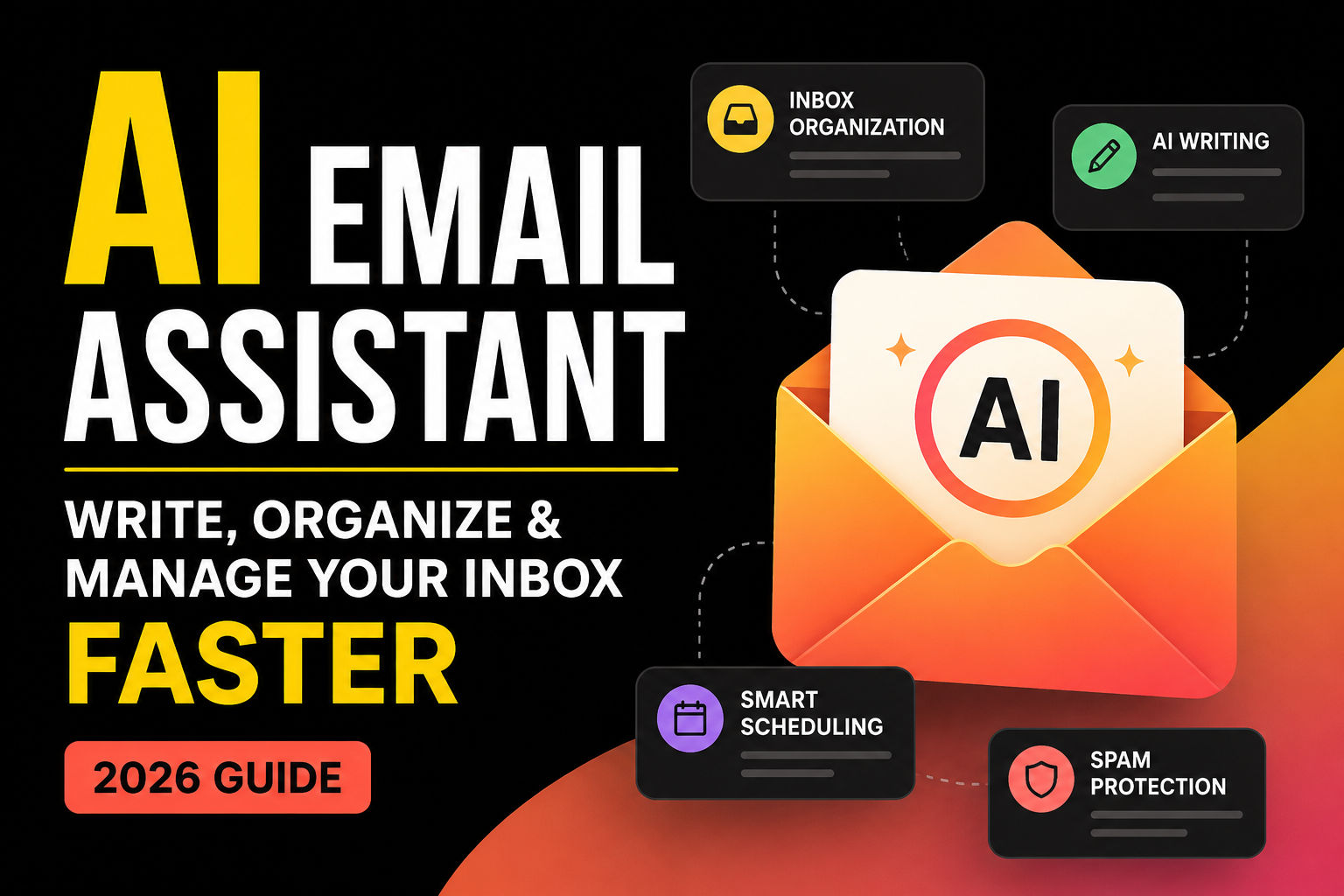
The AI Email Assistant Revolution: A Smarter Way to Handle Your Inbox
Let's be real for a second. Email has basically taken over our lives. I mean, when was the last time you actually got to the bottom of your inbox? For most of us, it's like trying to drink from a firehose. The average professional gets over 120 emails daily. That's not just a number—it's hours of your life vanishing into the void of unread messages, pointless threads, and those "just following up" emails that make you want to scream.
But here's the thing. We're finally at a point where technology can actually help. AI email assistants are no longer some futuristic concept from a sci-fi movie. They're here, they're real, and they're genuinely changing how we deal with digital communication. This isn't about replacing human interaction. It's about giving you back the time to actually have meaningful conversations instead of drowning in the noise.
The numbers are honestly staggering. The global AI email assistant market hit about $1.74 billion in 2024. And get this—it's projected to nearly triple to $4.52 billion by 2029. North America is leading the charge, accounting for roughly 38% of global growth. That tells you something about how seriously people are taking this technology.
So What Exactly Is an AI Email Assistant Anyway?
Okay, let's clear something up right away. An AI email assistant isn't just a fancy spam filter that's learned a few new tricks. It's not your grandmother's auto-responder either. Think of it more like having a really smart, really organized assistant who lives inside your inbox and actually understands what you're dealing with.
These tools use advanced language models that can actually comprehend context, recognize sentiment, and generate responses that sound human. Not robot-human. Actually human. They learn your style, your tone, and gradually get better at representing you in written communication. It's pretty wild when you think about it.
If you've ever wondered about the distinction between AI agents and assistants, you might find it helpful to check out how they differ—it's actually pretty fascinating how these technologies compare in real-world applications.
Now, the landscape is pretty varied. Some tools focus on helping you write better emails. Others are all about cleaning up that cluttered inbox. And then there are the heavy hitters that connect to your entire digital workspace—calendar, documents, project management tools. They're basically becoming the central nervous system for how we work.
How Do These Things Actually Work?
Writing Emails Without Starting From Scratch
This is probably the most obvious use case, and honestly, it's where most people start. Tools like Google's Gemini in Gmail and Microsoft's Copilot in Outlook can generate complete email drafts from just a brief prompt.
Picture this: you need to write a thank-you note after a job interview. Instead of staring at a blank screen for twenty minutes trying to find the right words, you just type something like "thank you letter for my job interview" and boom—Gemini gives you a polished draft that actually sounds like you. Not some generic corporate template.
The really cool part? These tools can refine existing text too. Want to make that email more formal? Less formal? Shorter? Longer? It's all just a click away. Gemini even pulls context from other emails and documents—flight times, hotel bookings, that soccer schedule your kid sent you—to personalize responses without you having to manually add all that detail.
Smart Replies That Actually Save Time
If you're always on your phone checking email, you know the struggle. Typing out thoughtful responses on a tiny keyboard is just painful. That's where smart replies come in.
Superhuman's "Instant Reply" feature is a game changer here. It generates three draft replies in your own voice and tone. Not generic corporate speak. Your actual voice. Users report writing emails twice as fast with this feature. And here's the psychological trick—it's often easier to edit something than to start with a completely blank page. Sometimes just having that starting point is enough to get you going.
Summarizing Those Ridiculously Long Threads
You know those email threads that go on for days? The ones where someone replies-all to everything and suddenly you have thirty-seven emails about a topic that should have been a two-minute conversation? Yeah, those.
AI assistants can summarize all that madness in seconds. Copilot in Outlook will distill long email threads down to the key points. It can even summarize attachments—PDFs, PowerPoint decks, Word documents. This is genuinely lifesaving when you've been out of the office for a few days and come back to an inbox that looks like a disaster zone.
Superhuman goes a step further with "Auto Summarize," which puts a one-line summary above conversations that updates in real-time. On mobile, this is incredibly powerful. Some users say they barely need to read the full email anymore. That's not laziness—that's efficiency.
Smart Inbox Triage
Here's where things get really interesting. Instead of you manually scanning through hundreds of emails trying to figure out what's important, AI assistants can do that work for you.
Copilot lets you ask natural language questions about your mailbox. Things like:
- "Tell me if I have emails in my inbox that I haven't replied to"
- "What emails have I received from my manager this week?"
- "What emails from Sarah haven't I read?"
And it doesn't just tell you—it can take action. You can say "Pin my manager's emails" or "Archive all unread emails from the marketing team." It's like having a virtual assistant that actually follows instructions.
Google's approach includes an "AI Inbox" feature that surfaces the most critical to-dos with personalized draft replies already prepared. The most important messages get the most attention, exactly how it should be.
Context Awareness Across Applications
This is where the real magic happens. Modern AI email assistants aren't just looking at the email in front of them. They're pulling context from everywhere else you work.
Google Gemini uses information from Google Docs, Calendar, and Drive. So when it's suggesting a response, it's grounded in your actual work, not just the words in that one email. It knows about the meeting you have at 3 PM, the document you were working on yesterday, the travel plans you mentioned last week.
Microsoft Copilot does something similar through Microsoft Graph integration, seeing everything from your calendar and documents to conversations in Teams. It's all connected.
Superhuman's "Agentic Writing" takes this even further. It works across your inbox, calendar, and the web. You can ask it to "reply with our VIP discount" or "reply with our trust center link and times when Kyle and I are available." It figures out the details, resolves ambiguities, and thinks as long as needed to produce the right response. It's almost like having a junior assistant who actually remembers everything.
If you're exploring productivity tools beyond just email, you might want to look at what AI-powered options are available for other parts of your workflow. Many people find that combining different AI tools creates a really powerful productivity ecosystem.
What Features Should You Actually Look For?
Not all AI email assistants are created equal. Here's what actually matters.
Writing Help That Goes Beyond Spellcheck
Look for tools that offer comprehensive writing support. The ability to adjust tone is crucial—making drafts more professional, friendly, or formal depending on who you're writing to. Some tools even offer coaching features that provide feedback on tone, sentiment, and clarity, suggesting improvements before you hit send. It's like having an editor looking over your shoulder, but in a helpful way, not an annoying way.
Proper Grammar and Proofreading
Advanced grammar and style checking should be table stakes at this point. Google Workspace with Gemini offers proofreading with advanced grammar, tone, and style suggestions. It catches errors that traditional spell-checkers completely miss. You'd be surprised how often we write things that are technically correct but just don't sound right.
Smart Categorization and Search
Intelligent categorization automatically sorts incoming messages, applying labels based on patterns it learns from your behavior. And semantic search—finding emails based on meaning rather than just keywords—is a major upgrade from traditional search. Instead of remembering exactly what words someone used, you can search based on concepts.
Calendar Integration and Scheduling
The ability to suggest meeting times and integrate with your calendar is increasingly essential. Gemini can suggest times you're available as you draft a message. Copilot can schedule meetings with up to two other people through chat. No more back-and-forth emails just to find a time that works.
Security and Privacy Considerations
This is the elephant in the room. Any tool that handles your email needs to be secure. AI email assistants are built on comprehensive approaches to security, compliance, and privacy. But—and this is important—research has revealed potential vulnerabilities in AI agents that can autonomously manage emails. Things like unauthorized sharing of private information. It's crucial to understand the security implications before giving any tool extensive access to your email.
The Best AI Email Assistants Right Now
Google Gemini in Gmail
Who it's for: People already using Gmail and Google Workspace
Gemini lives directly inside Gmail, which is its biggest advantage. No separate app, no new interface to learn. It handles email drafts, thread summaries, reply generation, and search across Workspace data. The context pulling from Google Docs, Calendar, and Drive makes suggestions feel relevant and grounded.
The features are tiered. Basic stuff like "Help Me Write" and suggested replies are free for all Gmail users. Advanced features like AI Inbox and AI Overviews search require a Google AI subscription starting at $7.99 per month. That's pretty reasonable considering what you get.
Microsoft Copilot for Outlook
Who it's for: Teams already deep in the Microsoft ecosystem
If you're already using Outlook, Teams, Word, and Microsoft 365, Copilot is a natural fit. It adds AI-powered drafting, summarizing, and meeting follow-ups without requiring anyone to adopt new tools. The Microsoft Graph integration is its superpower—it sees your entire workspace.
Features include thread summaries, reply drafting, meeting follow-ups with action items, and meeting preparation capabilities. One important caveat—Copilot in Outlook only supports work or school accounts and Microsoft accounts using outlook.com, hotmail.com, live.com, and msn.com. Third-party providers like Gmail, Yahoo, and iCloud users can use Outlook but won't have Copilot access. Pricing starts at $21 per user per month on an annual commitment for Business, with Enterprise tier at $30 per user per month.
Superhuman Mail
Who it's for: Executives, founders, and high-volume email users
Superhuman is premium—and priced accordingly. But for people who live in their inbox, it's worth every penny. Every action has a keyboard shortcut, the interface is stripped of clutter, and AI handles drafting and summarizing. "Instant Reply" generates draft replies in your voice, and "Auto Summarize" puts one-line summaries above conversations.
"Ask AI" is another standout feature. It gives rapid answers without needing to remember senders, guess keywords, or comb through messages. It's reportedly 2-3 times faster than AI search in Gmail and Outlook. Superhuman starts at $33 per user per month for the Starter plan, with advanced features in the Business plan.
Shortwave
Who it's for: Gmail users wanting natural language search
Shortwave's semantic search is its standout feature. You can ask "What did Marcus say about the contract renewal in October?" and it finds the right thread. Beyond search, it offers thread summaries, smart bundles that group newsletters and notifications, and automatic task extraction from emails.
It's designed specifically for Gmail users, so it's not for Outlook people. Shortwave offers a free plan with basic features (with a branded signature) and paid plans from $14 to $100 per seat per month.
MailMaestro
Who it's for: People who want to write clearer professional emails
MailMaestro helps users craft better professional emails with AI drafting, tone adjustment, thread summaries, and one-click replies. It's particularly useful if you struggle with written communication or just want to make sure your emails sound polished and professional.
Gmelius
Who it's for: Teams needing collaborative email management inside Gmail
Gmelius is an intelligent AI suite that lives inside Gmail. Its AI Reply Assistant autonomously detects which replies need a response and creates drafts without prompting. The AI Sorting Assistant learns how you categorize messages and applies the correct labels automatically.
The conversational AI assistant "Meli" can do everything from summarizing your daily agenda based on emails and meeting invites to retrieving old information from email threads. Gmelius provides a free plan with basic features, with paid plans starting at $24 per user per month.
Gmail vs. Outlook: The AI Showdown
The battle between Google and Microsoft has extended into the AI realm, and honestly, it's fascinating to watch.
Writing Assistance
Gmail's Gemini offers "Help me write," generating drafts from prompts and refining existing text. The free version is decent, but paid plans unlock more advanced features. It proactively incorporates details from other emails and Drive files for personalization.
Outlook's Copilot offers "Draft with Copilot," generating full-length email drafts from prompts based on thread context and organizational information. "Coaching by Copilot" provides feedback on drafts by suggesting improvements for tone, sentiment, and clarity. Both tools let you refine drafts by adjusting tone, length, and style.
Inbox Organization
Google's approach includes AI Overviews in Gmail search that answer questions across your inbox, and an AI Inbox that surfaces critical to-dos. Copilot allows natural language queries about your mailbox and calendar, and can take direct actions like pinning emails or archiving messages.
Scheduling Support
Both platforms offer scheduling assistance. Gemini can suggest available times as you draft messages. Copilot can schedule meetings with up to two people through chat. No more back-and-forth about availability.
Cost Comparison
Google provides a more accessible entry point. Basic features are free for all Gmail users. Advanced features start at $7.99 per month for individual subscribers. Microsoft requires a qualifying Microsoft 365 base subscription plus the Copilot add-on, starting at $21 per user per month. The pricing difference is significant.
Free vs. Paid: What Do You Actually Get?
Free Options That Work
Several AI email assistants offer free tiers:
- Gmail Gemini: Free for all Gmail users with "Help Me Write," suggested replies, and AI Overviews for email threads in the US
- Shortwave: Basic free plan with branded signature
- Gmelius: Free plan with basic features
- SaneBox: Some free functionality for inbox filtering and organization
What You Pay For
Paid tiers typically offer:
- More powerful AI models and higher usage limits
- Advanced search capabilities that actually work
- Team collaboration features and shared inboxes
- CRM and business application integrations
- Removed branding from outgoing emails (no more "sent via Shortwave" signatures)
- Additional customization and control
Who Should Actually Upgrade
Consider paying if:
- You process 100+ emails daily (this is Superhuman's sweet spot)
- Your team needs collaborative email management
- You require professional CRM integrations
- Branded signatures are unacceptable for your business
- You need advanced AI model capabilities with higher usage limits
Can ChatGPT Replace an AI Email Assistant?
This is a question I hear constantly. And the answer is... complicated.
ChatGPT is fantastic at generating well-written email drafts from detailed prompts. It can adjust tone, format, and content based on instructions. For pure writing assistance, it's genuinely impressive.
But here's what it can't do:
- No direct inbox integration: ChatGPT doesn't connect to your email provider. You're copying and pasting like it's 2010.
- No contextual awareness: It can't access your calendar, previous emails, or documents. Every prompt starts from scratch.
- No automation: It can't automatically categorize, summarize, or sort your inbox.
- No action capabilities: It can't schedule meetings, archive messages, or take any direct actions.
- No learning from your style: It doesn't adapt to your personal writing style over time.
Dedicated email assistants like Gemini and Copilot are fundamentally different from general-purpose AI. They're integrated with your email ecosystem, context-aware, and capable of taking action. ChatGPT helps you write better emails, but it cannot replace comprehensive inbox management. It's a tool, not a solution.
How to Choose the Right AI Email Assistant for You
Students
You'll benefit most from free or low-cost options. The free tier of Gmail Gemini offers robust drafting and summarization at no cost. Shortwave's free tier is also solid with its semantic search and smart bundling. Don't pay for something you don't need yet.
Professionals
If you're sending and receiving dozens of emails daily, paid options are worth considering. Superhuman offers exceptional speed at $33 per month. If you're already in Microsoft ecosystem, Copilot for Outlook starts at $21 per user per month with an annual commitment. The time savings alone usually justify the cost.
Freelancers
Managing multiple clients and projects requires efficient inbox management. Gmail Gemini is a solid free option. Shortwave provides paid tiers starting at $14 per seat per month for enhanced capabilities. Gmelius might be valuable if you collaborate with clients through shared inboxes.
Small Businesses
You need tools that scale with growth. Gmelius offers team collaboration starting at $24 per user per month. Microsoft Copilot provides comprehensive integration with business applications at $21 per user per month. Both offer enterprise-grade features at accessible price points.
Frequently Asked Questions
What is an AI email assistant?
An AI email assistant uses artificial intelligence to help you write, reply to, summarize, organize, or automate email workflows. These tools use advanced language models to understand content and context, generating human-like responses and intelligent organization.
Is there a free AI email assistant?
Yes. Gmail Gemini provides free "Help Me Write," suggested replies, and AI Overviews for email threads for Gmail users in the US. Shortwave and Gmelius also offer free plans with basic features. You can get started without spending anything.
Which AI works with Gmail?
Google's Gemini is the native option for Gmail. Shortwave offers another AI email client built specifically for Gmail users. Gmelius also provides AI features within Gmail. You have choices even within the Gmail ecosystem.
Which AI works with Outlook?
Microsoft Copilot for Outlook is the primary option. It offers drafting, summarizing, coaching, and scheduling features. Remember it only supports work or school accounts and Microsoft accounts using outlook.com, hotmail.com, live.com, and msn.com.
Is ChatGPT good for writing emails?
Yes, ChatGPT is excellent for generating email drafts when given detailed prompts. But it lacks the inbox integration, contextual awareness, and automation capabilities of dedicated AI email assistants. It's a writing tool, not a complete email management solution.
Are AI email assistants secure?
AI email assistants are built on comprehensive security, compliance, and privacy approaches. However, recent research has revealed potential vulnerabilities in AI agents that can autonomously manage email, including unauthorized sharing of private information. Be careful and evaluate security before granting extensive email access.
Where Is All This Going?
The AI email assistant market is evolving rapidly. Growth projections through 2029 are strong. Natural language processing and generative AI are making these tools smarter. Strategic integration into business operations is becoming standard practice.
We can expect further developments in personalization, contextual awareness, and proactive automation. Integration with broader business applications will continue to deepen. These tools are becoming increasingly essential for modern professionals.
The key is choosing the right tool for your needs and properly evaluating security implications. Whether you're a student managing course communications, a professional drowning in daily emails, or a business owner streamlining team communications, there's an AI email assistant designed to help you reclaim your time and focus on what actually matters.
And honestly? That's the whole point. Not using AI for the sake of using AI. But using it to get back to the human work—the real conversations, the creative thinking, the strategic decisions. Email was supposed to make us more productive. Now it's time for AI to make email more productive for us.
The global AI email assistant market was valued at $1.74 billion in 2024 and is projected to reach $4.52 billion by 2029. That growth tells you everything about where this technology is heading. The question isn't whether to use an AI email assistant. It's which one you should choose.
CS student and builder writing about tech, startups, AI, and productivity. Built a SaaS that didn't ship — walked away with real product experience instead. Sharing everything learned along the way.