10 Best AI Note Taking Apps (2026): Free & Paid Picks Compared
Discover the best AI note taking app for meetings, lectures, and research. Compare features, free plans, pricing, and top picks for 2026.
Let’s be real for a second. You've probably sat through a meeting, nodded along, and then realized an hour later you can't remember a single key point. Or maybe you're a student who’s spent a whole lecture desperately scribbling notes, only to miss the professor's most important explanation because your hand was cramping.
I’ve been there. It sucks. And it’s exactly the problem AI note taking apps were built to solve.
But here’s the thing—when you search for the best AI note taking app, you’re bombarded with options. Every tool claims to be "revolutionary." Every one promises to change your workflow. So how do you actually pick one?
That’s what this guide is for. No fluff, no overly technical jargon. Just a straight-talk breakdown of what actually works, what’s free, what’s worth paying for, and which app fits your specific life—whether you’re a busy manager, a stressed-out student, or just someone who wants to stay organized.
What You’ll Actually Get From This Guide:
- A clear, side-by-side comparison of the top AI note taking apps.
- Which ones offer the best free plans (and the hidden limits).
- The best options for meetings, lectures, and personal knowledge.
- A no-BS verdict on what to choose right now.
Let’s cut through the noise.
What Exactly Is an AI Note Taking App? (And Why Should You Care?)
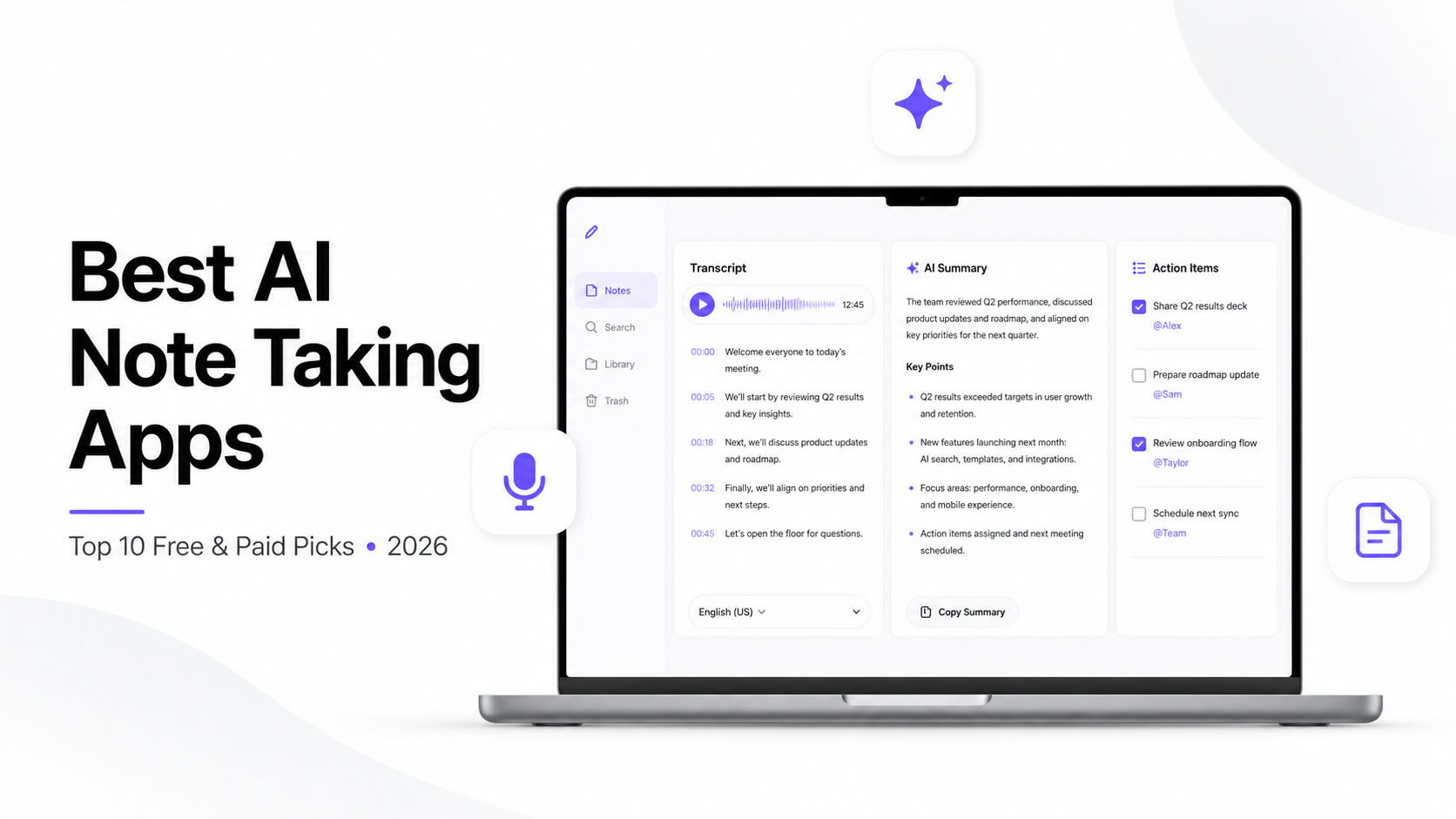
Before we dive into the list, let’s get on the same page about what we’re talking about. An AI note taking app isn’t just a digital notebook. It’s a smart assistant that captures and organizes information for you . Instead of just storing text, it uses artificial intelligence to transcribe voice, summarize key points, extract action items, and even find connections between your notes that you didn’t see .
Think of it like this: Traditional note-taking is like writing a letter. AI note-taking is like having a personal secretary who listens to the meeting, writes the minutes, highlights the important stuff, and reminds you of tasks—without you lifting a finger.
Here’s what you can generally expect a good AI note taking app to do :
- Live Transcription: Converts speech to text in real-time .
- Automatic Summaries: Condenses an hour of rambling into a one-page readout .
- Smart Search: You can ask questions like “What did Sarah say about the Q3 budget?” and get an answer, not just a keyword match .
- Speaker Identification: Knows who said what in a meeting .
- Action Item Detection: Automatically pulls out “to-dos” from the conversation .
If you’re still using a regular notes app or pen and paper for every meeting, you're working harder, not smarter.
How We Picked the Best AI Note Taking Apps
Not every app is created equal. During our research, we looked at a bunch of criteria to separate the real deal from the duds:
- Transcription Accuracy: Does it get the words right, even with accents or industry jargon?
- AI Summaries: Are the summaries actually useful, or just a jumble of random sentences?
- Meeting Support: Can it join Zoom, Google Meet, or Teams automatically?
- Lecture Support: Is it good for long, academic-style speaking?
- Speaker Recognition: Can it tell the difference between you and your boss?
- Privacy & Security: Where is your data going, and who can see it?
- Pricing: Is the free tier actually useful, or is it just a tease?
The Best AI Note Taking Apps in 2026 (Full Reviews)
Alright, here’s the main event. These are the apps that consistently stand out from the crowd.
1. Otter.ai: The Meeting and Transcription Gold Standard
Best for: Professionals, journalists, and students who need highly accurate transcripts of meetings and lectures. Platform: Web, iOS, Android
If you’ve looked into AI transcription before, you’ve heard of Otter.ai. It’s a heavyweight in the space for a reason. Otter is designed to be your sidekick in meetings and lectures. You just hit record, and it generates a searchable transcript while identifying different speakers .
Why it stands out:
- OtterPilot: It can automatically join your Zoom, Google Meet, or Teams calls, so you never miss a thing .
- Live Transcription: You see captions scroll as people talk, which is genuinely useful for accessibility and catching names you might miss mid-sentence .
- Speaker Identification: It does a decent job of labeling who is talking, which makes navigating a long meeting transcript way easier .
The Catch:
- Language support is primarily English-focused .
- While the free tier gives you 300 minutes per month, that disappears fast—roughly five hour-long meetings . Paid plans start at $16.99/month for 1,200 minutes .
Verdict: Otter is a safe bet. If your main need is recording and transcribing meetings or interviews, it's hard to beat. It’s a great AI note taking app for meetings.
2. Fireflies.ai: The Autonomous Note-Taker
Best for: Busy project managers and teams that have meetings across different platforms. Platform: Web, Browser Extension
While Otter is great, Fireflies.ai feels a bit more "set it and forget it." Fireflies positions itself as an autonomous AI meeting assistant . You connect your calendar, and it automatically joins your scheduled Zoom, Teams, or Google Meet calls to take notes for you .
Why it stands out:
- Automatic Joining: You don't even have to be the one to invite it. It sees a meeting on your calendar and shows up .
- AskFred Assistant: You can query meeting content directly—much like chatting with a team member who has perfect recall .
- Broad Integrations: Pushes transcripts and summaries to CRMs like Salesforce and HubSpot, project management tools like Asana, and communication platforms like Slack .
The Catch:
- It’s heavily focused on meetings. It’s not the best tool for general personal note-taking .
- The free tier's storage cap fills quickly . Pro starts at $10 per seat per month (billed annually), which undercuts most rivals .
Verdict: If you live in meetings and want a bot that handles the admin work for you, Fireflies is a powerful pick.
3. Notion AI: The All-in-One Workspace on Steroids
Best for: Tinkerers, "systems thinkers," and people who want their notes, tasks, and databases in one place. Platform: Web, Desktop, iOS, Android
Notion is beloved by many for its incredible flexibility. You can build a personal wiki, manage projects, and write documents all in one place. Then they added Notion AI . While it’s not a standalone transcription tool, its AI features are a game-changer for people who do their own writing and research inside the app.
Why it stands out:
- In-Document AI: Need to summarize a long block of text? Brainstorm ideas? Translate something? It’s all right there as you write .
- Q&A Across Workspace: You can ask questions about your entire workspace and get answers pulled from all your pages, databases, and wikis .
- Zero Context-Switching: Everything lives in one tool—notes, project management, wikis, and databases .
The Catch:
- Pricing shifted in 2026: the old $8 standalone AI add-on is gone for new buyers. AI is now bundled into Business at $20 per member per month .
- If you're not already using Notion as your primary workspace, the switching cost is high .
Verdict: Notion is the ultimate hub. If you want an AI powered note taking app that helps you write better and organize your life, this is for you.
4. Obsidian: The Hacker’s Paradise (With No Built-In AI!)
Best for: Researchers, writers, and privacy-focused users who want total control over their data. Platform: Desktop, iOS, Android
Here’s where things get interesting. Obsidian doesn’t have any native AI features. Yet, many argue it’s the best AI notes app because of its open ecosystem . Obsidian works with local Markdown files—meaning your notes are stored as plain text files on your computer .
Why it stands out:
- Total Privacy: Your notes are yours. They don't live on a cloud server unless you choose to sync them. An Obsidian vault is just an ordinary folder on your computer .
- Community Plugins: Instead of a built-in AI, you can install community plugins like Copilot, Smart Connections, or Text Generator to add AI chat, smart tagging, and summarization .
- AI Can Modify Obsidian Itself: Because Obsidian settings are stored as editable CSS, JavaScript, and JSON files, the AI you choose can modify your theme, create scripts, or help you build plugins for workflows that only make sense to you .
The Catch:
- Steep learning curve. You need to be a bit tech-savvy to get the most out of it .
- It doesn't do voice transcription natively. You’d need to bring your own transcription tools and integrate them .
Verdict: This is for the "DIY" crowd. If you value data control and customization over convenience, Obsidian is the holy grail.
5. NotebookLM: The Research Powerhouse
Best for: Students, researchers, and professionals who need to synthesize large amounts of source material. Platform: Web, Android
NotebookLM is a dedicated research tool that's been gaining serious traction in 2026. It's designed to help you analyze and understand complex documents, not just transcribe meetings.
Why it stands out:
- Source-Grounded Answers: You upload your sources (PDFs, websites, YouTube videos, or text), and NotebookLM becomes an expert on them. It summarizes and makes connections, and when you ask questions, the answers are cited in-line so you can verify them .
- Audio Overviews: It can transform what you uploaded into a podcast-style audio discussion with two engaging AI hosts—perfect for learning on the go .
- Flashcards and Quizzes: The latest updates let you memorize key facts with flashcards and test your comprehension with quizzes .
- Free: It's completely free (Google) .
- Enterprise Data Protection: When using NotebookLM with a work or school Google account, uploaded documents and interaction data are not used to train Google's language models and are not accessible or reviewed by human reviewers .
The Catch:
- It's for research and document synthesis, not for live meeting transcription .
- Outputs like Audio Overviews can't be edited within the tool once they're created .
Verdict: If you're a student or researcher drowning in documents, NotebookLM is a game-changer. It's honestly one of the most compelling demonstrations of AI's potential.
The Best Free AI Note Taking Apps
We all love free stuff. The good news is that you can do a lot with free AI note taking apps before spending a dime . Here are the best free options:
1. NotebookLM (Free):
- What you get: Full access to the app with Google's enterprise data protections (if using a work/school account) .
- Best for: Research, document synthesis, and studying.
- Limits: None mentioned, but you might have source limits based on your account.
2. Otter.ai (Free Tier):
- What you get: 300 transcription minutes per month .
- Best for: Trying out meeting transcription.
- Limits: Free minutes disappear fast, and there's a cap on lifetime file imports .
3. Fireflies.ai (Free Tier):
- What you get: Unlimited transcription with a set amount of storage per team .
- Best for: Testing out AI meeting summaries.
- Limits: Storage cap fills quickly; advanced AI summaries and features are limited .
4. Obsidian (Free Forever):
- What you get: The entire app for personal use. You only pay if you want their commercial license or sync service.
- Best for: Personal knowledge management and writing.
- Limits: None for the core app, but AI plugins require API keys to external models (some of which charge).
Which is the Best Free AI Note Taking App? If you want a powerful tool with zero cost and enterprise-grade data protection for research, NotebookLM is the best free AI note taking app. If you need meeting transcription, Otter's free tier is a solid starting point. And if you're willing to do a bit of setup, Obsidian is free forever.
Best AI Note Taking App for Meetings
For meetings, it's a two-horse race between Otter.ai and Fireflies.ai.
- Pick Otter.ai if: You prefer a clean, simple interface and want to read along during the call in real-time . The live transcription is top-notch .
- Pick Fireflies.ai if: You want the ultimate "set and forget" tool. You want it to automatically join your scheduled calls and generate structured summaries with clear action items. It's also the cheapest paid team tier .
Best AI Note Taking App for Students
Students have a specific need: handling long, dense lectures and turning them into study material.
- NotebookLM is a standout choice for students. Upload your lecture notes, PDFs, and readings, and it generates summaries, flashcards, quizzes, and even audio discussions to help you study .
- Otter.ai is great for recording live lectures, especially with its real-time transcription and speaker identification .
Features You Should Look For
When you're shopping around, keep an eye out for these specific features. They make the difference between a gimmick and a useful tool:
- Live Transcription vs. Upload: Do you need it in real-time, or can you record audio and upload it later?
- Speaker Identification: If you're in a meeting with 5 people, can the app tell them apart? This is crucial for clarity .
- AI Q&A/Ask: This is the killer feature. Can you ask "What were the budget figures?" and get a direct answer?
- Integration: Does it play nice with your calendar, Zoom, Teams, and other apps you use?
- Privacy: Check if your data is stored on their servers or locally on your machine. Apps like Obsidian and NotebookLM (with enterprise accounts) win here .
Frequently Asked Questions
What is the best AI note taking app? It depends on the job. For meetings, Otter.ai wins. For an all-in-one workspace, Notion. For ultimate privacy and customization, Obsidian. For research and studying, NotebookLM.
Which AI note taking app is free? NotebookLM is entirely free. Obsidian is entirely free for personal use. Otter.ai and Fireflies.ai have useful free tiers .
Can AI summarize meeting notes? Absolutely. Apps like Fireflies.ai and Otter.ai are built specifically to create AI summaries and extract action items from meetings .
Which AI app is best for lectures? Otter.ai is popular for live lecture transcription, while NotebookLM excels at synthesizing lecture materials and turning them into study guides .
Is AI note taking accurate? It can be very accurate, but it's not perfect. Sonix, for example, advertises 99% accuracy . You should always give the transcript a quick read to correct any mistakes.
Can AI organize my notes? Yes! Notion AI excels at this, automatically filling database properties and connecting information across your workspace .
Which app protects privacy? Obsidian is the best for privacy and security because your notes are stored locally as plain text files . NotebookLM offers enterprise data protection if you use a work or school Google account .
Final Verdict: Which One Should You Choose?
There’s no single "winner" here because your workflow is different from everyone else's. So, let's be direct:
- Choose Otter.ai if: You are a professional who needs to record meetings or a student who wants to capture lectures easily. It’s the most straightforward and reliable AI note taking app for meetings and lectures.
- Choose Fireflies.ai if: You are a manager or team leader who wants to automate the entire meeting process and extract action items without lifting a finger. The pricing undercuts most rivals .
- Choose Notion AI if: You are a creator or knowledge worker who lives in Notion. You want AI to help you brainstorm, organize, and write directly within your workspace.
- Choose Obsidian if: You are privacy-conscious, love to tinker, and want a powerful, free AI note taking app that you can customize to your exact needs.
- Choose NotebookLM if: You are a student, researcher, or anyone who needs to synthesize large amounts of documents and create study materials. It's free and a genuine game-changer.
The bottom line? Start with a free tier—NotebookLM for research, Otter.ai for meetings, and Obsidian for personal knowledge. Run your next three meetings through two of them and compare the summaries. The difference in quality on your specific audio is more telling than any review . Stop taking notes manually. Let the AI handle the boring stuff.
CS student and builder writing about tech, startups, AI, and productivity. Built a SaaS that didn't ship — walked away with real product experience instead. Sharing everything learned along the way.