Software Document Manager: Best AI Tools & Free Solutions (2026)
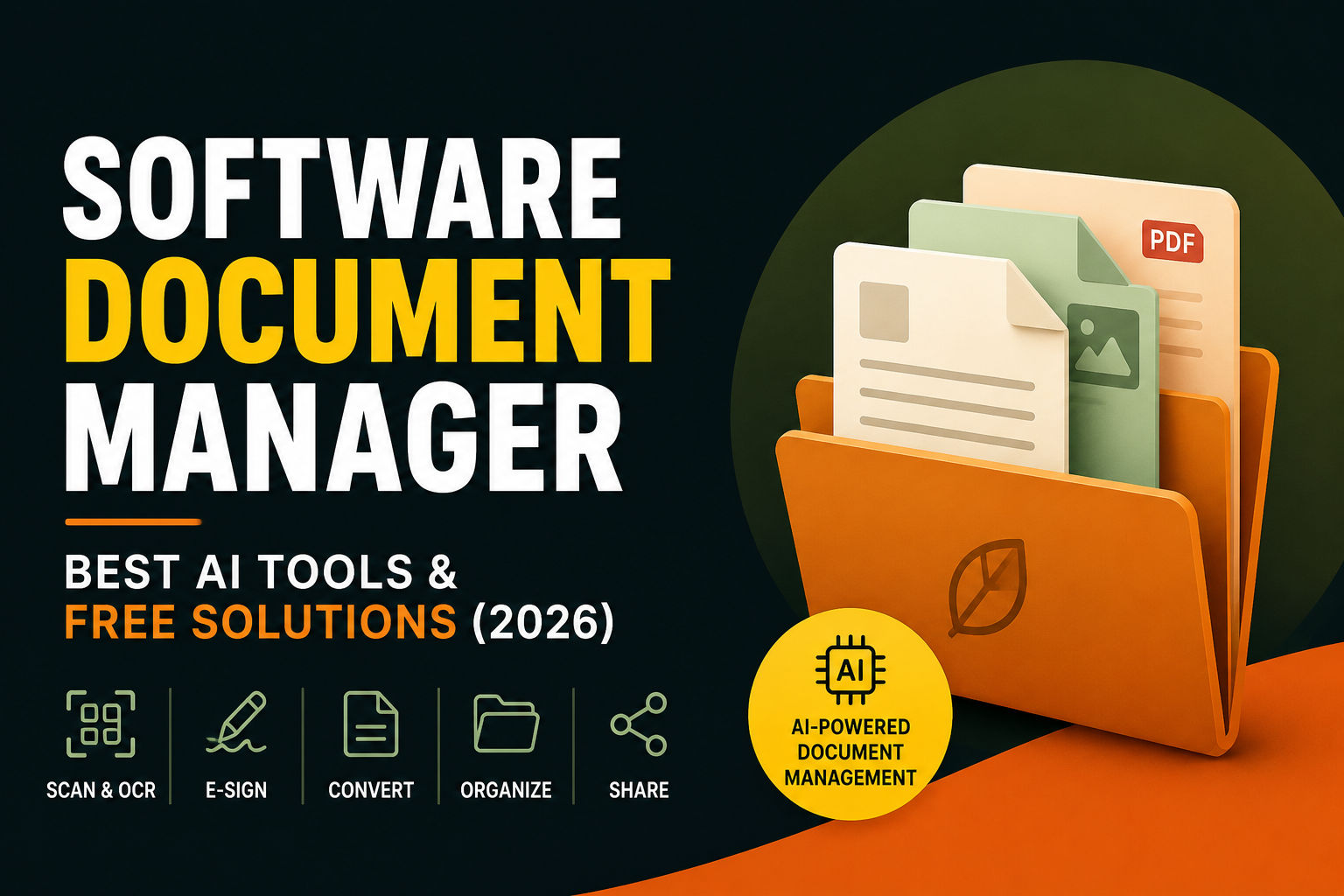
Discover the best software document manager in 2026. Learn AI document management, OCR, free tools, open-source options, and expert tips.
So, You're Drowning in Digital Paper? Let's Talk About Software Document Managers.
Let's be honest for a second. If you're reading this, you probably have a folder on your computer called something like "_Misc_Docs_FINAL_v2." And inside that folder, there's another one. And inside that one, a file named "Project_Proposal_FINAL_v3_REALFINAL.pdf."
We've all been there. The digital chaos is real. It's not just about having too many files; it's about the sheer panic when you need that one specific contract from three years ago, and you know it's in there somewhere, but the search bar is giving you nothing but anxiety.
I remember spending 45 minutes once trying to find a single invoice from 2019. I knew the client, I knew the amount, I knew the month. But did I know the file name? Of course not. I ended up scrolling through thousands of files in my "Old_Work" folder like some kind of digital archaeologist. It was soul-crushing.
That's exactly where a software document manager comes in to save your sanity. It's no longer just a fancy filing cabinet; it's an intelligent brain for your digital life. In 2026, we're not just talking about storing files; we're talking about intelligent systems that understand your data, find it instantly, and even do the boring stuff for you.
In this guide, we're going to talk like real people about why you need one, how AI has turned this space upside down, and which tool is actually right for you. No corporate jargon, no marketing fluff—just honest advice from someone who's been in the digital trenches.
What Is a Software Document Manager, Anyway?
Let's clear up the jargon first. A software document manager is the step up from that chaotic "Downloads" folder. It's the difference between having a messy desk and having a well-organized filing system where everything has its place.
But here's the thing—it's not just about organization anymore. In 2026, a document manager is more like having a personal assistant who knows exactly where everything is, can find anything in seconds, and even handles routine tasks for you.
The Core Job Description
A good document management system (DMS) handles the entire lifecycle of your documents:
- Creation and Capture: It takes files from anywhere—scans, emails, your phone camera. You can snap a picture of a receipt and it just works.
- Storage and Organization: It uses metadata (like tags, dates, and document types) instead of just messy folders. Think of it like having a librarian who catalogs every book by author, subject, publication date, and even key themes.
- Security and Control: It decides who can see, edit, or share a document. No more accidentally sending sensitive files to the wrong person.
- Search and Retrieval: It finds that needle in the haystack in seconds. And I mean seconds.
- Collaboration and Sharing: It lets teams work together without emailing "v17" back and forth. We've all been there, and we all hate it.
DMS vs. Cloud Storage (Dropbox/Google Drive)
Wait, doesn't Google Drive do all that?
Well, sort of. Cloud storage is like a massive warehouse. It's great for storing things, and you can sort of organize them into boxes (folders). But a DMS is like having a librarian who knows every word on every page.
Let me put it this way:
- Google Drive/Dropbox: "Here's a box of stuff. You figure it out."
- Document Manager: "Here's everything, organized, searchable, and secure. I've already tagged it, OCR'd it, and set up automatic approvals for it."
A DMS adds tools like version control (so you never lose track of changes), advanced search (searching inside scanned images!), workflow automation (sending the invoice to the right approver automatically), and compliance (ensuring documents are kept for the right amount of time).
Cloud storage is the foundation. A DMS is the smart building built on top.
Why You Can't Afford to Ignore This in 2026
We are living in the era of AI. And while AI gets all the hype, it's useless without good data. It is estimated that 70% to 90% of enterprise data is unstructured—meaning it's sitting in emails, PDFs, and scanned images, completely unreadable to traditional software.
Think about that for a second. All that valuable information, locked away in digital prison cells where no one can reach it.
This is where the game has changed. The future of a software document manager is an Intelligent Content Infrastructure. It's the bridge between your messy files and the AI that can actually get work done.
The Real Problem: We're Making More Chaos Than Ever
Here's the thing—the problem isn't just that we have too many files. It's that we're creating files faster than ever before. Between emails, Slack messages, Google Docs, PDFs, scanned receipts, photos, and screenshots, the average person creates or receives dozens of documents every single day.
And what do we do with them? We stuff them into folders with names like "Misc" or "Stuff" or "Archive_Old" and pray we never need to find them again.
But then we do need to find them. And suddenly we're spending hours searching, clicking through folders, and cursing our past selves for not being more organized.
The Hidden Costs of Document Chaos
Let me paint you a picture of what this mess actually costs you:
- Time: The average employee spends nearly 20% of their workweek searching for documents. That's a full day a week of just looking for stuff.
- Money: Lost documents mean recreated documents. Redoing work is expensive, and it's a complete waste of talent.
- Stress: There's a reason "I can't find that file" is one of the most panic-inducing phrases in the workplace. The anxiety of lost information is real.
- Missed Opportunities: If you can't find a document, you can't act on it. That means missed deadlines, lost deals, and frustrated clients.
The good news? In 2026, we have better solutions than ever before.
The New "Must-Haves" in 2026
1. AI-Powered Search That Actually Understands You
You don't need to remember the file name anymore. You can ask, "Show me the false ceiling rates from that 2024 quote" and it just finds it. It's like having a mind-reading search engine that actually understands what you're looking for.
And here's the kicker—it works even if you don't remember the exact words. The AI understands context, synonyms, and even vague descriptions. "That contract we signed with the marketing agency last spring" is a perfectly valid search query now.
2. Intelligent Document Processing (IDP)
This is a massive trend. Gone are the days of basic OCR (Optical Character Recognition) that just turns images into text. Modern IDP understands a document like a human would.
Think about it—when you look at an invoice, you immediately know where the total amount is, where the vendor name is, and what the invoice number is. You don't have to read every word to find these things. Modern IDP works the same way.
It's not just reading text—it's understanding context. A good IDP system knows that the total amount on an invoice is different from the subtotal, and it can extract both correctly without you having to teach it what an invoice looks like.
3. AI That Takes Action (Not Just Finds)
This is the next frontier. Instead of just finding a document, AI can now act on it. It can automatically extract data, trigger approvals, or update your CRM without you lifting a finger.
Imagine this: You receive an invoice via email. The AI reads it, extracts the key details, checks it against your budget, routes it to the right manager for approval, and files it in the correct folder—all before you've finished your coffee.
4. Local AI (Privacy Matters)
With tools like Paperless-ngx, you can run AI models on your own computer. This means you get all the smarts without uploading your personal documents to the cloud, which is a huge win for privacy.
If you're a lawyer, a doctor, or just someone who doesn't want their personal documents floating around in the cloud, this is a game-changer. Your documents stay on your hardware, period.
Key Features: What to Look For in 2026
Alright, so if you're shopping for a software for document management system, here's the checklist. And I mean a real checklist—not the kind of marketing fluff that looks impressive but means nothing.
1. AI-Driven OCR and Document Understanding
Don't settle for a tool that only reads text. Look for one that understands the context. Does it automatically tag your documents? Can it extract specific data like invoice numbers and total amounts without you setting up templates?
This is the baseline now. If your document manager can't do this, it's already behind the curve. The good news is that most modern systems have this built in, so you don't have to pay extra for it.
2. Version Control and History
This is non-negotiable. You need to know who changed what and when. The best tools offer visual comparisons to see the difference between versions and prevent two people from overwriting each other's work.
Here's a scenario: You and your colleague both open the same document, make changes, and save. With version control, you can see both versions, compare them, and merge the changes without losing anything. Without version control? It's chaos.
3. Advanced Search
If your search takes more than 5 seconds, your tool is broken. You should be able to search by full-text, metadata, tags, and even content inside scanned images.
And I mean really advanced search. You should be able to search by dates, document types, authors, and any other criteria that matter to you. If you can't find what you need in three clicks or less, something's wrong.
4. Security and Permissions
Who can see your contracts? Who can edit the HR docs? A good DMS lets you control access at the folder or even the individual file level.
This isn't just about keeping secrets. It's about making sure the right people have access to the right information. Your marketing team probably doesn't need to see payroll documents, and your finance team doesn't need access to marketing campaign files.
5. Workflow Automation
Stop manually routing documents for approval. Automation can route invoices, send contracts for e-signature, and alert you to compliance deadlines.
The beauty of automation is that it works while you sleep. You set up the rules once, and the system handles the rest. It's like having an assistant who never takes a day off.
6. Integration
Your DMS shouldn't exist in a silo. It should connect to your email, your CRM, your ERP, and your project management tools.
If you can't connect your document manager to the tools you already use, you're creating more work, not less. Look for tools with strong integration capabilities with popular platforms.
7. eSignature
Nobody has time to print, sign, scan, and email. It's 2026. Electronic signatures are standard. If your document manager doesn't support eSignatures, it's like buying a car without wheels—sure, it looks nice, but it's not getting you anywhere.
8. Audit Trails
This might sound boring, but audit trails are essential. They show who accessed what, when, and what they did. If you're in a regulated industry, audit trails aren't optional—they're the law.
Why Traditional Folder Structures Are Failing You
Let's be real for a moment. Folders are a relic of the physical world. They made sense when we had filing cabinets and physical papers. But in the digital world? They're a nightmare.
The problem with folders is that a document can only exist in one place at a time. So you have to make choices: Do you file the invoice under "Finance," or under "Client Name," or under "Project X"?
And what happens when you need to find it later? You have to remember which folder you put it in. If you guessed wrong, you're stuck searching through dozens of folders.
Modern document management solves this with metadata and tags. Instead of putting a document in one folder, you give it multiple tags: #invoice, #clientname, #projectx. Then you can search by any of those tags and find everything instantly.
It's like having a library where every book is indexed by multiple categories, and you can find what you need no matter how you remember it.
The Best Software Document Managers: A Detailed Look
The "best" tool depends entirely on your needs (and your budget). Here's a detailed look at the landscape.
For the Privacy-Conscious (Open Source)
If you care deeply about privacy and don't mind getting your hands a little dirty with setup, open-source is the way to go.
Paperless-ngx
The community darling. It's an open-source document management system perfect for individuals or small teams.
- The Vibe: "I want to be a digital minimalist."
- What it does: It OCRs your documents, auto-tags them using machine learning, and turns them into a searchable archive.
- The Secret Weapon: You can run AI models locally, which means you get all the smart features without ever sending your documents to the cloud. It's a game changer for privacy-conscious users.
- Who it's for: Individuals, small teams, privacy enthusiasts.
- Pros: Free, private, powerful, active community.
- Cons: Requires some technical knowledge to set up.
OpenKM Community Edition
Best for organizations needing workflow automation. It has a visual workflow builder and powerful forms engine for managing approvals.
- Who it's for: Small to medium businesses that need workflow automation.
- Pros: Robust workflow engine, professional support available.
- Cons: The free version has limitations on users and features.
Mayan EDMS
The best choice for high-security environments like legal firms or healthcare. It uses cryptographic signatures to ensure documents haven't been tampered with.
- Who it's for: Legal firms, healthcare providers, any organization with strict security needs.
- Pros: Ironclad security, audit trails.
- Cons: Complex setup, steep learning curve.
LogicalDOC Community
Known for its strong version branching. This means you can create a "branch" of a document to try a different approach, work on it with a team, and merge it back later without losing history.
- Who it's for: Teams working on complex documents with multiple collaborators.
- Pros: Advanced versioning, good UI.
- Cons: Some advanced features require paid version.
For Startups and Small Businesses
You need something affordable, easy to set up, and scalable.
DocuWare
A solid cloud-based solution that's been around the block. Good for medium-sized businesses.
- Who it's for: Growing businesses that need a reliable, feature-rich solution.
- Pros: Mature product, good support.
- Cons: Can be pricey as you scale.
Zoho WorkDrive
A strong contender. They were recently recognized as a Niche Player in Gartner's Magic Quadrant for Document Management for 2026. It's a collaboration-first platform that is evolving into a full content management layer.
- Who it's for: Teams already using Zoho ecosystem.
- Pros: Good integration with Zoho suite, affordable.
- Cons: Less mature than some competitors.
AODocs (Built on Google)
If you live in the Google ecosystem, this supercharges Drive with advanced workflow and security features.
- Who it's for: Google Workspace users.
- Pros: Native Google integration, strong security.
- Cons: Requires Google Workspace subscription.
For Enterprise
You need scale, security, and iron-clad governance.
Microsoft SharePoint
The 800-pound gorilla. If you're a Microsoft shop, this is the obvious choice, though it can be complex to set up perfectly.
- Who it's for: Large organizations heavily invested in Microsoft.
- Pros: Deep integration with Office 365, powerful customization.
- Cons: Complex to set up, expensive.
Hyland
Recognized as a Leader in Gartner's 2026 Magic Quadrant. They are leaning heavily into AI-powered automation that works alongside humans in workflows.
- Who it's for: Large enterprises needing AI-powered document automation.
- Pros: Cutting-edge AI, strong enterprise features.
- Cons: Enterprise-level pricing.
M-Files
Known for its metadata-driven approach, which breaks down the dependency on folder structures.
- Who it's for: Organizations that want to break free from folder-based organization.
- Pros: Innovative approach, good for complex document structures.
- Cons: Learning curve.
The 800-Pound Gorilla: Are Free or Open-Source Options Any Good?
Absolutely. But let's be real about what "free" actually means.
Best Free Document Management Software
Paperless-ngx
Free, open-source, and incredibly powerful for personal or small team use. The only cost is your time to set it up and maintain it.
OpenKM Community
Free and powerful, though advanced features are paid add-ons. It's a good way to test the platform before committing.
OpenDocMan
A web-based, open-source tool that complies with ISO 17025 standards, making it suitable for industries with strict validation needs.
TagSpaces Lite
Great for individuals who want a basic tool to tag and organize files without a full DMS infrastructure.
The Catch: Free versions often limit support, may restrict the number of users, or lock advanced automation and AI features behind a paywall. But for getting started, they are fantastic options.
The True Cost of "Free"
Here's something nobody tells you: free software isn't actually free. It costs you time, effort, and sometimes your sanity.
- Setup Time: Open source solutions often require technical knowledge to install and configure. If you're not comfortable with servers and databases, you might need to hire someone to set it up.
- Maintenance: Someone has to update the software, apply security patches, and fix things when they break.
- Support: There's no customer support phone line to call. You're relying on community forums and documentation.
- Features: The most advanced features—especially AI features—often require a paid version.
That said, if you're willing to put in the work, open source can save you thousands of dollars and give you complete control over your data.
Document Control vs. Document Management: What's the Difference?
You might see these two terms used together, but they aren't the same.
- Document Management (DMS): The broad umbrella for storing, sharing, and collaborating on documents.
- Document Control: A subset of DMS that adds strict process. It's used in regulated industries (pharma, aerospace, construction) to manage document changes, approvals, and audit trails to ensure compliance.
If you work in ISO 9001, FDA, or GxP environments, you need Document Control. If you just need to organize a marketing team, Document Management is fine.
Tools like LogicalDOC and Mayan EDMS are often used for Document Control because of their strong audit trails and versioning.
The Real-World Impact
Let me give you an example. A pharmaceutical company needs to track every change to a quality control document. If someone changes the temperature for testing a drug, that change needs to be approved, documented, and tracked.
Document control makes this possible. Without it, the company risks regulatory violations that could shut them down.
Real-World Examples: Who Uses This Stuff?
Let me show you how real organizations use document management.
Human Resources
- Challenge: Managing employee records, offer letters, and performance reviews for hundreds of employees.
- Solution: A DMS that automatically routes new employee documents through onboarding, stores performance reviews in employee profiles, and maintains secure access to sensitive HR data.
Healthcare
- Challenge: Storing patient records, insurance claims, and medical imaging while complying with HIPAA.
- Solution: A DMS with ironclad security, audit trails, and the ability to redact sensitive information automatically.
Education
- Challenge: Managing student records, research papers, and administrative forms for thousands of students.
- Solution: A DMS that organizes student files, tracks research publications, and automates administrative paperwork.
Legal
- Challenge: Handling case files, contracts, and evidence with impeccable version control and chain of custody.
- Solution: A DMS with robust versioning, secure sharing, and complete audit trails for every document.
Finance
- Challenge: Processing invoices, automating accounts payable, and managing loan documents.
- Solution: A DMS with AI-powered invoice processing, automated approval workflows, and secure document storage.
Manufacturing
- Challenge: Controlling quality documents, SOPs, and product specs.
- Solution: A DMS with document control features, strict version management, and automated review cycles.
Offline vs Cloud Document Management: Which One Is Right for You?
This is one of the biggest decisions you'll make. Let's break it down.
Cloud Document Management
Pros:
- Access from anywhere
- Automatic backups
- No hardware to maintain
- Easy collaboration
- Always up to date
Cons:
- Requires internet connection
- Privacy concerns (your data is on someone else's server)
- Recurring subscription costs
- Potential data sovereignty issues
Offline/Local Document Management
Pros:
- Complete privacy (your data stays on your hardware)
- No internet required
- One-time cost (for the software)
- Full control over security
Cons:
- Limited to your network
- You're responsible for backups
- You maintain the hardware and software
- Harder to collaborate remotely
The Hybrid Approach
Many organizations use a hybrid approach: sensitive documents stay on-premises while less sensitive documents live in the cloud. This gives you the best of both worlds.
Tools like Paperless-ngx are perfect for local deployment, while platforms like Zoho WorkDrive and DocuWare excel in the cloud.
AI Trends in Document Management (2026)
Let's talk about what's new and exciting in 2026—but in plain English, not tech-speak.
1. Smarter Document Understanding
This is the big one. Traditional AI could only read text. Modern AI can understand text, images, layout, and context all at once.
What does this mean for you? It means a document manager can understand that a table in a PDF isn't just text—it's structured data. It can understand that a signature on a contract isn't just an image—it's a legally binding symbol.
In plain terms: Your document manager now "gets" your documents the way a human would, but thousands of times faster.
2. AI That Takes Action
We've already touched on this, but it deserves its own section. AI isn't just finding documents anymore—it's acting on them.
Imagine a workflow where an incoming invoice triggers AI that:
- Reads and understands the invoice
- Checks it against your budget
- Routes it to the right person for approval
- Sends a notification
- Files the document in the right place
- Updates your accounting system
All without human intervention. It's like having a virtual assistant who never sleeps.
3. Natural Language Search
Forget about remembering file names or exact keywords. Modern document managers let you search the way you naturally talk.
Instead of searching for "invoice_2024_ABC_company_final.pdf," you can just ask: "What was our total spending with ABC Company in 2024?"
The system understands the question, finds all relevant documents, and gives you a clear answer. It's like having a conversation with your documents.
4. Local AI for Privacy
This is a massive trend. Instead of sending your documents to the cloud for AI processing, you can run AI models locally on your own hardware.
This means you get all the benefits of AI without any of the privacy concerns. Your data never leaves your network. For lawyers, doctors, and anyone handling sensitive information, this is a game-changer.
5. Automatic Organization
The days of manually tagging and filing documents are numbered. Modern systems can automatically figure out what a document is, extract key information, and file it appropriately.
Upload a batch of documents, and the system will sort them into invoices, contracts, receipts, and so on—all without you lifting a finger.
6. Smart Predictions
This is where things get really interesting. Modern document managers can predict what you need before you even know you need it.
Based on your past behavior and the context of your current work, the system can surface relevant documents proactively. It's like your document manager knows what you're working on and brings you the right files at the right time.
The Biggest Mistakes People Make When Choosing Document Management Software
Let me save you some pain by sharing the most common mistakes I've seen.
Mistake 1: Not Involving the People Who Will Actually Use It
If you're making a decision about document management software without talking to the people who will use it every day, you're setting yourself up for failure.
Your team knows what they need better than anyone. Involve them in the decision process.
Mistake 2: Forgetting About Integration
Your document manager doesn't exist in a vacuum. It needs to work with your email, your CRM, your accounting software, and everything else you use.
Before you commit, make sure the software integrates with your existing tools.
Mistake 3: Overlooking Security and Compliance
If you handle sensitive data, security isn't optional. Make sure the software meets your industry's compliance requirements.
This is especially important in industries like healthcare, finance, and legal.
Mistake 4: Focusing Only on Price
Yes, budget matters. But the cheapest option isn't always the best value.
Consider the total cost of ownership: setup time, training, maintenance, and lost productivity if the software doesn't meet your needs.
Mistake 5: Not Planning for Growth
Your business will grow. Your document management needs will grow with it.
Choose software that can scale with you. Don't outgrow your solution in six months.
How to Choose the Right Software Document Manager
Here's a step-by-step guide to making the right choice.
Step 1: Define Your Needs
Before you look at any software, know what you need. Ask yourself:
- How many users will need access?
- How many documents do you manage?
- What types of documents do you handle?
- Do you need mobile access?
- Do you have compliance requirements?
- What's your budget?
Step 2: Prioritize Your Features
Not all features are equally important. Make a list of must-haves and nice-to-haves.
A typical priority list might look like:
- Must-haves: Security, search, version control, basic workflow
- Nice-to-haves: AI automation, mobile access, advanced integrations
Step 3: Test Before You Commit
Most document management software offers free trials. Use them. Don't just watch demos—actually use the software with real documents.
Test the features that matter most to you. See how the software handles your actual workflow.
Step 4: Check References
Don't just trust marketing materials. Talk to other users. Ask about their experiences: what works, what doesn't, and what they wish they'd known before they committed.
Step 5: Plan Your Implementation
The best software in the world is useless if you don't implement it properly. Plan your rollout:
- Who will be trained first?
- How will you migrate existing documents?
- What's the timeline?
- Who's responsible for what?
Step 6: Monitor and Adjust
After implementation, monitor how things are going. Are people using the system? Are there bottlenecks? What could be better?
Be willing to adjust your approach based on feedback.
Frequently Asked Questions
What is a software document manager?
A software document manager is a system that goes beyond simple file storage to provide organization, search, security, version control, and workflow automation for your documents. Think of it as a smart filing cabinet that can actually find things for you.
Which document management software is free?
Paperless-ngx is a fantastic free and open-source option for individuals and small teams. OpenKM Community and OpenDocMan are also good free options, though they may have user or feature limitations.
Is open-source document management safe?
Yes, open-source document management can be very safe. In fact, the transparency of open-source software often means security vulnerabilities are found and fixed faster than in proprietary software. That said, the security of an open-source system depends on how it's configured and maintained.
Which software is best for small businesses?
For small businesses, Zoho WorkDrive is a solid, affordable option with good features. DocuWare is another good choice for small to medium businesses. If you have some technical capability, Paperless-ngx is worth considering for its zero-cost entry and strong privacy features.
Can AI organize documents automatically?
Yes. Modern document management systems use AI to automatically classify documents, extract metadata, and organize files. You can upload a batch of documents and have the system sort them into invoices, contracts, receipts, and more without any manual effort.
Is offline document management better than cloud?
It depends on your priorities. Offline document management offers better privacy and control, while cloud solutions offer better accessibility and collaboration. Many organizations use a hybrid approach: sensitive documents stay offline while less sensitive documents are in the cloud.
What's the difference between document management and document control?
Document management is the broad category of storing and organizing documents. Document control is a subset that adds strict processes for approvals, changes, and audit trails. Document control is essential in regulated industries like pharmaceuticals and aerospace.
How much does document management software cost?
Costs range from free (open-source solutions) to hundreds of dollars per user per month (enterprise solutions). Most small business solutions cost between $5-$30 per user per month.
Can a document manager replace a filing cabinet?
In a business context, yes. A good document manager can completely replace physical filing cabinets for active documents. It offers better organization, faster retrieval, and better security than paper files.
How long does it take to implement document management software?
Implementation time varies widely. Simple cloud solutions can be up and running in a day. Complex enterprise implementations with data migration and custom workflows can take months.
The Final Word: Your Future Self Will Thank You
Look, the days of relying on a glorified hard drive are over. A modern software document manager isn't just for organizing files; it's the foundation of a productive, AI-driven workflow.
Whether you choose the open-source freedom of Paperless-ngx, the business process muscle of OpenKM, or the enterprise scale of Hyland, the most important thing is to just start. Your future self (and your blood pressure) will thank you.
I remember the first time I used a proper document manager. It was like the clouds parted and a beam of light shone down on my digital life. I could find anything in seconds. I could share documents securely. I could automate the boring stuff.
It was the kind of transformation that makes you wonder why you didn't do it sooner.
Don't wait until you're spending another 45 minutes searching for a single invoice. Don't wait until you've lost an important document. Don't wait until your team is drowning in digital chaos.
Start today. Choose a tool. Try it out. See what a difference it makes.
Your organized, efficient, stress-free digital life is waiting for you.
Ready to Get Started?
- Check out our guide on AI Agents vs. AI Assistants to understand who's doing the heavy lifting in modern document management.
- Dive into Open Source Alternatives if you want to keep your budget in check and maintain full control over your data.
- Explore AI Workflow Automation for Small Businesses to see how document management fits into your bigger picture.
- Looking for a fresh start? Check out the best Notion alternatives for a different take on productivity.
- If you're building a digital presence, don't miss our guide on how to host a website free using modern tools.
This guide was last updated in July 2026. The document management landscape changes quickly, but the principles of good organization and smart automation remain the same. Stay organized, stay efficient, and let the software do the heavy lifting.
CS student and builder writing about tech, startups, AI, and productivity. Built a SaaS that didn't ship — walked away with real product experience instead. Sharing everything learned along the way.