Tool Calling vs Prompt Engineering: When to Use Each
Compare tool calling and prompt engineering for LLM agents. Learn execution models, failure modes, schema design patterns, and when each approach works best.
Stop Guessing: Why Tool Calling Beats Prompt Engineering for Building LLM Agents
Tool calling isn't just another feature bolted onto LLMs—it's the mechanism that transforms an AI model from a talking head into an actual agent capable of executing tasks in the real world. If you've been relying on prompt engineering alone to build agents, you're leaving critical reliability on the table. Here's why tool calling matters and exactly how it differs from traditional prompt engineering.
The Core Difference: Reasoning vs. Execution
Let's clear up the confusion right away. Prompt engineering shapes how the LLM thinks. You're crafting instructions that guide its internal reasoning. You tell it to "think step-by-step" or "consider all possibilities before answering." That's all prompt engineering.
Tool calling is how the LLM takes action. Instead of the model generating text that hopefully contains the right answer, it outputs a structured JSON payload that says "call this function with these arguments." Your application then executes that function and feeds the result back to the model. The LLM doesn't actually call the tool—it just decides that it should and describes how.
Here's where teams get tripped up: you need both. Prompt engineering determines whether the model decides to use a tool. Tool calling is the mechanism for actually using it. They're complementary, not competitive.
Why Prompt Engineering Falls Apart at Scale
Most developers start with prompt engineering because it's fast. You write something like:
"Fetch the current user's account balance from the database, then calculate their monthly spending trend."
The problem? The LLM can't actually fetch anything. It'll generate text about what the balance might be, or hallucinate numbers that sound reasonable. You get confident-sounding wrong answers. This becomes catastrophic in production.
Three specific breakdowns happen:
1. Hallucination masquerades as confidence. The model doesn't know if your database exists or what it contains. It just generates plausible-sounding text. A customer's account balance gets invented. Payment workflows break downstream.
2. Tool selection becomes fuzzy. When the LLM needs to decide between "search_documents," "search_web," or "query_database," prompt engineering relies on natural language hints. The model might pick the wrong one. Now your agent calls the restaurant API when it should query your CRM.
3. Parameter passing becomes unreliable. Even if the model picks the right tool, does it pass the arguments correctly? "Call get_user_by_id with user_id=23" works. But "Call get_user where the id was mentioned earlier" is vague—the model might get it wrong or make up a parameter that doesn't exist.
Tool calling solves all three because the model doesn't have freedom to hallucinate. It's constrained to the tools and parameters you define.
How Tool Calling Actually Works (The 6-Step Loop)
Understanding the execution flow matters because it reveals where things go wrong.
Step 1: Tool Discovery. Your application queries a tool registry (could be a vector store, MCP server, or hardcoded list) to find tools relevant to the user's request. If you have 200+ tools available, you don't load all definitions into the model's context—you filter to the most relevant 10-20 first. This is where Tool Search (Anthropic's approach) shines—the model can actually request tool definitions on demand.
Step 2: Tool Definition. The LLM receives JSON schemas describing each available tool. A weather tool might look like:
1{
2  "name": "get_weather",
3  "description": "Fetch current weather for a city",
4  "parameters": {
5    "type": "object",
6    "properties": {
7      "city": {"type": "string"},
8      "unit": {"type": "string", "enum": ["celsius", "fahrenheit"]}
9    },
10    "required": ["city"]
11  }
12}
This schema is both requirement specification and prompt instruction. Bad descriptions make the model pick the wrong tool. Vague parameter names confuse it about what to pass.
Step 3: User Request. The user asks something like "What's the weather in San Francisco in Celsius?"
Step 4: LLM Prediction. The model analyzes the request against available tool definitions and outputs a structured JSON decision:
1{
2  "tool_call_id": "call_abc123",
3  "tool_name": "get_weather",
4  "arguments": {"city": "San Francisco", "unit": "celsius"}
5}
The model doesn't execute this. It just proposes it. This is critical—tool calling is about creating a clean interface between reasoning and execution.
Step 5: Execution (The Bottleneck). Your application receives the JSON, validates it, handles authentication (do we have API keys?), manages retries, and actually calls the external function. This is where 80% of real production bugs hide. Rate limits, timeouts, malformed responses—your code handles it all, not the LLM.
Step 6: Result Feedback. The tool's output (temperature, error, data) gets fed back to the LLM with context. The model uses it to generate a human-readable response or decide to call another tool.
This loop repeats until the task is complete or the model decides to stop.
The Hidden Engineering Burden: Execution Layer Complexity
Here's what tutorials gloss over. In a demo, tool calling looks simple: define a function, give it a description, let the model call it. In production with real APIs, it's a different beast.
Authentication explodes. If your agent needs to access a user's Gmail, Salesforce, and GitHub accounts, you're writing three separate OAuth flows. Each one needs token refresh logic (refresh tokens expire 5 minutes before you need them), secure storage, and handling for revoked access. This isn't LLM work—it's integration infrastructure.
Error handling becomes non-obvious. A tool call might fail with a rate limit. Should you retry? Yes. Exponential backoff? Yes. But the LLM doesn't know this. Your execution layer catches the error, retries, and feeds back the result. If you don't build this carefully, one flaky API breaks your entire agent.
Pagination kills naive implementations. The user asks "Show me all my tickets." The API returns page 1 of 50. The LLM doesn't know pagination exists. Your execution layer must handle it, fetch all pages, and return aggregated results. Otherwise the agent hallucinates based on incomplete data.
Data transformation becomes invisible to the LLM. When moving data between systems—like syncing a HubSpot lead into Salesforce—you're mapping different schemas. The LLM decides which data to move, but your execution layer handles the actual transformation. Bugs here propagate silently.
This is why tools like Composio, n8n, and LangSmith exist. They abstract away the execution layer. But if you're building custom agents, you need to architect this properly from the start.
The Debugging Nightmare That Tool Calling Prevents
Here's a true story: an agent deleted 847 rows from a production database. The error logs showed nothing wrong. Every individual API call succeeded. The LLM's reasoning looked sound.
What happened? The agent hit an error on step 6 of a 10-step sequence. It retried with slightly different parameters. Those parameters happened to match a wildcard delete query. The deletion succeeded. The rest of the workflow continued, blissfully unaware.
With prompt engineering, you'd never know. With tool calling, execution traces show exactly what happened: which tool was called, what arguments were passed, what the API returned. You see the entire DAG (directed acyclic graph) of the agent's execution.
Three debugging scenarios:
Hallucination. The LLM invents a parameter name. Tool calling fails fast with a schema validation error. Prompt engineering succeeds silently with a made-up answer.
Wrong tool selection. The agent calls search_restaurant_api when it should query your CRM. Tool calling reveals this immediately in the trace. Prompt engineering generates plausible text that's completely wrong.
Cascading errors. One bad tool result poisons the next five steps. With tracing, you pinpoint exactly which step broke. Without it, you're debugging blind.
Model Differences: Open Source vs. Frontier
Not all LLMs handle tool calling equally. This matters for your architecture decisions.
Open-source models (Llama 3.2, Mistral Large, Qwen 3) have been fine-tuned for tool calling and handle basic scenarios well via Ollama or vLLM. They're production-ready for simple single-tool operations. But here's the catch: they struggle with complex multi-step orchestration, parallel tool calls, and recovery from failures. Load 50+ tool definitions and they start making random choices. Their parameter accuracy drops when schemas are complex.
Frontier models (Claude 4.5 Sonnet, GPT-5, Gemini 3.1) are reliable across all scenarios. They handle 100+ tools without degradation, consistently pass correct parameters, and recover gracefully from tool failures. They understand tool definitions expressed in natural language, not just rigid JSON.
The practical implication: if you're building a prototype or have simple workflows, open-source works fine and saves money. For production agent systems with multiple connected services, frontier models are worth the API cost. They fail less often, debug faster, and require less custom error handling.
Schema Design Matters More Than You Think
Your tool definitions shape agent behavior. Vague descriptions cause wrong tool selection. Unclear parameter names cause hallucinated arguments. Missing constraints cause invalid calls.
Bad schema: A function called "update" with a parameter called "data." The model has no idea what structure "data" should have. It invents something. The API rejects it.
Good schema: A function called "update_customer_email" with parameters "customer_id" (required, integer) and "email" (required, valid email format). The description says "Update a customer's primary email address. Use email validation before calling." The model knows exactly what to do.
Key practices:
- Name tools descriptively. Not "tool_1" or "execute." Use "get_user_by_email" or "create_slack_message."
- Describe constraints in plain English. Don't assume the model infers them. "Must be ISO-8601 format" or "Customer ID must exist in database first."
- Provide examples in descriptions. "Example: create_task(title='Fix login bug', priority='high', assignee_id='user_456')"
- Use enums for constrained values. Instead of "status can be anything," use text
"enum": ["active", "inactive", "pending"]
- Make invalid states impossible. Don't require both "delete_confirmation" and "preserve_data"—require one or the other through schema design.
Where Tool Calling Actually Breaks (And How to Fix It)
Tool calling isn't a magic bullet. It has genuine failure modes.
Too many tools causes confusion. Beyond ~30-50 tools loaded in context, model accuracy drops significantly. Solution: dynamic tool discovery. Let the model search for tools based on intent, not load everything upfront.
Hallucinated parameters persist. Even frontier models sometimes invent parameter values that don't exist. Solution: validation layer. Before executing, check the JSON against your schema. Reject invalid calls and feed the error back to the LLM for retry.
Silent tool failures. A tool returns an error but the LLM doesn't understand it. It moves forward with bad data. Solution: explicit error messages. When a tool fails, describe why and what it expected. Feed that back to the model.
Unnecessary tool calls waste tokens and money. Research shows agents make ~20-56% more tool calls than actually needed. Solution: reasoning models or intermediate reasoning steps. Ask the model to justify its decisions before calling tools.
Putting It Together: Real-World Example
Imagine building a customer support agent that can:
- Look up customer account info
- Check order history
- Update support tickets
- Send emails
- Query the knowledge base
With prompt engineering alone, you'd write something like: "Access the customer's account, review their recent orders, find related support articles, and draft a helpful response."
The model would hallucinate account details. It might look up the wrong customer. It would generate plausible but wrong order numbers. Your support team ends up with confidently wrong answers.
With tool calling:
- User submits query: "I can't access my account"
- Agent discovers relevant tools: get_customer, get_orders, search_kb, send_email
- Agent calls get_customer(customer_email="user@example.com")
- API returns actual account data
- Agent calls search_kb(query="account access issues")
- Agent calls send_email(customer_id=12345, template="password_reset_guide")
- Agent responds: "I've sent you a password reset guide and checked your account—everything looks normal."
Real data. Real execution. Debuggable steps.
The Prompt Engineering Fallacy: Speed vs. Reliability
Yes, prompt engineering is faster to get working initially. You can build something in an afternoon. But production work reveals the real costs.
Every hallucination requires human review. Every wrong tool selection breaks workflows. Every parameter error cascades downstream. You're trading initial speed for operational pain.
Tool calling is slower upfront—you define schemas, build execution layers, handle errors. But once running, it's reliable. It produces traces you can inspect. It fails predictably instead of confidently lying.
Bringing It Together
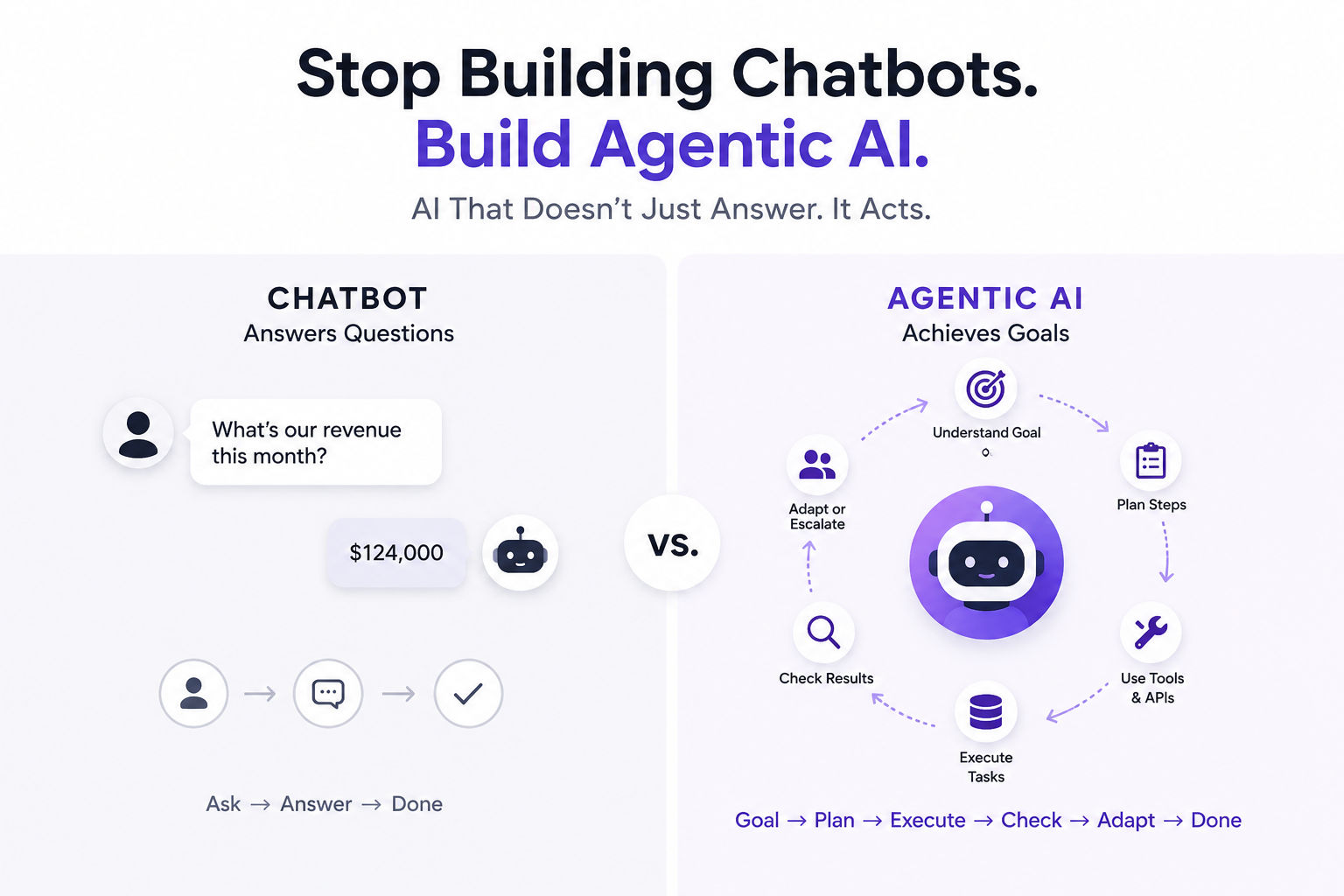
Tool calling is the bridge between LLM reasoning and real-world action. Prompt engineering guides the reasoning. Tool calling executes the decisions. You need both, but they're fundamentally different.
If you're building anything beyond a chatbot, tool calling isn't optional—it's foundational. The agents that work reliably in production aren't the ones with the most clever prompts. They're the ones with clean tool definitions, proper execution layers, and comprehensive tracing.
Start with frontier models while learning. Define schemas obsessively. Build error handling from day one. Instrument execution with detailed tracing. Then iterate on prompts.
That's how you go from prototype to production. That's how you build agents you can actually trust with real tasks.
CS student and builder writing about tech, startups, AI, and productivity. Built a SaaS that didn't ship — walked away with real product experience instead. Sharing everything learned along the way.