
PgBouncer vs Neon vs Prisma Accelerate: Connection Pooling Compared
Compare connection pooling solutions for serverless Postgres. Learn how PgBouncer, Neon, and Prisma Accelerate fix "too many connections" errors and scale your database.
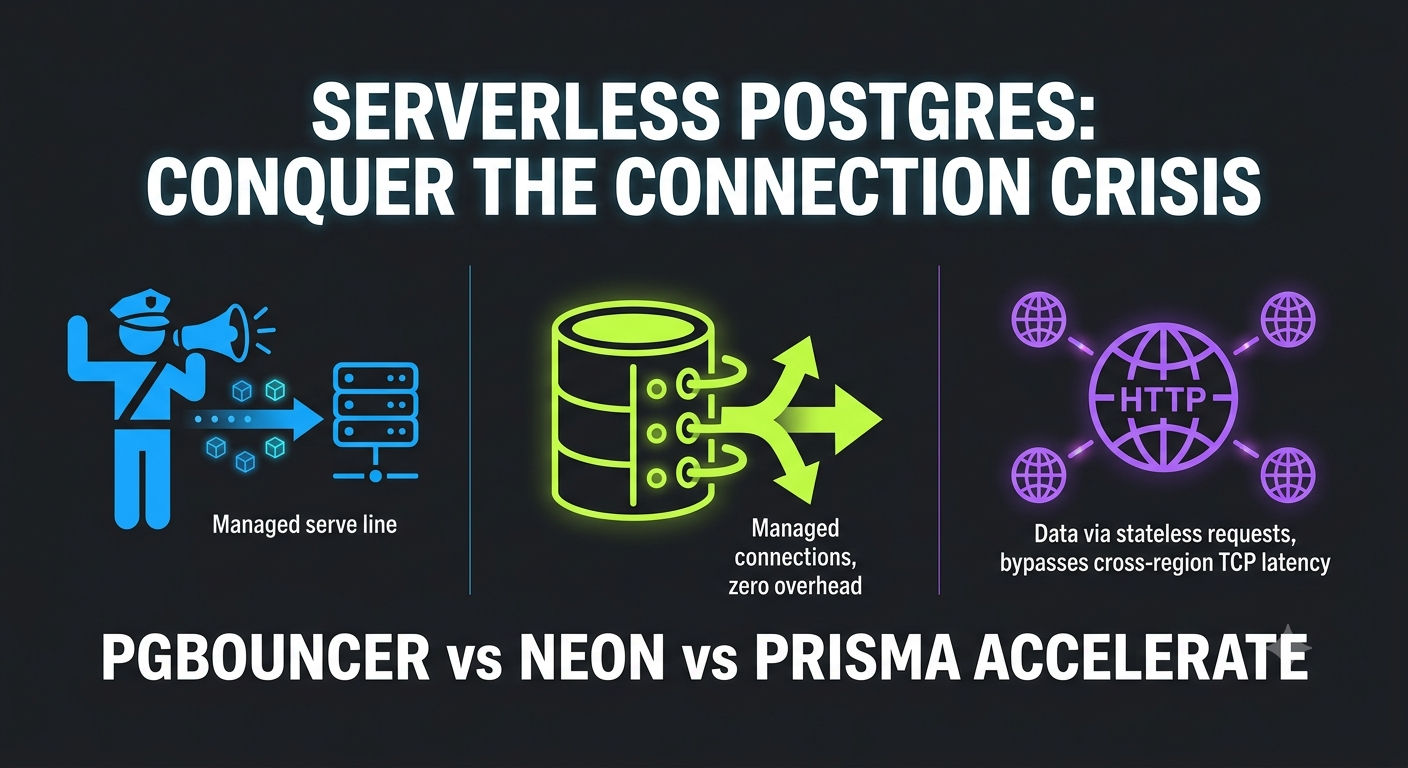
Serverless Connection Pooling: PgBouncer vs Neon vs Prisma Accelerate
Your serverless function just went live, and everything seems fine. Traffic trickles in. A few hundred users. Then your app hits the front page of HN. Suddenly you're getting 50x traffic, and within seconds, your database throws a cryptic error: "FATAL: too many connections."
This is the serverless database connection crisis, and it happens to most teams building on Lambda, Vercel, or Cloudflare Workers. The culprit? Connection pooling—or rather, the complete absence of it. Here's the brutal truth: serverless functions don't play well with traditional Postgres connection management.
Every single function invocation opens a fresh database connection. No connection reuse. No warm pools. Scale your functions to handle 100 concurrent requests, and suddenly you're trying to open 100 simultaneous database connections. Traditional databases like Postgres cap connections at around 100-400, depending on memory. Do the math.
This guide walks you through the three most practical solutions: self-hosted PgBouncer, managed Neon Postgres pooling, and application-layer Prisma Accelerate. By the end, you'll know exactly which one fits your infrastructure.
The Baseline: Managing Your Own PgBouncer
What PgBouncer Actually Does
PgBouncer is a lightweight, open-source connection pooler written in C. It sits between your application and Postgres, accepting thousands of client connections and funneling them through a smaller, fixed pool of real database connections. Think of it as a traffic cop for your database: instead of every request getting its own dedicated connection, they queue up and share a handful of persistent ones.
It sounds simple. It is simple. But the details matter—especially in serverless.
The Three Pool Modes (And Why Serverless Only Gets One)
PgBouncer supports three pool modes:
Session Mode (Default): A connection is locked to a client for the entire session. The session ends when the client disconnects. This means full PostgreSQL compatibility: prepared statements, SET commands, LISTEN/NOTIFY—all work perfectly. The problem? Zero connection reuse for serverless. If you have 100 concurrent Lambda invocations, you need 100 Postgres connections. PgBouncer becomes pointless.
Transaction Mode (The Only Serverless Option): A connection is borrowed from the pool and released after each transaction ends. The same connection can handle hundreds of different clients over time, drastically reducing the total connection count needed.
⚠️ The Limitation: Session-level features break. SET search_path, prepared statements, LISTEN/NOTIFY, and temporary tables—none of these work across transactions. This is the trade-off. You get connection reuse. You lose session state.
Statement Mode (Rarely Used): The connection is released after each statement. This is even less compatible and even more niche. Skip this.
For serverless, transaction mode is mandatory. It's the only mode that makes sense when every invocation is ephemeral and stateless.
The Operational Reality
Here's what nobody tells you: self-hosted PgBouncer requires you to manage infrastructure. You need to provision a server (EC2, VPS, or containerized somewhere), keep it running 24/7, monitor it for crashes, handle failover if it goes down, manage authentication and security groups, tune configuration (pool size, timeouts, limits), and set up logging and alerting.
For a serverless-native architecture, this is backwards. You're trying to eliminate operational overhead by going serverless, then you introduce a new stateful process to manage. One outage on that PgBouncer instance takes your entire application down.
Verdict: Great for traditional VPS architectures with stable, predictable traffic. Terrible for serverless-first teams who want to avoid infrastructure management.
Configuration Example (If You Go This Route)
1[databases]
2myapp = host=postgres.internal port=5432 dbname=myapp
3
4[pgbouncer]
5listen_addr = 0.0.0.0
6listen_port = 6432
7auth_type = scram-sha-256
8pool_mode = transaction
9max_client_conn = 1000
10default_pool_size = 20
11min_pool_size = 5
12reserve_pool_size = 5
13server_idle_timeout = 600
14query_timeout = 300
The math:
default_pool_size = (CPU_cores * 2) + 1
The Native Solution: Neon Postgres Connection Pooling
Why Neon Built Pooling Into the Database Itself
Neon is a serverless Postgres platform that separates compute from storage. It's designed from the ground up for serverless workloads. That means pooling isn't an afterthought—it's built in.
When you enable Neon's connection pooling, you're actually getting a PgBouncer instance managed entirely by Neon, running in transaction mode behind the scenes. No infrastructure to manage. No configuration headaches. You just flip a switch and change your connection string.
How It Works
Instead of connecting directly to Postgres (port 5432), you connect to Neon's pooler endpoint (port 6543). The pooler then manages a fixed pool of actual Postgres connections.
Direct connection:
postgresql://user:pass@ep-cool-darkness.us-east-2.aws.neon.tech/dbname
Pooled connection:
postgresql://user:pass@ep-cool-darkness-pooler.us-east-2.aws.neon.tech/dbname
The difference? One word:
-pooler
Connection Limits and Pool Sizing
Neon's pooling behavior depends on compute size:
- 0.25 CU compute: 104 max connections, 97 available to your app (7 reserved for Neon)
- 1 CU compute: 419 max connections, ~377 available per user/database combination
- 9+ CU compute: Capped at 4,000 max connections
Here's the key insight: Neon can handle up to 10,000 concurrent pooled client connections, but only because it multiplexes them through transaction mode. Those 10,000 connections don't all hit Postgres simultaneously. Instead, they're queued and reused as transactions complete.
The Transaction Mode Caveat (Same as PgBouncer)
Neon runs PgBouncer in transaction mode, which means:
- ❌ Prepared statements don't persist across transactions
- ❌ SET commands (like ) don't carry overtext
SET search_path
- ❌ LISTEN/NOTIFY breaks
- ❌ Temporary tables disappear
- ❌ fails (use direct connection instead)text
pg_dump
Most ORMs handle this automatically. Prisma and Drizzle both know about PgBouncer limitations and work around them. But if you're writing raw SQL, watch out for SET statements.
Real-World Example: Neon + Vercel
1# .env.local
2DATABASE_URL=postgresql://user:pass@ep-pooler.us-east-2.aws.neon.tech/mydb
3DIRECT_URL=postgresql://user:pass@ep-direct.us-east-2.aws.neon.tech/mydb1// prisma/schema.prisma
2datasource db {
3 provider = "postgresql"
4 url = env("DATABASE_URL") // Pooled for queries
5 directUrl = env("DIRECT_URL") // Direct for migrations
6}This pattern is the standard. Use pooled connections for all application queries. Use direct connections only for migrations and maintenance tasks.
Why Developers Choose Neon
- Zero infrastructure overhead. No PgBouncer server to manage.
- Instant setup. Connection pooling is enabled with one config change.
- Cost-effective. Pricing is usage-based (compute hours + storage). No 24/7 bill for a running instance.
- Built for serverless. Autoscaling compute, branching for development, scale-to-zero when idle.
💡 Enterprise Note: Neon's acquisition by Databricks provides massive financial backing and corporate stability. If vendor longevity is a critical checkbox for your production infrastructure, this backing significantly minimizes the risks associated with choosing a specialized database provider.
Verdict: The best choice if you want automatic pooling at the database level with minimal configuration. Best for teams already using Neon or starting a new project.
The Application Layer: Prisma Accelerate (HTTP-Based Pooling)
A Quick History Lesson: From Data Proxy to Accelerate
Prisma Data Proxy was Prisma's original answer to serverless pooling. It worked, but it had limitations. Prisma deprecated it and launched Prisma Accelerate, a next-generation solution that adds global query caching on top of connection pooling.
If you see old tutorials mentioning "Prisma Data Proxy," ignore them. Accelerate is the current standard.
How Accelerate Changes the Game
Here's the key difference from PgBouncer and Neon: Accelerate eliminates the need for your application to manage a persistent TCP connection pool directly.
Traditional connection pooling relies on TCP connections between your app and the pooler. For serverless functions deployed globally, this means cross-region TCP handshakes on every single request—even if the connection is reused.
Accelerate swaps this out for request-based efficiency using HTTP/HTTPS gateways. Your serverless function passes queries to the closest Accelerate node via stateless, low-overhead HTTPS requests. The Accelerate proxy node then maintains a persistent pool of traditional TCP connections to your underlying database.
The Global Edge Architecture
Accelerate runs on Prisma's distributed edge network across 15+ regions. When you send a query:
- Your serverless function sends it to the nearest Accelerate node via HTTPS.
- That node checks its internal connection pool for an available TCP connection to your database.
- If not available, it establishes one (maintaining connection reuse across your entire user base).
- The query executes.
- The result optionally gets cached at the edge.
For global applications, this is elegant. A user in Tokyo hits Accelerate's Tokyo node. A user in London hits the London node. No cross-region TCP overhead from the app runtime.
Accelerate vs Neon: The Fundamental Difference
| Aspect | Neon Pooling | Prisma Accelerate |
|---|---|---|
| Pooling Location | Database level (PgBouncer) | Global edge network (HTTP proxy) |
| Protocol to Proxy | TCP (persistent connections) | HTTPS (stateless requests) |
| Best For | Traditional backends, ORM-agnostic | Edge functions, Vercel, Cloudflare Workers |
| Caching | Query-level only if you add Redis | Built-in global caching |
| Auto-Scaling | Manual compute size adjustment | Automatic scaling included |
| Cost Model | Database service billing | Separate Accelerate subscription |
When Accelerate Makes Sense
Use Accelerate if you have any of these:
- Deploying to Cloudflare Workers, Vercel Edge Functions, or other edge runtimes.
- Global user base needing low-latency database access.
- High read traffic where query caching saves significant database load.
- Using Prisma ORM already (no ORM integration needed).
- Want the simplest possible setup (just swap the connection URL).
When Accelerate Doesn't Make Sense
- Using raw SQL or non-Prisma ORMs (Drizzle, SQLAlchemy, etc.).
- Staying in a single region.
- Heavy transactional workloads (where read caching is less valuable).
- Budget-conscious (Accelerate adds cost on top of the database).
- Highly cold-start sensitive. While Accelerate cuts database connection times down over HTTP, the Prisma engine itself adds more bundle weight to your deployment package than lightweight native drivers like postgres-js. Keep an eye on your serverless bundle sizes to ensure cold starts stay low.
Real Example: Vercel Edge Function with Accelerate
1import { PrismaClient } from '@prisma/client'
2
3const prisma = new PrismaClient()
4
5export async function handler(event) {
6  const users = await prisma.user.findMany({
7    where: { email: event.body.email }
8  })
9  return { users }
10}
That's it. If
DATABASE_URL
Pricing Reality Check
Accelerate is not free. Prisma charges per API unit consumed:
- Free tier: Up to 50K API units/month
- Pro tier: $5-20/month depending on usage
For context, a typical database query costs 1-10 API units. Cached queries cost ~0.1 units. If your app sends 1M queries/month, you're looking at $50-200/month for Accelerate on top of database costs.
Verdict: Best for edge-deployed applications and Prisma users. Overkill for single-region backends. Adds cost, but the global distribution and caching can justify it at scale.
The Decision Matrix: Which One Actually Wins?
| Factor | Self-Hosted PgBouncer | Neon Pooling | Prisma Accelerate |
|---|---|---|---|
| Setup Complexity | High (server + config) | Low (URL change) | Low (Prisma swap) |
| Operational Overhead | High (monitoring, failover) | None (managed) | None (managed) |
| Protocol to Proxy | TCP | TCP | HTTPS |
| Best For | Legacy VPS stacks | Serverless-native teams | Edge functions + caching |
| Cost | Infrastructure $$ | Database usage | Accelerate subscription |
| Vendor Lock-In | None | Neon-specific | Prisma-specific |
| Transaction Mode Limits | Yes (session state breaks) | Yes (same pooler) | Yes (depends on backend DB) |
| Global Distribution | No (single region) | No | Yes (15+ regions) |
| Query Caching | Requires Redis | No | Yes (built-in) |
Real-World Scenarios: Which Solution Wins?
Scenario 1: Early-Stage Startup Building on Vercel + Postgres
Your situation: You want serverless functions, you're using Prisma, users are global, and you want minimal ops overhead.
Best choice: Prisma Accelerate
Why? Global edge caching reduces cold start latency. Automatic scaling. Built into Prisma. One less thing to manage. Cost is negligible at startup scale.
Scenario 2: Enterprise Team with Existing Postgres Infrastructure
Your situation: You have legacy on-prem Postgres, you're migrating some workloads to serverless, and you need maximum control.
Best choice: Self-Hosted PgBouncer (or AWS RDS Proxy if on AWS)
Why? You already own infrastructure. Neon and Accelerate feel like unnecessary new dependencies. PgBouncer integrates with anything (no ORM requirement). RDS Proxy fits naturally if you're already using AWS.
Scenario 3: Scaling Startup Going 100% Serverless
Your situation: You're committed to serverless-native architecture. No legacy databases. You want Postgres with branching for development and scale-to-zero for cost optimization.
Best choice: Neon Pooling
Why? Purpose-built for serverless. Connection pooling included. Database branching is a game-changer for development. Pricing aligns with serverless economics (pay for usage, not idle capacity).
Scenario 4: High-Traffic E-Commerce with Global Users
Your situation: You're selling globally. You need sub-100ms latency everywhere. You want caching to reduce database load. Budget isn't an issue.
Best choice: Prisma Accelerate + Neon
Why? Use Neon for the database and Accelerate for edge-deployed functions. Combine both benefits: managed pooling + global caching. Yes, you're paying for two services, but the latency and reliability payoff justifies it.# The Hidden Gotchas Nobody Warns About
Prepared Statements Break in Transaction Mode
Both Neon and self-hosted PgBouncer run in transaction mode. This means:
1-- This fails silently in transaction mode:
2PREPARE my_stmt AS SELECT * FROM users WHERE id = $1;
3EXECUTE my_stmt(123);  -- Error: prepared statement doesn't exist
Most ORMs handle this. But if you're writing raw SQL or using older database drivers, this is a gotcha.
Fix: Avoid prepared statements across transactions. Use parameterized queries within single transactions instead.
SET Commands Don't Persist
1// This breaks in transaction mode:
2await db.query('SET search_path TO myschema')
3await db.query('SELECT * FROM users')  // Error: table doesn't exist
4
5// This works:
6await db.query('SELECT * FROM myschema.users')
Idle Connection Timeouts
Neon closes idle pooled connections after 60 minutes. If your serverless function hasn't executed in an hour, the next invocation will wait for a new connection to establish.
PgBouncer has a configurable
server_idle_timeout
Max Connection Limit Surprises
Neon's 0.25 CU compute gives you 97 available connections. If you have 100 concurrent Lambda invocations, you'll hit the limit. Each request beyond 97 waits in a queue. If they wait more than the query timeout (usually 120 seconds), they fail.
This is why connection pool sizing matters. It's not just about being "good enough"—it's about understanding your peak concurrency and rightsizing accordingly.
How to Choose in 60 Seconds
- Are you using Prisma + deploying to edge? → Prisma Accelerate
- Do you want a managed database with built-in pooling? → Neon
- Do you have existing on-prem Postgres or RDS? → Self-hosted PgBouncer or RDS Proxy
- Do you need global caching + pooling? → Accelerate + Neon
- Do you want zero operational overhead and serverless-native design? → Neon
What's Next
If you pick Neon, enable pooling by appending
-pooler
If you pick Accelerate, swap your Prisma connection string and monitor your API unit consumption.
If you pick PgBouncer, start with
default_pool_size = (cpu_cores * 2) + 1
The serverless database connection crisis is entirely solvable. Choosing the right pooling strategy is the difference between an unexpected 3 AM production outage and a system that scales completely smoothly.
Most People Asked
CS student and builder writing about tech, startups, AI, and productivity. Built a SaaS that didn't ship — walked away with real product experience instead. Sharing everything learned along the way.