Open-Source CRM for Small Business: 5 Best Options
Compare Odoo, SuiteCRM, ERPNext, and more. Find the right open-source CRM that fits your budget and business needs. Setup guide included.
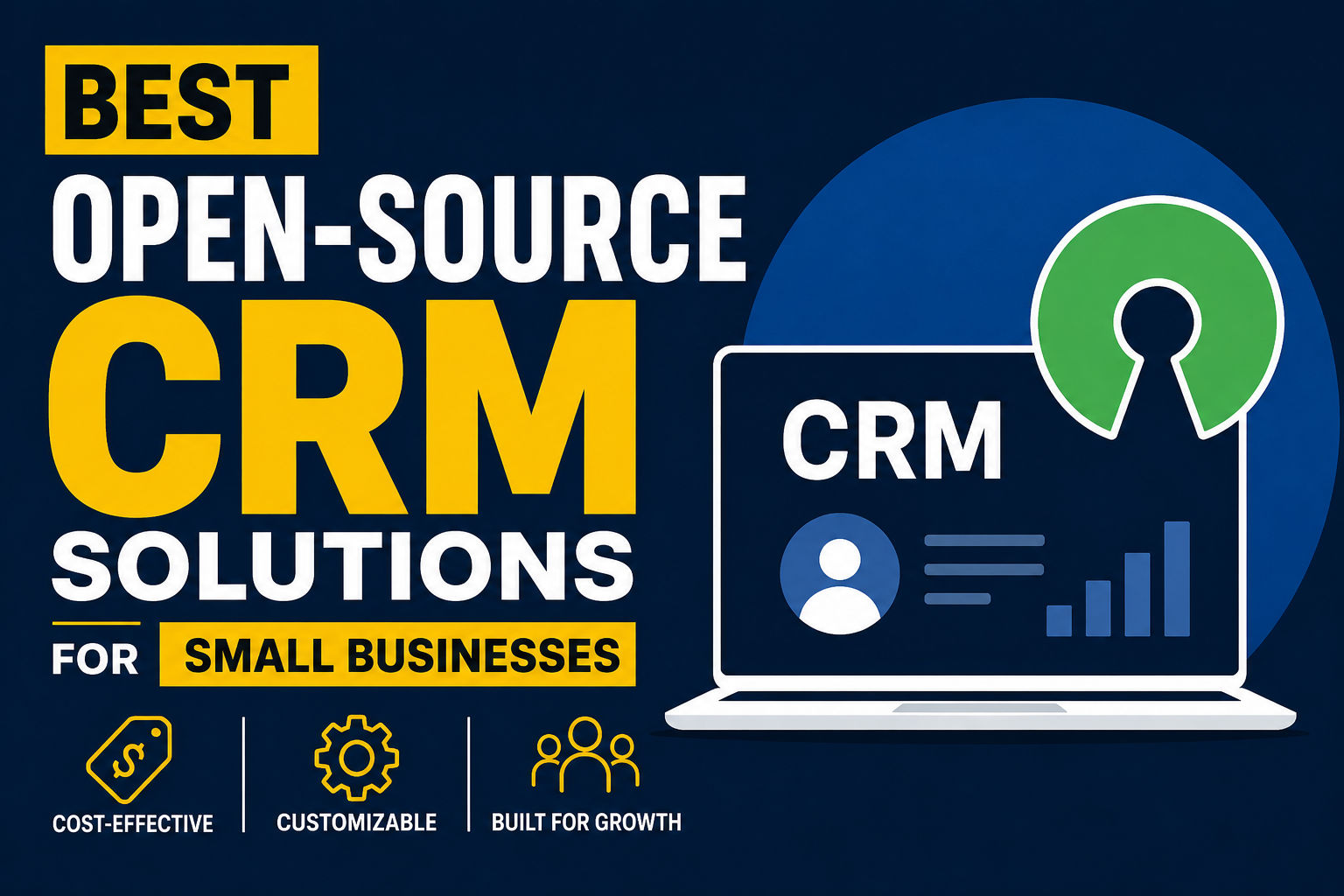
Introduction: What is Open-Source CRM and Why Choose It?
Let's be honest—when you're running a small business, every dollar counts. You're juggling a hundred different responsibilities, and the last thing you want is to spend a fortune on fancy software just to keep track of your customers. That's where the magic of open-source CRM comes in.
But first, what exactly is a CRM? A Customer Relationship Management system is basically your digital rolodex on steroids. It helps you organize customer information, track interactions, manage sales pipelines, and ultimately build better relationships with the people who keep your business running. Think of it as the nervous system of your business—it connects all your customer data and communication in one place.
Now, here's where open-source CRM gets interesting. Instead of paying thousands of dollars monthly to enterprise software companies, open-source CRM solutions let you access powerful software that's been developed and refined by communities of developers worldwide. You're not locked into one vendor's vision, and you're not paying licensing fees that make your finance manager cringe.
When we talk about CRM software examples, most people think of the big names—Salesforce, HubSpot, Pipedrive. Those tools are great if you're a large corporation with unlimited budgets. But for small businesses? Open-source CRM options offer something special: flexibility, affordability, and the ability to customize exactly how you work.
Why should you care about this? Because choosing the right CRM can genuinely transform how you do business. You'll spend less time drowning in spreadsheets and more time actually selling, serving, and growing. And when you choose an open-source option, you're not betting your business operations on another company's pricing whims.
Section 1: Top Open-Source CRM Platforms – Best Open-Source CRM Tools for Your Business
Okay, let's talk about the actual tools. There are several legitimate CRM examples in the open-source world, and each has its own personality. Here are the platforms worth serious consideration for small businesses:
Odoo
If you ask developers what open-source CRM they'd recommend, Odoo comes up constantly. And for good reason. Odoo isn't just a CRM—it's a complete business management suite. You get CRM, accounting, inventory, project management, all integrated together. The beauty of Odoo is that you can start with just the CRM module and add other features as your business grows.
The learning curve is gentler than you'd expect, and the community is massive. That means when you get stuck, there's usually someone who's solved your exact problem and posted the answer somewhere. Odoo can run on your own servers or in the cloud, giving you control over your data.
SuiteCRM
SuiteCRM is built on the code that was originally Sugar CRM, which means it inherits a lot of enterprise-level thinking but strips away the enterprise pricing. It's particularly good if you're migrating from another CRM because it handles that transition smoothly. The interface is familiar to anyone who's used traditional CRM software, which means your team won't need extensive retraining.
What makes SuiteCRM appealing is its module system. You can enable exactly what you need and keep things simple. For small teams, this prevents that overwhelming "too many features I don't understand" feeling.
ERPNext
ERPNext is another comprehensive business management system, similar to Odoo but with a different philosophy. It's built on Frappe, which is a Python-based framework, and it's designed to handle everything from CRM to accounting to inventory. The interface is clean and intuitive, which small business owners appreciate.
ERPNext has particularly strong reporting capabilities. If you're someone who makes decisions based on data, you'll love how easily you can pull reports and dashboards. Plus, it's completely free—there's a community version that costs nothing, though they do offer a hosted paid version for those who want support.
Vtiger CRM
Vtiger has been around for a while, and it's proven itself in the small business space. What sets Vtiger apart is its balance between simplicity and power. It's not so basic that you feel limited, but it's not so complex that you're drowning in features either.
Vtiger excels at pipeline management and lead tracking. If your business is primarily sales-driven, Vtiger's workflow automation can save you hours every week. The mobile app is solid too, which matters when you're out meeting customers.
CiviCRM
If you're running a nonprofit, CiviCRM deserves serious consideration. It's specifically designed for organizations that need to manage relationships with supporters, members, donors, and constituents. While technically you can use it in other contexts, nonprofits will find CiviCRM speaks their language in a way general CRM systems don't.
Section 2: Understanding the Landscape – CRM Examples and Options
Before we go deeper into implementation, let's talk about why the CRM market has exploded with options. The reason is simple: customer data is valuable, and how you manage it determines your success.
When people search for CRM software examples, they're usually looking for reassurance that they're choosing something proven. That's smart thinking. You want to know that other businesses like yours have successfully used this tool. Open-source options like those mentioned above have thousands of small businesses running on them successfully.
The proprietary tools you've probably heard of—SFDC CRM tool (that's Salesforce Cloud, for those new to the acronym), platforms like Neon CRM, Redtail CRM login systems—these are powerful but come with significant costs. A Salesforce implementation for a small business could easily run five figures annually. That's before you add consulting fees and training.
Section 3: CRM Implementation & Setup – How to Implement CRM Systems Successfully
This is where the rubber meets the road. Having a great CRM doesn't matter if you can't actually implement it. Here's what you need to know about CRM implementation.
Start with a Clear Plan
Before you install anything, get crystal clear on what you're trying to solve. Are you losing track of leads? Can't remember what you promised each customer? Struggling to forecast revenue? Your CRM should solve specific problems, not create new ones. Map out your customer journey—how does a prospect become a customer? What touchpoints matter? Your CRM should reflect this flow.
Choose Your Installation Method
With open-source solutions, you typically have options: self-hosted or cloud-hosted. Self-hosted means you run the server yourself (or rent one). You have maximum control but also maximum responsibility for updates, backups, and security. Cloud-hosted means a provider manages the server. Less control, but much less headache.
For most small businesses, starting with a cloud-hosted open-source option makes sense. You get the flexibility of open-source without the DevOps nightmares.
Data Migration and Setup
This is tedious but critical. You probably have customer data scattered in spreadsheets, email, and old systems. Getting this into your new CRM correctly is essential. Garbage in, garbage out—it's not just a saying, it's a law of CRM.
CRM System Proficiency Training
Your team needs to actually learn the tool. The best CRM in the world is useless if your sales team avoids using it. Build in time for training. Most open-source CRM communities have excellent documentation, video tutorials, and forums where you can learn.
Section 4: Making Sense of Your Data – CRM Analytics & Data Management
Once you've got data flowing into your system, the real magic happens: understanding what that data means.
CRM Analytics That Actually Matter
Every business has different metrics that matter. A real estate business cares about different things than a software agency. But broadly, you want to understand:
- Pipeline velocity: How fast deals move from stage to stage
- Conversion rates: What percentage of leads become customers
- Customer lifetime value: How much money does an average customer spend with you over time
- Sales forecast accuracy: Are your salespeople's predictions close to reality
Open-source CRM systems let you build custom reports and dashboards to track these metrics. This is where CRM analytics becomes genuinely useful rather than just pretty dashboards.
Contact Management CRM Done Right
At the heart of any CRM is contact management. You need to know everything relevant about your customer: their history with you, their preferences, who on your team is managing them, what they're currently interested in. A good contact management CRM system lets you see this at a glance without digging through records.
CRM Data Management Best Practices
Keep your data clean. Schedule regular data reviews. Remove duplicates. Update information that's changed. Your CRM is only as good as the data in it. Many small businesses fail with CRM not because the software is bad, but because they treat data management as an afterthought.
Section 5: CRM Solutions for Specific Industries – Finding the Right Fit for Your Business
Here's something important: what works for a real estate business doesn't necessarily work for an insurance agency. Let's talk about CRM solutions built for specific industries.
Insurance CRM Software and Best CRM for Insurance Agents
Insurance agents have unique needs. You're managing renewals, tracking policy anniversaries, handling compliance documentation, and maintaining relationships that last decades. Insurance CRM software needs to handle this complexity without being unnecessarily complicated.
Agents need systems that remind them to check in before policies renew. They need automated compliance tracking. Many insurance agents have found that open-source CRM solutions like SuiteCRM, when configured properly, can handle these requirements better than expensive proprietary insurance CRM tools while costing a fraction of the price.
Best CRM for Financial Advisors
Financial advisors work with similar relationship timelines as insurance agents but with different requirements. You're managing portfolios, tracking client goals, recording suitability reviews, and documenting compliance. A good CRM for financial advisors—especially a wealth management CRM—needs to integrate financial data securely.
Automotive CRM Software
Dealerships and automotive service businesses have high-volume customer bases with repeat interactions. Automotive CRM software needs to track service history, warranty information, customer preferences for vehicles, and follow-up schedules. The key here is automation—you can't manually track everything with dozens of daily customers.
Legal CRM Software
Legal practices have ethics rules that other businesses don't. Conflict checking, client billing integration, matter management, and document storage need to be seamlessly connected. Legal CRM software isn't just about relationships; it's about compliance and case management.
Mortgage CRM Software
Mortgage professionals need systems that handle rates, loan products, compliance documentation, and processing workflows. Mortgage CRM software must integrate with rate feeds, underwriting systems, and investor management. The timeline from application to closing is precise, and everything needs tracking.
Real Estate CRM: Best CRM for Real Estate Investors
Real estate investors need to track properties, leads, inspections, financing, contractors, and timelines. The best CRM for real estate investors combines contact management with property tracking and project management. Many real estate professionals have moved to open-source solutions that let them customize fields specifically for real estate workflows.
Nonprofit CRM Solutions
Free CRM for nonprofits is essential—most nonprofits operate on shoestring budgets. But "free" doesn't mean you should sacrifice functionality. Free real estate CRM and free CRM for nonprofits need to handle:
- Donor management and giving history
- Grant tracking
- Volunteer coordination
- Fundraising campaigns
- Donor communication
Open-source solutions work particularly well here because nonprofits can often find volunteer developers to help customize the system.
Construction CRM Software and Best CRM for Construction
Construction companies juggle projects, crews, equipment, schedules, and clients. Construction CRM software needs to handle project tracking, crew assignments, equipment schedules, and customer communication across multiple active projects.
Operational CRM Software: Your Daily Driver
Operational CRM software is what most small businesses actually need. It's the system your team uses every day to manage customer interactions, track sales activities, and maintain customer information. This is different from analytical CRM (dashboards and reports) and collaborative CRM (across departments).
Section 6: CRM with Project Management – Integrated CRM and Project Management Tools
Here's something that trips up a lot of small businesses: they buy a CRM and then buy separate project management software. Suddenly you're entering data in two systems, and nothing talks to each other.
Why CRM and Project Management Matter Together
Your customer interactions and your project work are deeply connected. You land a client (CRM), then you execute their project (project management). If these systems aren't connected, information falls through cracks.
CRM Project Management Integration
The best CRM and project management software solutions have native integration. Odoo, ERPNext, and SuiteCRM all offer this. You can create a project directly from a customer record, associate team members, track time and deliverables, and bill back to the customer—all in one place.
Wealth Management CRM and Customer Success
If you're managing customer success—making sure clients actually get value from your product or service—you need CRM systems with built-in project management. Tracking customer success metrics, action items, and deliverables in your CRM prevents the "we sold them but then forgot about them" trap.
Section 7: Open-Source vs. Proprietary CRM – Why Open-Source Wins for Small Businesses
Let's have the honest conversation: why choose open-source when everyone's heard of Salesforce?
Cost Considerations
Salesforce CRM tool pricing? Starting at several hundred dollars per user per month. ERPNext or Odoo? Potentially free if self-hosted, or a fraction of that cost if you use cloud hosting. For a team of 10, you're potentially saving thousands of dollars monthly.
Flexibility and Customization
With proprietary software, you're locked into the vendor's vision. They decide what features you get, when they get them, and how much they cost. Open-source CRM means you can customize anything. Need a specific field? Add it. Need a custom workflow? Build it. Need integration with that weird system your accountant uses? You can make it happen.
CRM Best Practices Built In
Good open-source CRM systems are built on the accumulated best practices of enterprise CRM deployments. When you use Odoo or SuiteCRM, you're benefiting from decades of CRM knowledge, not just a founder's opinion about how CRM "should" work.
Custom CRM Software Development
If you need something truly unique, open-source CRM is the foundation for custom CRM software development. You can hire developers to extend an open-source CRM far cheaper than building from scratch. The entire community of available developers for platforms like Odoo and ERPNext means you're not locked into one agency.
Section 8: Your Open-Source CRM Setup Guide – Getting Started with Open-Source CRM
Ready to actually do this? Here's your step-by-step guide.
Step 1: Assess Your Business Needs
Write down: What are your 5 biggest customer management challenges right now? What does a typical customer journey look like? How many users need the system? What integrations matter (accounting, email, scheduling)?
Step 2: Choose Your Platform
Based on your industry and needs:
- General business: Odoo or SuiteCRM
- Technical team, full ERP needed: ERPNext
- Nonprofit: CiviCRM
- Sales-focused: Vtiger CRM
- Service business: Whichever you choose, focus on pipeline management
Step 3: Pick Your Hosting Option
- Low budget, technically comfortable: Self-hosted on a VPS ($5-20/month)
- Low budget, not technical: Look for managed hosts offering open-source CRM hosting ($50-200/month for small teams)
- Want support: Official cloud offerings from the CRM vendors
Step 4: Plan Data Migration
Export your current customer data. Clean it up (remove duplicates, standardize fields). Create a mapping of old field names to new field names. Most open-source CRM platforms have excellent import tools.
Step 5: Train Your Team
Dedicate time to actually learning the system. The investment in training now prevents months of underutilization later.
Step 6: Start Simple, Grow Later
Don't try to configure everything on day one. Get the basics working. Use it for a month. Then add complexity as you understand what matters.
CRM System Proficiency Development
Your team's proficiency with CRM is an ongoing journey. Encourage people to learn features gradually. Assign someone to be the "CRM champion"—someone who becomes deeply familiar with the system and helps others.
Section 9: Final Thoughts – Choosing Your Open-Source CRM
The right CRM isn't about which one has the shiniest interface or the biggest name. It's about which one fits how your business actually works.
For most small businesses, an open-source CRM is genuinely the smart choice. You get powerful CRM software examples from real companies finding success with these platforms. You avoid vendor lock-in. You keep your data under your control. And you save enormous amounts of money that you can reinvest in growth.
The CRM examples we've covered—Odoo, SuiteCRM, ERPNext, Vtiger, CiviCRM—are all proven, battle-tested, and actively developed. None of them will disappear tomorrow. All have thriving communities. All can scale as you grow.
Your next step? Pick the platform that resonates with how you work. Start with your free trial or free hosted option. Spend a week clicking around. Talk to the community. See if it feels right. Then take the plunge.
The business you build with better customer relationships is worth the effort of implementation. And with open-source CRM, you're not betting a huge budget on the experiment.
Most People Asked
CS student and builder writing about tech, startups, AI, and productivity. Built a SaaS that didn't ship — walked away with real product experience instead. Sharing everything learned along the way.