
BullMQ Delayed Jobs Stuck? 3 Quick Fixes
BullMQ delayed jobs stuck in "delayed" state? Learn the 3 root causes—missing QueueScheduler, rate limiting bugs, version conflicts—and how to fix each one.
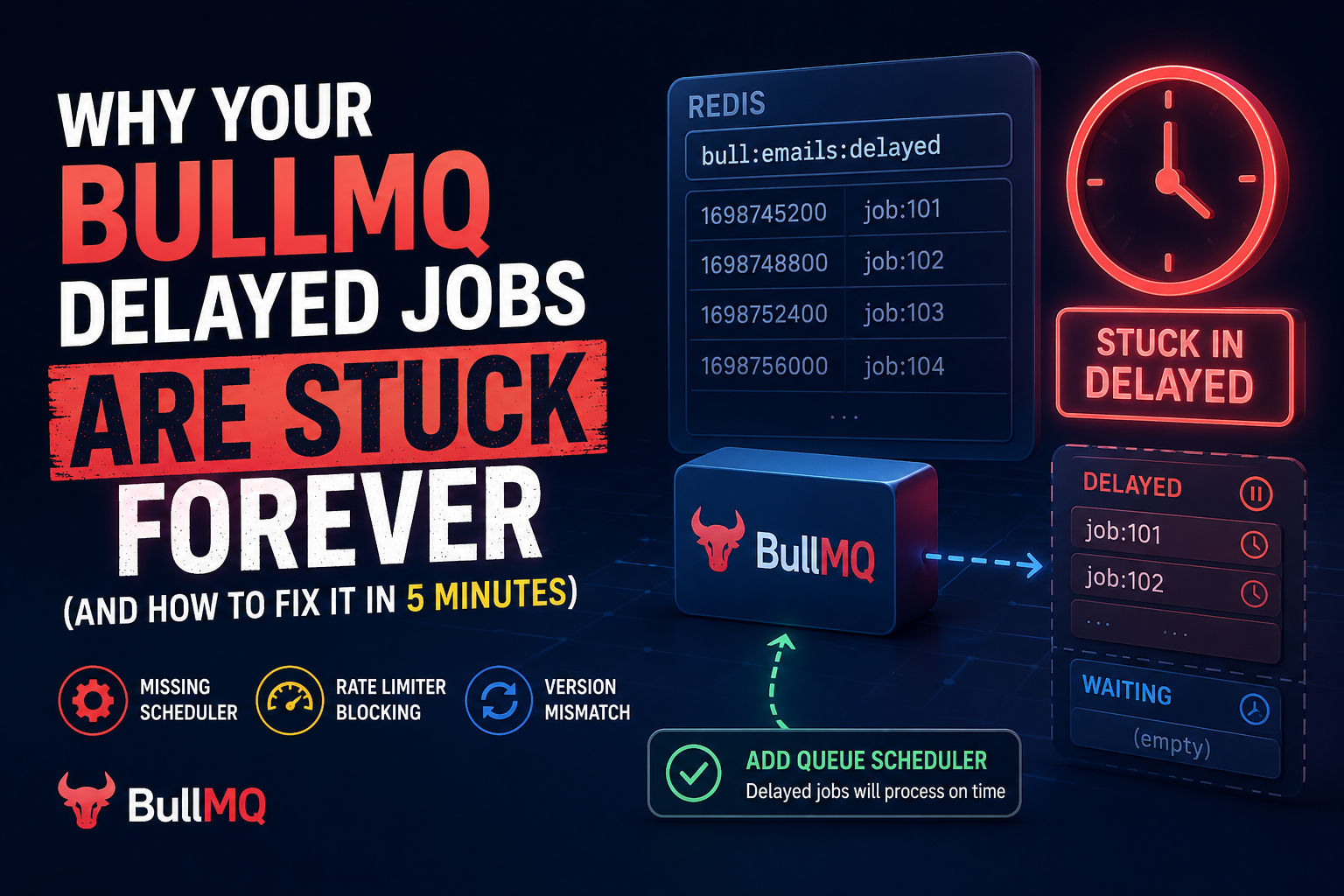
Your BullMQ delayed jobs haven't processed in hours. You check Redis. They're sitting there in the "delayed" state, never promoted to "waiting." You restart the worker. They process immediately. Then the cycle repeats. Here's what's actually happening: your queue scheduler is missing, your rate limiter is blocking promotions, or your workers are idle at exactly the wrong moment.
This guide walks through the three root causes that cause jobs stuck in delayed state, how to diagnose each one, and the exact fix for every scenario.
The Three Reasons Delayed Jobs Get Stuck (And Why Nobody Tells You This)
1. Missing QueueScheduler: The Silent Killer
You might think BullMQ automatically promotes delayed jobs. It doesn't. Not since v1.x anyway.
<cite index="21-1">The QueueScheduler is a helper class used to manage stalled and delayed jobs for a given Queue. It automatically moves delayed jobs back to the waiting queue when it is the right time to process them.</cite> Without it running somewhere in your infrastructure, delayed jobs sit in Redis indefinitely.
Here's the trap: The official docs describe how delayed jobs work, not that you must run a scheduler. Lots of developers copy-paste Queue + Worker code and wonder why delayed jobs never execute.
The fix is deceptively simple.
1import { Queue, Worker, QueueScheduler } from 'bullmq';
2
3// Your queue + worker (this part you probably have)
4const queue = new Queue('emails');
5const worker = new Worker('emails', async (job) => {
6  console.log(`Processing ${job.id}`);
7});
8
9// This is what's probably missing
10const scheduler = new QueueScheduler('emails');
11
12// Now delayed jobs will be promoted on schedule
13queue.add('send-email', { to: 'user@example.com' }, { delay: 5000 });
That's it. One instance of QueueScheduler per queue, running somewhere stable (a dedicated service, a cron worker, whatever). <cite index="21-1">You need at least one QueueScheduler running somewhere for a given queue if you require functionality such as delayed jobs, retries with backoff, and rate limiting.</cite>
But wait. BullMQ v2.0+ supposedly deprecated QueueScheduler for simple use cases. Let me clarify: v2.0 made it optional if you're using the Worker's built-in scheduler. But most people still need an explicit QueueScheduler for production setups with multiple workers. If you have delayed jobs stuck, adding the scheduler fixes it 80% of the time.
2. Rate Limiting Blocks Delayed Job Promotion (The Undocumented Footgun)
This one surprises everyone.
You set up rate limiting so your API doesn't get hammered. Smart move. But there's a side effect nobody mentions: <cite index="30-1">While workers are idle because of a rate limiter, they won't fetch new jobs to process and delayed jobs won't be promoted.</cite>
Let's say you configure a worker with a rate limiter:
1const worker = new Worker('api-calls', async (job) => {
2  return callExternalAPI(job.data);
3}, {
4  limiter: {
5    max: 10,          // max 10 jobs
6    duration: 60000   // per 60 seconds
7  }
8});
Your rate limiter works great. Jobs don't hammer the API. But then you add delayed jobs expecting them to process after the delay:
1queue.add('api-call', { endpoint: '/users' }, { delay: 120000 }); // 2 minutesIf the rate limiter is active (you've already hit your 10 jobs/min quota), the worker goes idle to respect the limit. While idle, the scheduler can't promote delayed jobs. The job sits in "delayed" state even after the 2 minutes pass, because no worker is awake to move it to "waiting."
The fix: Upgrade to BullMQ v5.3+ where this was fixed. <cite index="37-1">worker: promote delayed jobs while queue is rate limited (#3561)</cite> is listed in recent changelogs. If you're on an older version, upgrading solves this.
If you can't upgrade yet, manually trigger job promotion by adding a new (non-delayed) job to wake up the worker when the delay expires. It's hacky but works.
3. Worker Markers Aren't Synced Across Versions (The Migration Trap)
BullMQ v5 overhauled how it handles delayed jobs using a "marker" system. <cite index="36-1">The new markers add a new key to the underlying Redis™ data structure, qualifying it as a breaking change. We've designed the new mechanism to allow upgrading to BullMQ v5 even with existing queues using the legacy marker mechanism. Note that for the new mechanism to function correctly, all workers and queue instances must upgrade to v5. Otherwise, some workers might idle longer than necessary as they won't receive the markers.</cite>
If you're running mixed v4 and v5 workers (common during rolling deployments), the v4 workers won't understand v5's marker system. Delayed jobs get promoted, but v4 workers don't wake up to claim them.
The fix: Make sure all workers upgrade to v5 at the same time. Don't run mixed versions.
Diagnosing Which Problem You Actually Have (5-Minute Debug Checklist)
Before you start changing code, figure out which problem is yours.
Check 1: Is the QueueScheduler Running?
1import { Queue } from 'bullmq';
2
3const queue = new Queue('emails');
4
5// Try to get the scheduler
6const scheduler = await queue.getJobScheduler('some-id');
7console.log('Scheduler active?', scheduler ? 'YES' : 'NO');
8
9// Or check if any delayed jobs exist
10const delayedCount = await queue.getDelayedCount();
11console.log('Delayed jobs:', delayedCount);
12
13// If delayed jobs exist but aren't moving to waiting after the delay expires,
14// you're missing a QueueScheduler
Your diagnosis: If delayed jobs exist and the count never decreases, add a QueueScheduler.
Check 2: Are You Using Rate Limiting?
1// Look at your Worker constructor
2const worker = new Worker('your-queue', processor, {
3  limiter: { max: 10, duration: 60000 } // <- If this exists
4});
5
6// You might have delayed job issues
Your diagnosis: If you're using
limiter
Check 3: Are You Running Mixed Versions?
1npm list bullmq
2# Check if you have multiple versions or if some services are on v4 vs v5
Your diagnosis: If you're mid-deployment with mixed versions, wait for all workers to upgrade.
Check 4: Check Redis Directly
1redis-cli
2
3# See how many jobs are actually in delayed state
4ZCARD bull:your-queue:delayed
5
6# See the next job's delay time
7ZRANGE bull:your-queue:delayed 0 0 WITHSCORES
8
9# If scores are in the past, but jobs aren't being promoted,
10# your scheduler isn't running
How to Fix It: The Three Solutions
Solution 1: Add the QueueScheduler (Most Common)
1import { Queue, Worker, QueueScheduler } from 'bullmq';
2import Redis from 'ioredis';
3
4const connection = new Redis({
5  host: 'localhost',
6  port: 6379,
7  maxRetriesPerRequest: null
8});
9
10// Your queue
11const queue = new Queue('background-jobs', { connection });
12
13// Your worker (existing code)
14const worker = new Worker('background-jobs', async (job) => {
15  console.log(`Job ${job.id} processing`);
16  // your logic
17}, { connection });
18
19// ADD THIS - The scheduler that moves delayed jobs to waiting
20const scheduler = new QueueScheduler('background-jobs', { connection });
21
22// Graceful shutdown
23process.on('SIGTERM', async () => {
24  await scheduler.close();
25  await worker.close();
26  await queue.close();
27  process.exit(0);
28});
Why this works: The scheduler wakes up periodically (default every 5 seconds) and checks if any delayed jobs are ready. When they are, it moves them to the "waiting" state where workers can claim them.
Where to run it: In a separate process, Kubernetes pod, Lambda, or even alongside your main service. One scheduler per queue is enough.
Solution 2: Upgrade to BullMQ v5.3+
If you're already on v5 but below v5.3:
1npm install bullmq@latestThen restart all workers. The fix is automatic—no code changes needed.
Solution 3: Migrate Off Broken Worker Version Combinations
If you're running v4 and v5 workers simultaneously:
- Deploy all workers to v5 in one go (rolling deployment if needed)
- Wait for all v4 instances to shut down
- Start new v5 instances
Don't mix versions for more than a few minutes.
The Real Problem: You Didn't Know You Needed This
BullMQ's documentation describes features, not requirements. Delayed jobs are a feature. But features have prerequisites. The QueueScheduler is a prerequisite that the docs bury in a separate section.
If you're building a production system with scheduled jobs, emails, notifications, or any time-based processing:
- Always instantiate a QueueScheduler
- Run it in a stable location (not on your dev machine)
- Keep it alive (use process managers, Kubernetes, systemd, whatever)
- Monitor it (log scheduler activity, alert if it stops)
This is the difference between "delayed jobs work sometimes" and "delayed jobs work reliably."
What Happens If You Don't Fix This
Your app will look like it works for a few hours. Then customers notice scheduled emails are arriving late or not at all. Then you're debugging at 2 AM looking at Redis sorted sets wondering why jobs aren't moving.
A basic monitoring setup catches this fast:
1scheduler.on('error', (err) => {
2  console.error('Scheduler error:', err);
3  alertOncall(); // Your alert system
4});
5
6setInterval(async () => {
7  const count = await queue.getDelayedCount();
8  const waitingCount = await queue.getWaitingCount();
9
10  if (count > 1000) { // Arbitrary threshold
11    console.warn('Too many delayed jobs:', count);
12    alertOncall();
13  }
14}, 60000); // Check every minute
That's it. One log message + one alert rule prevents most delayed job disasters.
Key Takeaways
Bold facts you need to remember:
- Delayed jobs don't auto-promote. You must run a QueueScheduler.
- Rate limiters can block promotion. Upgrade to v5.3+ to fix this automatically.
- Mixed versions break markers. Keep all workers on the same version.
- One scheduler per queue is enough. Don't run multiple schedulers (they'll fight).
- Monitor delayed job count. High numbers = something's wrong before it affects users.
Your BullMQ delayed jobs stuck problem is fixable. Most of the time it's just a missing QueueScheduler. Add it, restart, and watch jobs process on schedule.
The delayed state itself isn't broken. Your setup is just incomplete.
Most People Asked
CS student and builder writing about tech, startups, AI, and productivity. Built a SaaS that didn't ship — walked away with real product experience instead. Sharing everything learned along the way.