11 Best Open-Source Notion Alternatives in 2026
Compare the best open-source Notion alternatives in 2026, including AppFlowy, AFFiNE, Logseq, Anytype, and more with features and pros.
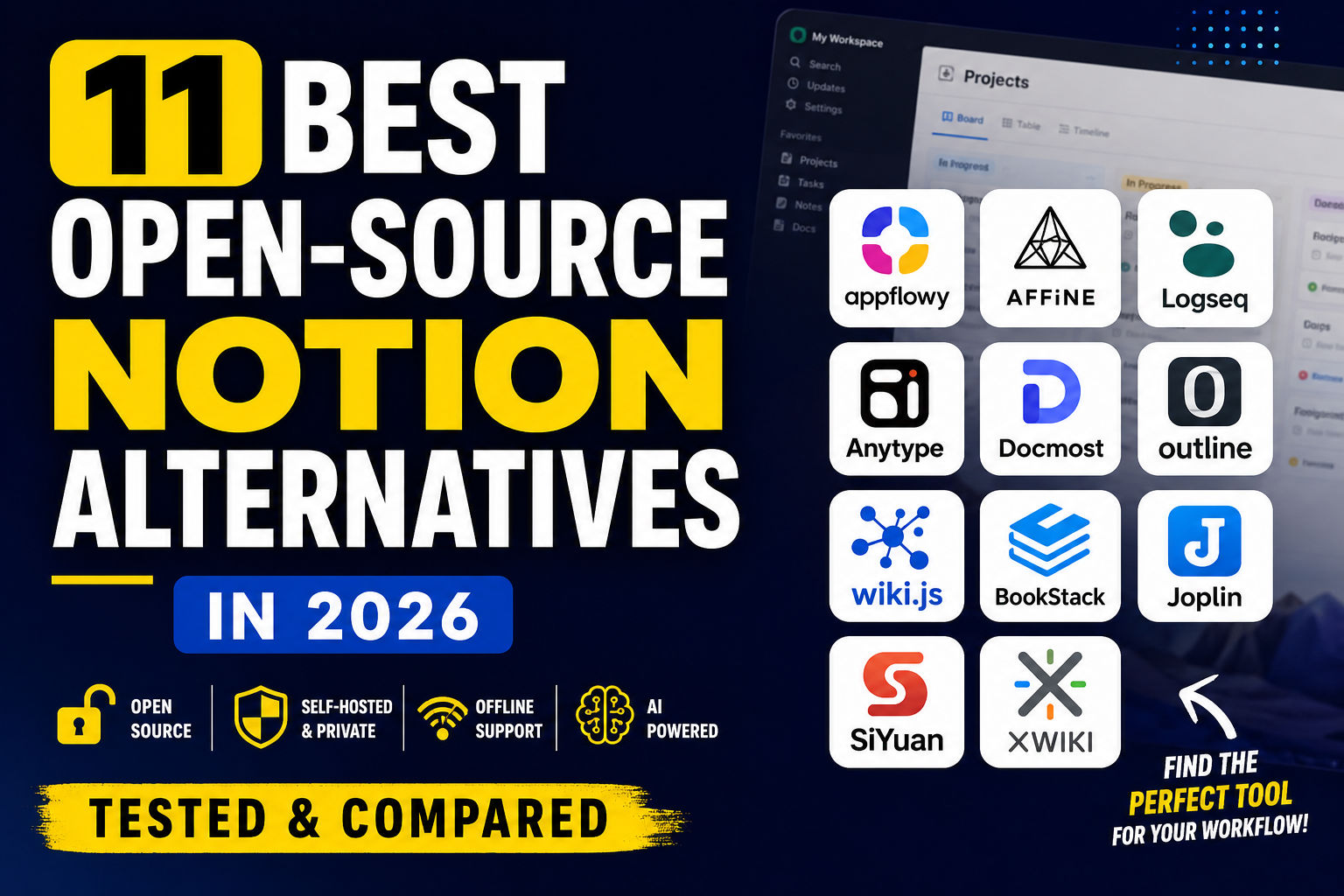
11 Best Open-Source Notion Alternatives in 2026 (That Are Actually Worth Using)
For years, Notion has been the app people recommend for almost everything—taking notes, managing projects, building a company wiki, or even planning a vacation. It does a lot, and for many people, it does it well.
But here's the catch: not everyone wants their entire digital life tied to a proprietary cloud service.
Maybe you want to host everything on your own server. Maybe you work with sensitive client data. Or maybe you're simply tired of paying for features that should be yours in the first place.
That's exactly why open-source alternatives have gained so much attention over the past few years.
The interesting part isn't that developers have created "Notion clones." It's that many of these tools have started solving problems Notion still doesn't. Some are built around privacy. Others are designed for offline work. A few even let you run AI features locally without sending your notes to someone else's servers.
So if you're looking for the best open-source Notion alternative, you're no longer limited to one or two niche projects. There are now several mature options, each with a different philosophy.
Some try to recreate the Notion experience almost perfectly.
Others take a completely different path—and that might actually be a better fit depending on how you work.
Why So Many People Are Leaving Notion
This usually surprises people.
Very few users leave Notion because it's a bad product.
Most leave because their needs change.
A college student with lecture notes has different priorities than a five-person startup. A freelance designer works differently from a software engineer running a home server.
Eventually, one of these questions starts popping up:
- Can I host this myself?
- Will it still work without the internet?
- Who actually owns my data?
- Can I customize this beyond what the company allows?
That's where Notion starts showing its limits.
For example, if you want to install Notion on your own server, you simply can't. If your company has strict data residency requirements, you're limited by the platform. And if you prefer software that keeps working even when you're offline, the experience isn't nearly as smooth as some local-first alternatives.
None of those limitations matter to every user—but they matter a lot to the people searching for an alternative.
What Makes an Open-Source Alternative Worth Switching To?
It's tempting to compare apps feature by feature.
Does it have databases?
Does it support kanban boards?
Does it include AI?
Those things matter, but they don't tell the whole story.
A good replacement should fit naturally into the way you already work.
Here's what I looked for while comparing these tools:
- A clean writing experience that doesn't get in your way.
- Active development instead of abandoned GitHub repositories.
- Reliable offline support or self-hosting options.
- Easy migration from Notion.
- A community that's actually building around the project.
- Features that solve real problems instead of just copying Notion's interface.
You'll notice that not every app in this list checks every box.
That's intentional.
Some are incredible for personal knowledge management but terrible for team collaboration.
Others are fantastic company wikis but overkill for individual users.
Instead of trying to crown one universal winner, this guide focuses on matching each tool to the people who will benefit from it most.
How This Guide Is Organized
Rather than throwing eleven apps into one giant list, we'll group them by the kind of user they're best suited for.
We'll look at:
- The closest replacements for Notion
- The best privacy-first workspaces
- Apps built for developers and self-hosters
- Tools that shine as company documentation platforms
- Knowledge management apps for researchers and students
By the end, you should have a much clearer idea of which one deserves your time—and which ones you can safely ignore.
Let's start with the project that most people end up comparing to Notion first: AppFlowy.
The Closest Open-Source Replacement: AppFlowy
If you've been using Notion for a while, AppFlowy is probably the first project you should look at.
Not because it's the oldest or the most popular—but because it feels familiar without feeling like a cheap copy.
The first thing you'll notice after opening AppFlowy is the layout. Pages sit on the left, the editor is clean, and you can create databases, kanban boards, tables, and documents without spending an hour figuring out where everything is. If you've already invested months organizing your life in Notion, that familiarity makes the transition much easier.
But here's where AppFlowy starts pulling away from Notion.
Instead of locking everything inside someone else's cloud, it gives you the option to run the entire workspace yourself. That single decision changes who this software is really built for.
For an individual, it means better privacy.
For a startup, it means complete control over company data.
For developers, it means the freedom to customize the platform instead of waiting for a feature request to be approved.
That's a pretty big advantage.
What Makes AppFlowy Stand Out?
There are plenty of note-taking apps that claim to replace Notion, but most of them only replace one or two features.
AppFlowy tries to replace the entire experience.
You can:
- Create structured databases
- Build project boards
- Write documentation
- Organize research
- Collaborate with teammates
- Self-host your workspace
- Work offline when needed
It doesn't feel like a collection of disconnected tools. Everything works together in a way that's surprisingly polished for an open-source project.
Where It Still Falls Short
That doesn't mean it's perfect.
The community is growing quickly, but it still isn't as large as Notion's.
You'll also notice that templates, third-party integrations, and automation options aren't as extensive yet.
If your workflow depends on hundreds of community templates, you'll probably miss that ecosystem.
For everyone else, those compromises are relatively small.
Who Should Choose AppFlowy?
I'd recommend AppFlowy if you're in one of these groups:
- Developers who like self-hosting
- Startups trying to reduce SaaS costs
- Privacy-conscious users
- Students building a long-term knowledge base
- Small teams replacing Notion
If your goal is to find the closest open-source Notion alternative, this is still the safest recommendation.
AFFiNE: The One That Thinks Beyond Documents
Most productivity apps ask you to choose one way of working.
Either you're writing documents.
Or you're sketching ideas on a whiteboard.
AFFiNE doesn't force that choice.
Instead, it blends both into the same workspace.
Imagine brainstorming a product idea.
You start with a few paragraphs explaining the concept.
Then you drag in sticky notes.
A flowchart.
A few screenshots.
Maybe a rough wireframe.
In most apps, you'd need to jump between two or three different tools to do that.
AFFiNE keeps everything together.
That's its biggest strength.
Why Creative People Love It
If your work involves planning, design, research, or teaching, AFFiNE feels surprisingly natural.
Instead of thinking in pages, you start thinking in ideas.
The infinite canvas encourages you to connect information visually rather than burying everything inside folders.
It almost feels like someone merged Notion with a digital whiteboard.
Once you get used to that workflow, it's difficult to go back.
The Downsides
The project is developing incredibly fast, which is exciting—but it also means you'll occasionally run into features that still feel unfinished.
That's normal for a rapidly evolving open-source project.
The core experience is already excellent.
Just don't expect every feature to be as polished as software that's had nearly a decade of development.
Who Should Use AFFiNE?
AFFiNE is an easy recommendation for:
- Designers
- Product managers
- UX researchers
- Students
- Visual thinkers
- Content creators
If your brain naturally connects ideas with diagrams instead of long documents, AFFiNE will probably suit you better than Notion.
Logseq: Not a Notion Clone—and That's Exactly Why People Love It
At first glance, Logseq doesn't seem like a Notion competitor at all.
And honestly, it isn't trying to be.
Where Notion focuses on organizing projects, Logseq focuses on organizing thoughts.
That sounds like a small difference until you spend a few weeks using it.
Instead of creating folders full of notes, you start building relationships between ideas.
Today's journal links to yesterday's meeting.
That meeting connects to a project.
The project links to research.
Months later, those connections become incredibly valuable because you no longer have to remember where something was written.
You just follow the links.
It's a completely different way of thinking.
Why Researchers Swear by It
If you've ever heard someone talk about building a "second brain," there's a good chance they were using Logseq.
Researchers use it to connect papers.
Writers use it to organize ideas.
Developers document systems with it.
Students turn lecture notes into connected knowledge instead of isolated documents.
The graph view isn't just there to look impressive—it actually helps you discover relationships you might have forgotten.
Is It Right for Everyone?
Probably not.
If your main goal is managing a team, assigning tasks, and tracking projects, Logseq can feel awkward.
It's much stronger as a personal knowledge management system than a business workspace.
That's perfectly fine.
Not every app has to solve every problem.
My Take
If AppFlowy is the best replacement for Notion, Logseq is the best replacement for the way many people wish they had been taking notes all along.
Once you understand its workflow, it's hard not to appreciate how differently it approaches knowledge management.
And for the right person, that's exactly why it deserves a place on this list.
Privacy Comes First: Why Anytype Feels Different
Most productivity apps ask you to trust them with your data.
Anytype asks a different question:
"Why should we have your data at all?"
That idea is the foundation of the entire project.
Instead of treating the cloud as the default, Anytype starts with your device. Your notes, documents, tasks, and knowledge base live locally, and syncing across devices is encrypted. It feels less like signing up for another SaaS app and more like installing software that actually belongs to you.
If you've ever hesitated before storing personal journals, research, or confidential client information in a cloud workspace, you'll immediately understand why people are excited about Anytype.
It's Not Trying to Be Another Notion
This is something many comparison articles get wrong.
Anytype isn't chasing Notion feature for feature.
Instead of focusing on pages and databases, it revolves around objects. A note can become a task. A task can connect to a person. A person can connect to a project.
At first, the concept feels unusual.
Then it starts making sense.
Instead of endlessly nesting folders, you're building relationships between information.
It's a subtle difference, but it changes how you organize your workspace over time.
The Catch?
There's definitely a learning curve.
If you're expecting a clone of Notion, you'll probably feel lost during the first hour.
That's not because the interface is bad.
It's because the philosophy is different.
Once that clicks, many users never go back.
Who Should Use Anytype?
I'd recommend Anytype if your priorities are:
- Privacy over convenience
- Offline work
- Personal knowledge management
- Long-term note organization
- Encrypted synchronization
If you're running a large collaborative team, there are better choices on this list.
But for individuals who care deeply about owning their data, Anytype is hard to ignore.
Docmost: The One Built for Teams
Let's switch gears for a moment.
Not everyone needs a second brain.
Some people just want a place where their team can stop asking the same questions every week.
That's exactly where Docmost shines.
Imagine joining a startup where every process lives in Slack messages, random Google Docs, and someone's memory.
Finding anything becomes frustrating.
Docmost solves that problem by giving teams a central place for documentation, meeting notes, internal guides, onboarding checklists, and project information.
It feels modern, clean, and surprisingly fast.
More Than Just a Wiki
Calling Docmost "another wiki" doesn't really do it justice.
It includes many of the features teams expect from modern collaboration software:
- Rich document editing
- Team workspaces
- Permission controls
- AI-powered assistance
- Real-time collaboration
- Self-hosting
The experience is much closer to Notion than traditional documentation tools like MediaWiki or Confluence.
That makes adoption much easier because people don't feel like they're learning outdated software.
Where It Excels
Docmost makes the biggest difference in companies with growing teams.
Once your organization reaches ten or twenty people, documentation becomes essential.
Without it, information disappears into chats and meetings.
With it, onboarding gets faster, support questions decrease, and everyone spends less time searching for answers.
That's where Docmost earns its place.
Is It a Personal Productivity App?
Not really.
Could you use it for personal notes?
Absolutely.
Would I recommend it over Logseq or Anytype for that purpose?
Probably not.
Its biggest strength is collaboration, not personal knowledge management.
Outline: Clean, Fast, and Surprisingly Polished
If I had to describe Outline in one sentence, I'd call it the minimalist's documentation platform.
Everything feels intentional.
No unnecessary menus.
No clutter.
No overwhelming dashboard.
You open a document, start writing, and the software quietly stays out of your way.
Sometimes that's exactly what you want.
The Editor Is the Star
Some software impresses you with hundreds of features.
Outline impresses you because it doesn't get in your way.
The writing experience is smooth, search is fast, and organizing documents feels effortless.
If your company mainly needs an internal knowledge base rather than a full productivity suite, Outline is one of the nicest tools available.
One Important Detail
You'll often see Outline included in lists of open-source Notion alternatives.
That's only partly true.
Its source code is publicly available, but it's released under the Business Source License (BSL) rather than a traditional OSI-approved open-source license.
For many users, that distinction won't matter.
For organizations with strict open-source policies, however, it's worth understanding before you commit.
Who Is Outline Best For?
I'd recommend Outline if you:
- Run a remote team
- Need an internal wiki
- Value a clean writing experience
- Don't need complex databases
If documentation is your priority, it's one of the best-designed tools on this list.
Wiki.js: The Veteran That Still Holds Up
Newer doesn't always mean better.
Wiki.js proves that.
It has been around long enough to earn the trust of universities, businesses, and developers who care more about reliability than trendy interfaces.
Unlike Notion or AppFlowy, Wiki.js isn't trying to become an all-in-one productivity hub.
Its mission is much simpler:
Create excellent documentation.
And it does that extremely well.
Why IT Teams Love It
If you've ever worked in an engineering organization, you've probably seen documentation spread across dozens of disconnected files.
Wiki.js brings everything together.
It supports multiple authentication providers, integrates well with enterprise environments, and offers the kind of flexibility system administrators appreciate.
It's not flashy.
It's dependable.
Sometimes that's exactly what a company needs.
Should You Replace Notion With It?
That depends.
If you're hoping for project boards, databases, and collaborative brainstorming, you'll probably find Wiki.js too specialized.
But if your biggest challenge is building a reliable documentation portal for your team, few open-source projects have its level of maturity.
It isn't trying to be everything.
It simply focuses on doing one job exceptionally well—and there's something refreshing about that.
The Underrated Picks You Shouldn't Ignore
By this point, we've covered the apps that get mentioned in almost every "Notion alternatives" article.
But here's something I noticed while researching this space:
The best tool for you isn't always the one with the biggest community or the most GitHub stars.
Some projects are built with a very specific audience in mind. If you happen to be that audience, they can easily outperform the bigger names.
Let's look at four of them.
BookStack: When Simplicity Beats Flexibility
Have you ever opened Notion and thought:
"Why are there so many options just to write a page?"
You're not alone.
Not everyone wants databases, formulas, AI assistants, and endless customization.
Sometimes you just need a place where documentation stays organized.
That's exactly what BookStack does.
Instead of giving you unlimited ways to structure information, it keeps everything inside a simple hierarchy:
Book → Chapter → Page
It sounds basic.
That's the point.
Within minutes, almost anyone can understand how information is organized.
No training.
No tutorials.
No complicated workspace setup.
Where BookStack Shines
I wouldn't recommend BookStack as a personal productivity app.
That's not what it's designed for.
Where it really excels is internal documentation.
Imagine running:
- a small software agency
- a school
- a nonprofit
- an IT department
You probably have SOPs, onboarding guides, policies, troubleshooting steps, and documentation that everyone needs.
BookStack makes those documents incredibly easy to find.
And honestly, that's more valuable than having dozens of fancy features nobody uses.
Who Should Skip It?
If you're hoping to replace Notion databases, project management, or collaborative planning boards, BookStack will probably feel too limited.
It's a documentation tool first.
Everything else comes second.
Joplin: The Quiet Workhorse
Joplin has been around for years.
It rarely gets flashy headlines.
It doesn't market itself as "the future of productivity."
And somehow, that's part of its charm.
Instead of trying to become another all-in-one workspace, Joplin focuses on helping you take notes—really well.
Open it.
Write something.
Organize it.
Sync it.
Done.
No unnecessary complexity.
Why People Stick With It
Joplin has one of the most loyal communities in open-source productivity.
Once people adopt it, they tend to stay.
Why?
Because it's dependable.
Your notes live in Markdown.
They're encrypted.
They work offline.
And if you ever decide to leave, your data isn't trapped inside a proprietary format.
That's surprisingly rare these days.
Is It a Notion Replacement?
Not really.
And that's okay.
If you're expecting collaborative workspaces and relational databases, you'll be disappointed.
If you simply want an excellent notebook that respects your privacy, Joplin deserves far more attention than it usually gets.
SiYuan: Built for Power Users
Every productivity app has a target audience.
SiYuan's audience is easy to identify.
People who love tweaking everything.
From the outside, SiYuan looks like another note-taking application.
Spend a little time exploring it, though, and you'll discover advanced linking, SQL-powered databases, graph relationships, flashcards, block references, and an impressive amount of customization.
It's incredibly capable.
It's also a little intimidating.
Why Some People Love It
If you're the kind of person who installs browser extensions just to save a few clicks, SiYuan will probably feel exciting.
There are endless ways to adapt it to your workflow.
Researchers appreciate its linking system.
Developers enjoy the flexibility.
Power users love that almost nothing feels locked down.
Why Others Don't
There's no getting around it.
Beginners may find SiYuan overwhelming.
That's not a criticism.
It's simply software built for people who enjoy complexity.
If you prefer something you can master in a single afternoon, AppFlowy or AFFiNE will probably be a better fit.
XWiki: Built for Organizations, Not Individuals
Most of the tools we've discussed so far work well for individuals or small teams.
XWiki plays in a completely different league.
It's designed for organizations managing thousands of pages, multiple departments, complex permissions, and long-term documentation.
In other words, it's enterprise software.
What Makes It Different?
Instead of focusing on beautiful writing experiences, XWiki focuses on scalability.
It offers:
- Advanced permission management
- Workflow automation
- Structured data
- Custom applications
- Enterprise authentication
- Extensive integrations
Those aren't features most individuals care about.
Large organizations absolutely do.
Should You Use It?
If you're writing personal notes, probably not.
If you're building documentation for hundreds of employees, it's one of the strongest open-source platforms available.
Like many enterprise tools, its biggest strength isn't how modern it looks.
It's how much it can handle.
A Quick Reality Check
After spending time comparing all eleven tools, one thing became obvious.
There isn't a "Notion killer."
And that's actually good news.
Every project has chosen a different direction instead of copying Notion feature by feature.
Some prioritize privacy.
Some focus on collaboration.
Others obsess over documentation or personal knowledge management.
That means your decision shouldn't be:
"Which app is the best?"
Instead, ask yourself:
"Which app solves the problem I'm actually trying to solve?"
That question usually leads to a much better choice than chasing the tool with the longest feature list.
In the final section, we'll narrow everything down with practical recommendations, explain how to migrate from Notion without losing your data, answer the most common questions, and wrap up with a clear verdict on which tools are worth your time in 2026.
So... Which One Should You Actually Choose?
After looking at all eleven tools, you might be thinking:
"They're all good. That doesn't make the decision any easier."
Fair point.
The truth is, there isn't one perfect Notion replacement because people use Notion for completely different reasons.
A software engineer and a university student may both use Notion every day, but their expectations couldn't be more different.
Instead of asking "Which is the best?", ask yourself one simple question:
"What problem am I trying to solve?"
Your answer will usually point you toward the right tool much faster than any comparison table.
My Recommendations Based on Different Use Cases
If You Just Want "Open-Source Notion"
Don't overthink it.
Go with AppFlowy.
It has the smoothest transition, a familiar interface, active development, and enough features to replace Notion for most individuals and small teams.
It's the recommendation I'd give to someone who wants to switch this weekend without completely changing how they work.
If You Think Visually
Choose AFFiNE.
Some people organize ideas with bullet lists.
Others think in diagrams, sketches, and mind maps.
AFFiNE understands that better than almost any productivity app today.
If your workflow regularly jumps between writing and brainstorming, you'll appreciate its infinite canvas.
If You're Building a Second Brain
Choose Logseq.
This isn't just another note-taking application.
It's a long-term knowledge system.
The more you use it, the more valuable it becomes because your notes start connecting in ways that folders never could.
For researchers, writers, developers, and lifelong learners, that's incredibly powerful.
If Privacy Is Non-Negotiable
Go with Anytype.
The less your data depends on someone else's servers, the better.
Anytype embraces that philosophy from day one.
It won't be the right choice for every team, but for personal knowledge management, it's one of the strongest privacy-focused workspaces available.
If You're Managing a Team
I'd look at Docmost first.
Most teams don't need endless customization.
They need clear documentation, collaboration, permissions, and something new employees can learn quickly.
Docmost checks those boxes without becoming overly complicated.
If Documentation Is Your Main Goal
Choose based on your environment.
- Outline if you want a modern, polished writing experience.
- Wiki.js if reliability matters more than aesthetics.
- BookStack if simplicity is your highest priority.
- XWiki if you're supporting a large enterprise with advanced requirements.
Each one solves a different documentation problem.
Moving From Notion Without Regretting It
One mistake I see people make is switching tools too quickly.
They export everything from Notion, import it into a new app, notice a few formatting issues, and immediately decide the software isn't good enough.
That's usually not the app's fault.
Migration takes a little patience.
Here's a smoother approach.
Start Small
Instead of importing your entire workspace, begin with one project.
A personal notebook.
A documentation folder.
A side project.
Spend a week working inside the new application before committing completely.
You'll learn far more from everyday use than from reading feature lists.
Clean Up Before Migrating
Most Notion workspaces collect years of clutter.
Duplicate pages.
Old meeting notes.
Half-finished projects.
Broken databases.
Migrating everything only brings that clutter with you.
Take the opportunity to start fresh.
You'll probably discover you only need half of what you're exporting.
Expect Small Differences
Every alternative handles information a little differently.
Some organize around pages.
Others around objects.
Some prefer Markdown.
Others use databases.
Don't judge a new tool by how perfectly it copies Notion.
Judge it by whether it makes your own workflow better.
That's a much fairer comparison.
Most People Asked
CS student and builder writing about tech, startups, AI, and productivity. Built a SaaS that didn't ship — walked away with real product experience instead. Sharing everything learned along the way.